> ## Documentation Index
> Fetch the complete documentation index at: https://docs.testsprite.com/llms.txt
> Use this file to discover all available pages before exploring further.
# Healing & Observability
> How TestSprite detects, explains, and repairs failures with strong signals and auto-healing.
## Why Healing & Observability
Stable tests need two things:
* **Strong observability** to tell you what failed and why
* **Safe, automated healing** to fix brittle tests and non-functional drift without busywork
TestSprite pairs both, so your suites stay reliable as the app evolves.
## Observability Signals Collected
During planning, generation, and execution, TestSprite captures rich artifacts to explain outcomes and accelerate fixes.
 TestSprite captures detailed execution artifacts:
* Screenshots and videos (for UI paths)
* Console logs and network traces
* HTTP requests/responses with headers and payloads
TestSprite captures detailed execution artifacts:
* Screenshots and videos (for UI paths)
* Console logs and network traces
* HTTP requests/responses with headers and payloads
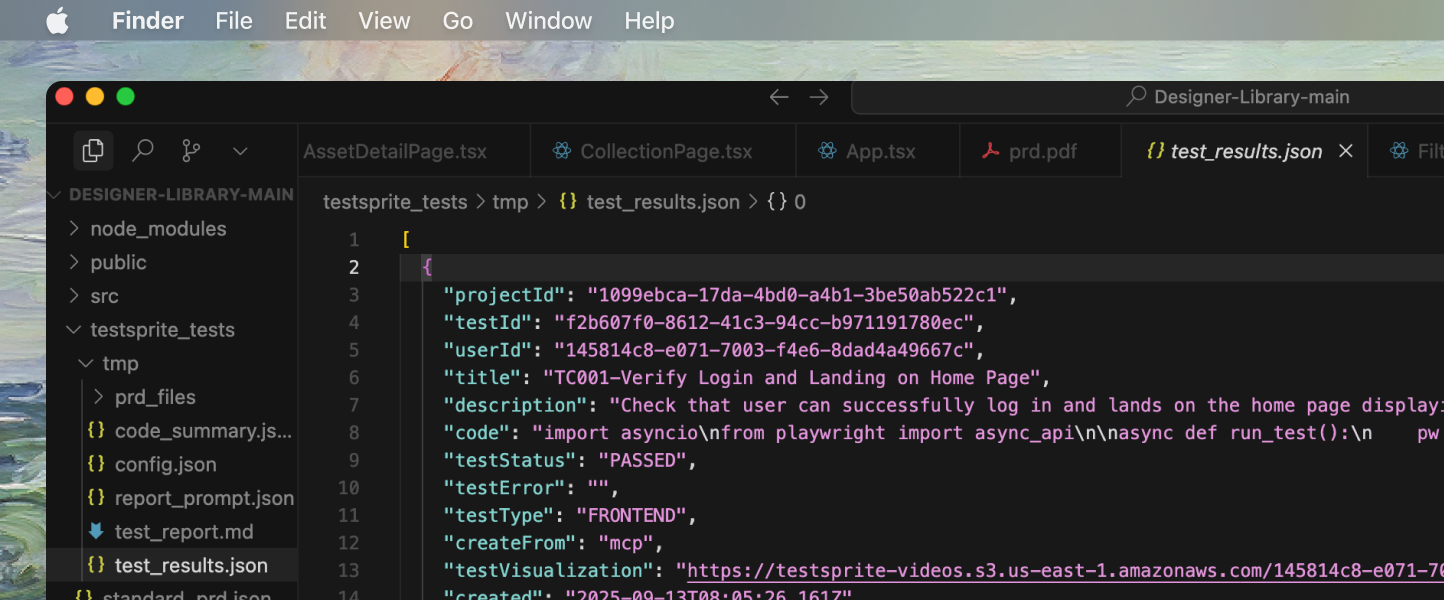 Test results are organized with structured data:
* Per-test status with timestamps and duration
* Assertions and failure locations
* Categorization: functional, error handling, auth, boundary, edge, concurrency, UI/UX
Test results are organized with structured data:
* Per-test status with timestamps and duration
* Assertions and failure locations
* Categorization: functional, error handling, auth, boundary, edge, concurrency, UI/UX
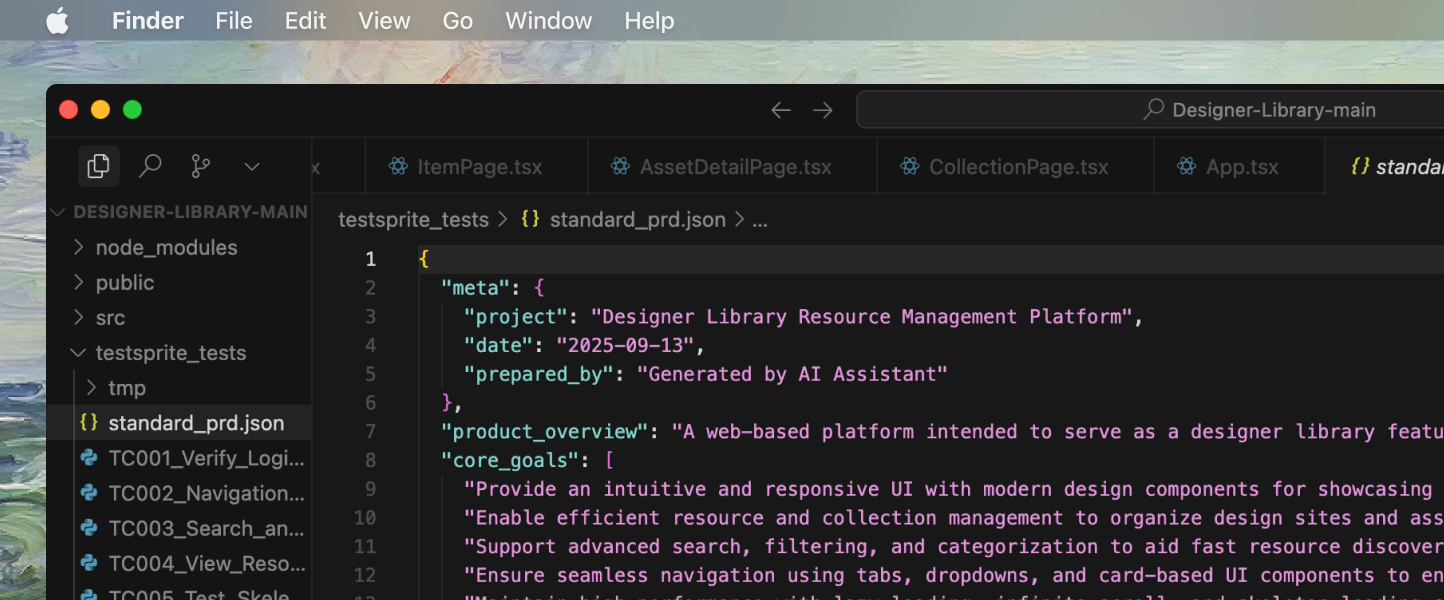 Context information helps understand test execution:
* Code summary, normalized PRD, and test plans used
* Environment details (frameworks, ports, config)
All artifacts are summarized into human-readable reports and machine-readable JSON under `testsprite_tests/`.
## Failure Classification
When a test fails, TestSprite classifies the root cause to determine the right remediation path:
* **Product Bug:** behavior contradicts PRD/plan expectations
* **Test Fragility:** locator drift, timing mismatch, transient UI state
* **Environment Issue:** service not running, port mismatch, credentials missing
* **Contract Violation:** response schema/shape breaks API guarantees
Classification drives both the report and any automated healing actions.
## Flakiness Detection
Intermittent failures are detected by patterns in timing, retries, and run-to-run variance:
* **Identical steps** failing at different points in time
* Pass/fail **toggling** without code changes
* **High sensitivity** to network latency, animations, or loading spinners
For flaky cases, TestSprite proposes stable waits, resilient selectors, and idempotent flows.
## Auto-Healing Strategies
Healing focuses on making tests robust without masking real bugs.
Healing strategies for UI test stability:
* Prefer **role/label/text-first selectors** over brittle CSS/XPath
* Add **deterministic waits** (network idle, specific element visible)
* Defer actions until the page reaches a **known ready state**
Healing strategies for test data and state management:
* Generate **deterministic test data** and fixtures
* **Reset state between tests**; clean up leaked sessions
Healing strategies for environment and configuration issues:
* Correct known port/app start issues with **targeted guidance**
* Suggest **missing credentials/env vars** in the portal
Healing strategies for API contract validation:
* Tighten schema assertions to **actual contract**
* Add nullability and pagination **boundary cases** where appropriate
Healing is applied automatically when safe; otherwise, it’s proposed for review in your IDE.
## End-to-End Repair Flow
```mermaid theme={null}
flowchart LR
A[Execute and Collect] --> B[Analyze and Classify]
B --> C[Decide Healing Path]
C --> D[Verify]
D --> E[Report]
```
* **Execute and Collect**: Run tests, record artifacts, produce structured results
* **Analyze and Classify**: Determine bug vs. fragility vs. environment vs. contract issue
* **Decide Healing Path**: Apply safe auto-fixes (selectors, waits, fixtures). Propose code edits when human approval is prudent
* **Verify**: Re-run impacted tests to confirm stability and correctness
* **Report**: Update reports, annotate what was auto-healed vs. manually approved
## How This Connects to the Lifecycle
Healing and observability are embedded across the lifecycle:
* **Discover & Plan**: baseline PRD/plan informs assertions and oracles
* **Generate**: tests are authored with resilient defaults
* **Execute**: artifacts captured for every run
* **Analyze**: failures classified with actionable next steps
* **Heal & Maintain**: automated and proposed fixes applied
* **Report & Integrate**: signals flow to CI/CD quality gates
Learn more about test types and lifecycle stages
## Using Healing with the MCP Tools
Context information helps understand test execution:
* Code summary, normalized PRD, and test plans used
* Environment details (frameworks, ports, config)
All artifacts are summarized into human-readable reports and machine-readable JSON under `testsprite_tests/`.
## Failure Classification
When a test fails, TestSprite classifies the root cause to determine the right remediation path:
* **Product Bug:** behavior contradicts PRD/plan expectations
* **Test Fragility:** locator drift, timing mismatch, transient UI state
* **Environment Issue:** service not running, port mismatch, credentials missing
* **Contract Violation:** response schema/shape breaks API guarantees
Classification drives both the report and any automated healing actions.
## Flakiness Detection
Intermittent failures are detected by patterns in timing, retries, and run-to-run variance:
* **Identical steps** failing at different points in time
* Pass/fail **toggling** without code changes
* **High sensitivity** to network latency, animations, or loading spinners
For flaky cases, TestSprite proposes stable waits, resilient selectors, and idempotent flows.
## Auto-Healing Strategies
Healing focuses on making tests robust without masking real bugs.
Healing strategies for UI test stability:
* Prefer **role/label/text-first selectors** over brittle CSS/XPath
* Add **deterministic waits** (network idle, specific element visible)
* Defer actions until the page reaches a **known ready state**
Healing strategies for test data and state management:
* Generate **deterministic test data** and fixtures
* **Reset state between tests**; clean up leaked sessions
Healing strategies for environment and configuration issues:
* Correct known port/app start issues with **targeted guidance**
* Suggest **missing credentials/env vars** in the portal
Healing strategies for API contract validation:
* Tighten schema assertions to **actual contract**
* Add nullability and pagination **boundary cases** where appropriate
Healing is applied automatically when safe; otherwise, it’s proposed for review in your IDE.
## End-to-End Repair Flow
```mermaid theme={null}
flowchart LR
A[Execute and Collect] --> B[Analyze and Classify]
B --> C[Decide Healing Path]
C --> D[Verify]
D --> E[Report]
```
* **Execute and Collect**: Run tests, record artifacts, produce structured results
* **Analyze and Classify**: Determine bug vs. fragility vs. environment vs. contract issue
* **Decide Healing Path**: Apply safe auto-fixes (selectors, waits, fixtures). Propose code edits when human approval is prudent
* **Verify**: Re-run impacted tests to confirm stability and correctness
* **Report**: Update reports, annotate what was auto-healed vs. manually approved
## How This Connects to the Lifecycle
Healing and observability are embedded across the lifecycle:
* **Discover & Plan**: baseline PRD/plan informs assertions and oracles
* **Generate**: tests are authored with resilient defaults
* **Execute**: artifacts captured for every run
* **Analyze**: failures classified with actionable next steps
* **Heal & Maintain**: automated and proposed fixes applied
* **Report & Integrate**: signals flow to CI/CD quality gates
Learn more about test types and lifecycle stages
## Using Healing with the MCP Tools
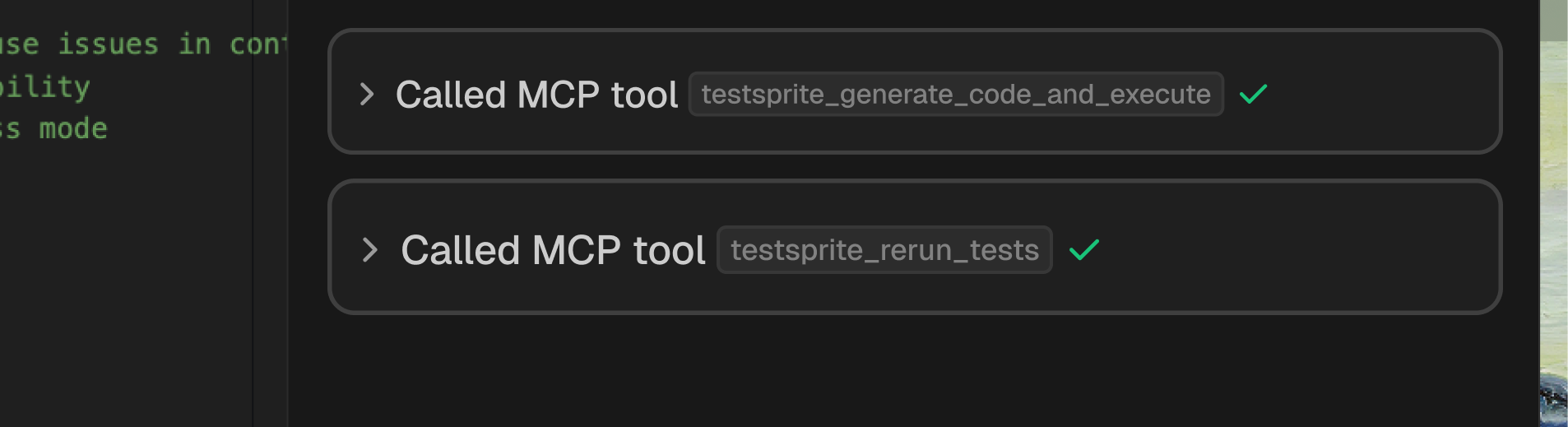 * The execution tool **generates artifacts** and **classifies failures**.
* The rerun tool **validates fixes** and **stabilizes previously failing flows**.
Explore TestSprite MCP tools and commands
Understand the complete testing workflow
Learn essential TestSprite concepts
## Best Practices
Use roles, labels, test-ids maintained by the app for more resilient tests.
Use login helpers, seeded data, and cleanup hooks to ensure consistent test state.
Use retries to identify issues, not as permanent solutions to test problems.
Include schemas and acceptance criteria in PRD and plans for better test reliability.
Review and approve proposed healing diffs before approving large behavior changes.
## What You’ll See in Reports
* The execution tool **generates artifacts** and **classifies failures**.
* The rerun tool **validates fixes** and **stabilizes previously failing flows**.
Explore TestSprite MCP tools and commands
Understand the complete testing workflow
Learn essential TestSprite concepts
## Best Practices
Use roles, labels, test-ids maintained by the app for more resilient tests.
Use login helpers, seeded data, and cleanup hooks to ensure consistent test state.
Use retries to identify issues, not as permanent solutions to test problems.
Include schemas and acceptance criteria in PRD and plans for better test reliability.
Review and approve proposed healing diffs before approving large behavior changes.
## What You’ll See in Reports
 * Clear **pass/fail** per test with **category and priority**
* **Linked screenshots/videos** for failing UI steps
* **Request/response diffs** for API mismatches
* **Next actions**: re-run scope, suggested code edits, and configuration tips
* Clear **pass/fail** per test with **category and priority**
* **Linked screenshots/videos** for failing UI steps
* **Request/response diffs** for API mismatches
* **Next actions**: re-run scope, suggested code edits, and configuration tips