> ## Documentation Index
> Fetch the complete documentation index at: https://docs.testsprite.com/llms.txt
> Use this file to discover all available pages before exploring further.
# Add Extra Tests
> Expand test coverage by adding additional tests to your existing project.
Manually add new test cases to your TestSprite test plan file. TestSprite will generate executable test code for these new cases.
Useful for importing tests from other sources or creating custom scenarios.
Open the TestSprite test plan file (e.g.`testsprite_frontend_test_plan.json`).
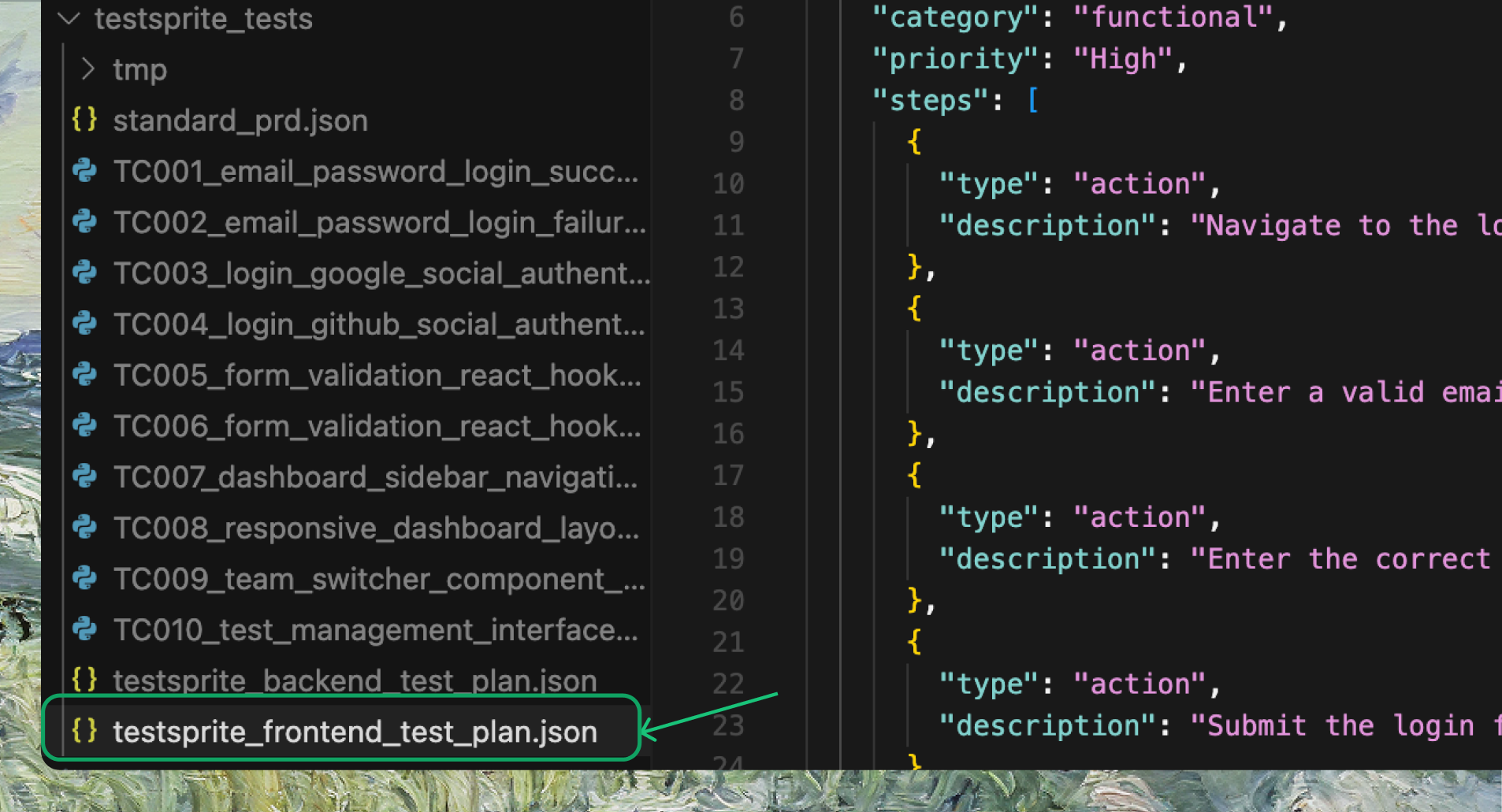 Append new test cases at the end, following the **same format** as the existing ones. If you have test cases from **another tool or platform**, paste them in and make sure they follow **the same style**.
You can also use AI IDEs like Cursor or Trae to help reformat them to match TestSprite's standard.
```json Expandable Test Case Example expandable theme={null}
### New Test Case
{
"id": "TC013",
"title": "Admin Dashboard User and Category Management",
"description": "Verify that admin users can create, edit, and delete categories and manage user roles and content moderation from the admin dashboard with immediate effect.",
"category": "functional",
"priority": "High",
"steps": [
{
"type": "action",
"description": "Login as admin user"
},
{
"type": "action",
"description": "Navigate to the admin dashboard"
},
{
"type": "action",
"description": "Create a new forum category"
},
{
"type": "assertion",
"description": "New category appears in the category list"
},
{
"type": "action",
"description": "Edit an existing category's name or description"
},
{
"type": "assertion",
"description": "Edits are saved and reflected in the UI"
},
{
"type": "action",
"description": "Delete a category"
},
{
"type": "assertion",
"description": "Category is removed and related threads are handled appropriately"
},
{
"type": "action",
"description": "Change a user's role from user to moderator"
},
{
"type": "assertion",
"description": "Role changes take effect immediately and permissions update"
}
]
}
```
Once added, prompt your IDE:
```text Example Prompt theme={null}
Rerun the xth test for me using testsprite_generate_code_and_execute
```
TestSprite will run the `generate_code_execute` tool again, generate test code for your new cases, and add them to your project and your TestSprite account.
Append new test cases at the end, following the **same format** as the existing ones. If you have test cases from **another tool or platform**, paste them in and make sure they follow **the same style**.
You can also use AI IDEs like Cursor or Trae to help reformat them to match TestSprite's standard.
```json Expandable Test Case Example expandable theme={null}
### New Test Case
{
"id": "TC013",
"title": "Admin Dashboard User and Category Management",
"description": "Verify that admin users can create, edit, and delete categories and manage user roles and content moderation from the admin dashboard with immediate effect.",
"category": "functional",
"priority": "High",
"steps": [
{
"type": "action",
"description": "Login as admin user"
},
{
"type": "action",
"description": "Navigate to the admin dashboard"
},
{
"type": "action",
"description": "Create a new forum category"
},
{
"type": "assertion",
"description": "New category appears in the category list"
},
{
"type": "action",
"description": "Edit an existing category's name or description"
},
{
"type": "assertion",
"description": "Edits are saved and reflected in the UI"
},
{
"type": "action",
"description": "Delete a category"
},
{
"type": "assertion",
"description": "Category is removed and related threads are handled appropriately"
},
{
"type": "action",
"description": "Change a user's role from user to moderator"
},
{
"type": "assertion",
"description": "Role changes take effect immediately and permissions update"
}
]
}
```
Once added, prompt your IDE:
```text Example Prompt theme={null}
Rerun the xth test for me using testsprite_generate_code_and_execute
```
TestSprite will run the `generate_code_execute` tool again, generate test code for your new cases, and add them to your project and your TestSprite account.