> ## Documentation Index
> Fetch the complete documentation index at: https://docs.testsprite.com/llms.txt
> Use this file to discover all available pages before exploring further.
# Project Sources
> Everything you can feed TestSprite — uploaded docs, crawled pages, agent exploration, test file fixtures, and endpoint discovery — and when to use each.
TestSprite learns about your product from whatever sources you feed it. Pick based on what you already have and how deep you want it to dig.
 Your product requirements doc. Features, use cases, and test coverage are generated directly from it.
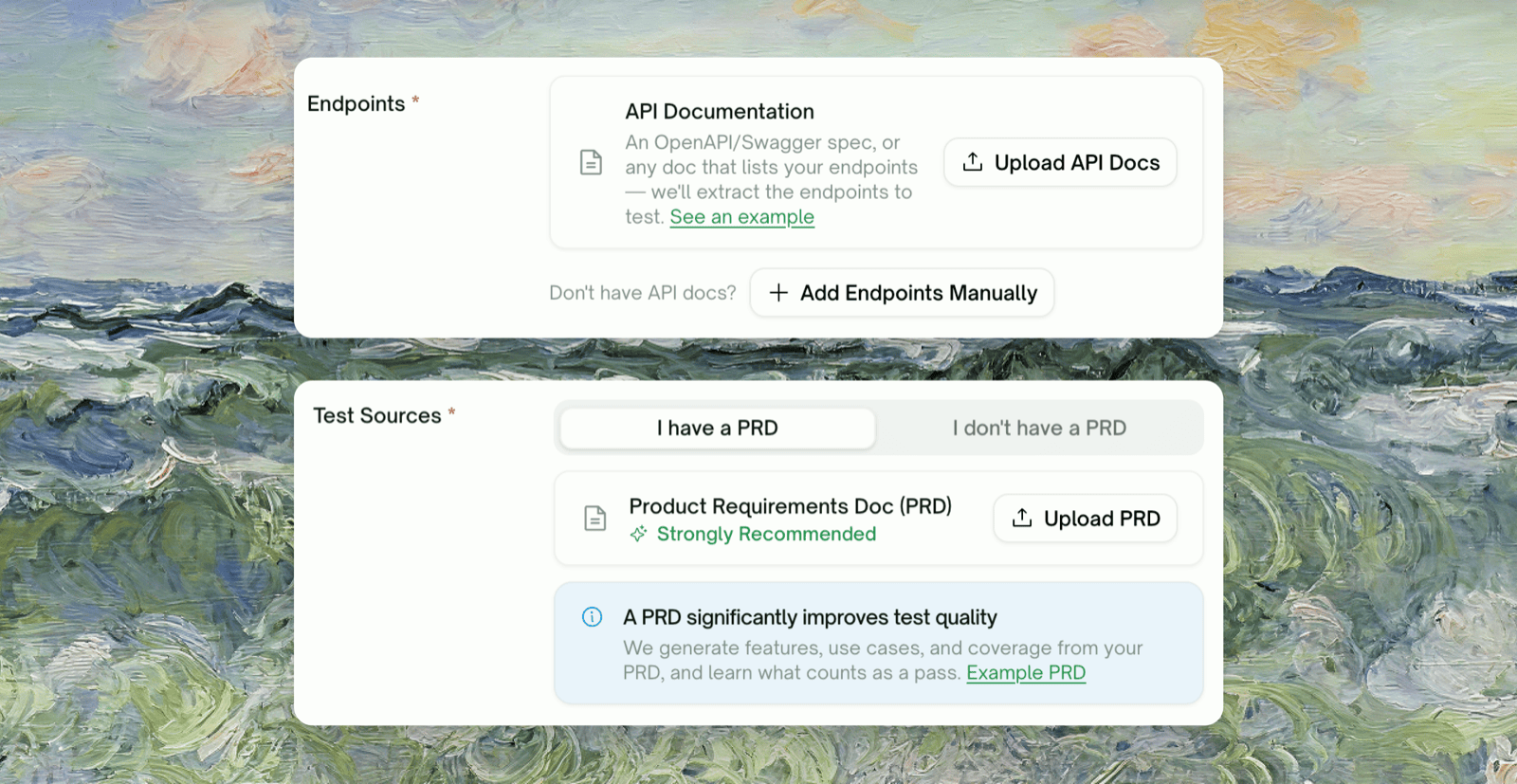
An OpenAPI/Swagger spec, or any doc listing your endpoints. **Backend only** — auto-discovers endpoints for you to review before testing starts.
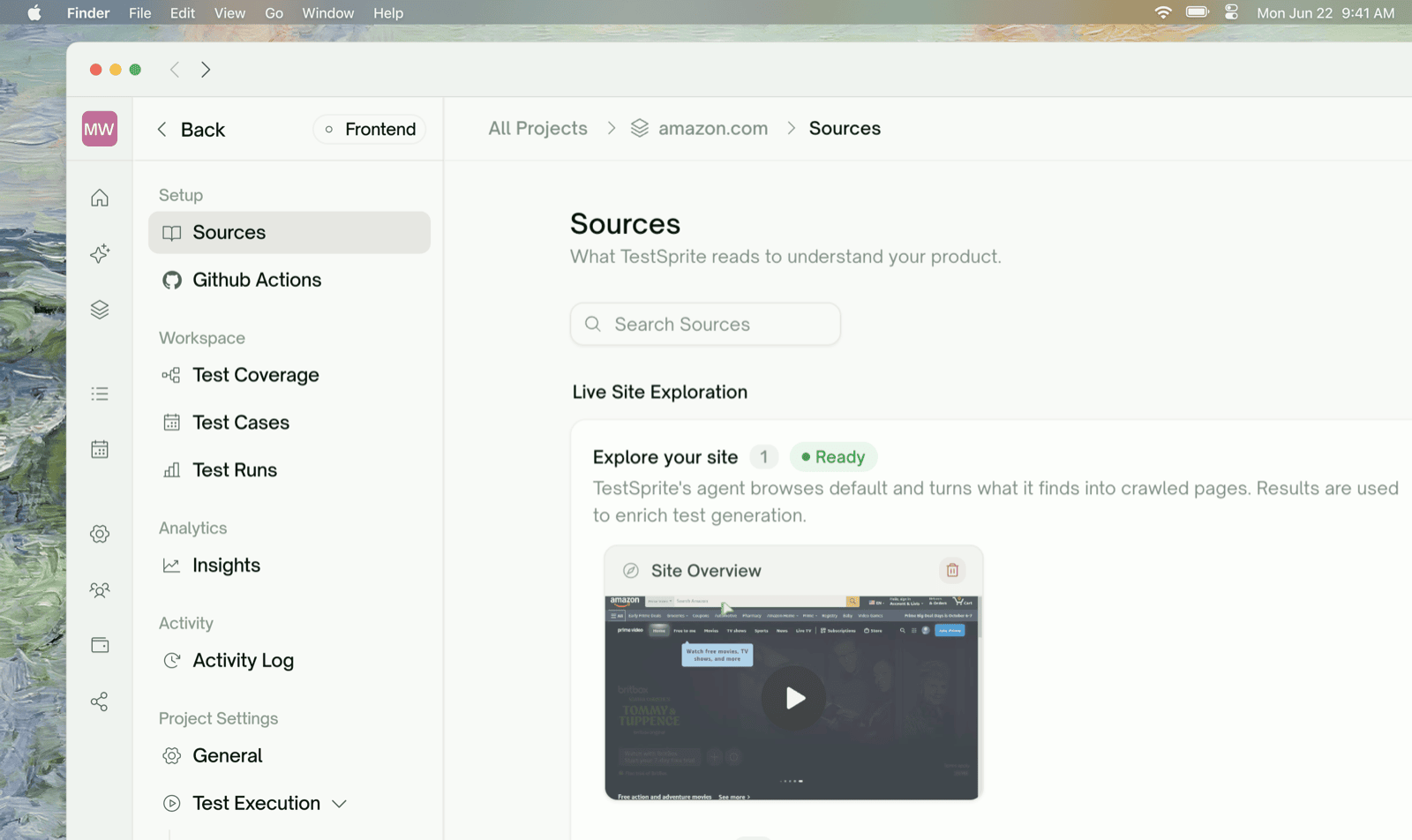
TestSprite's agent browses your live frontend and clicks through flows on its own. Runs automatically after you create a Frontend project; re-run anytime.
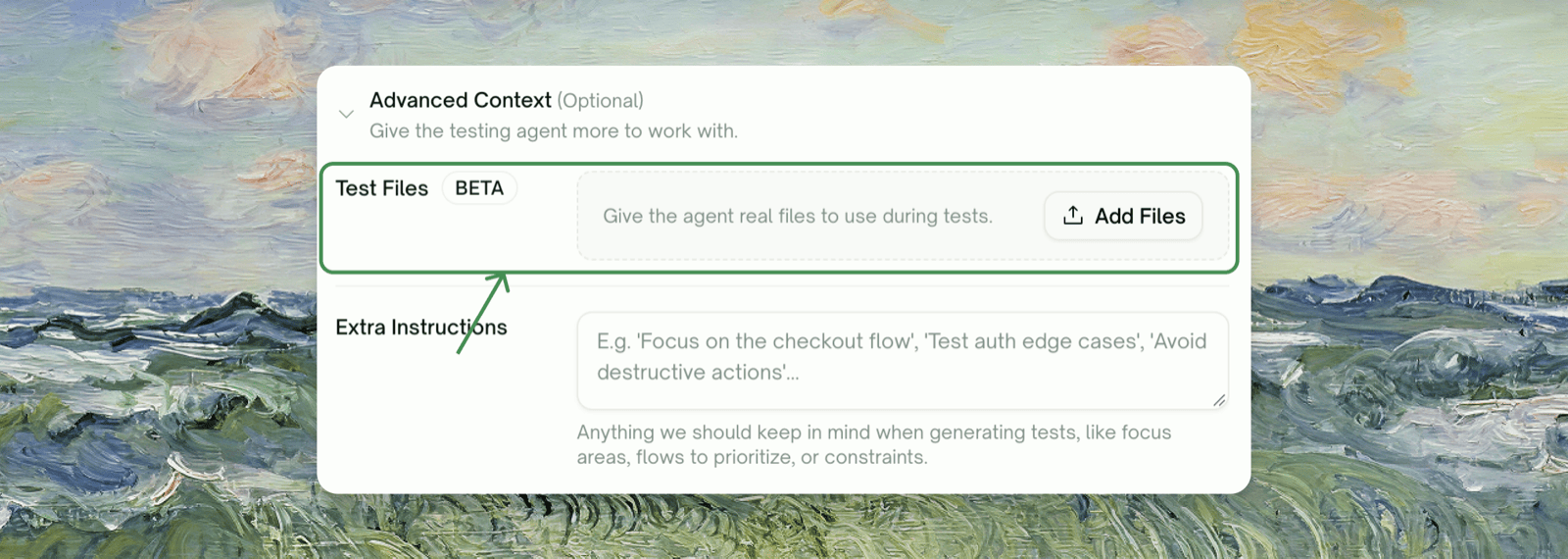
Beta Files the agent attaches when a test hits a file-upload field.
Both uploads live on the project-creation form — PRD is offered for either project type, API doc only for Backend:
Your product requirements doc. Features, use cases, and test coverage are generated directly from it.
An OpenAPI/Swagger spec, or any doc listing your endpoints. **Backend only** — auto-discovers endpoints for you to review before testing starts.
TestSprite's agent browses your live frontend and clicks through flows on its own. Runs automatically after you create a Frontend project; re-run anytime.
Beta Files the agent attaches when a test hits a file-upload field.
Both uploads live on the project-creation form — PRD is offered for either project type, API doc only for Backend:
 ## Test Files
Beta. Not every plan includes Test Files. Compare plans on the [pricing page](https://www.testsprite.com/pricing).
## Test Files
Beta. Not every plan includes Test Files. Compare plans on the [pricing page](https://www.testsprite.com/pricing).
 ## Adding a Source Later
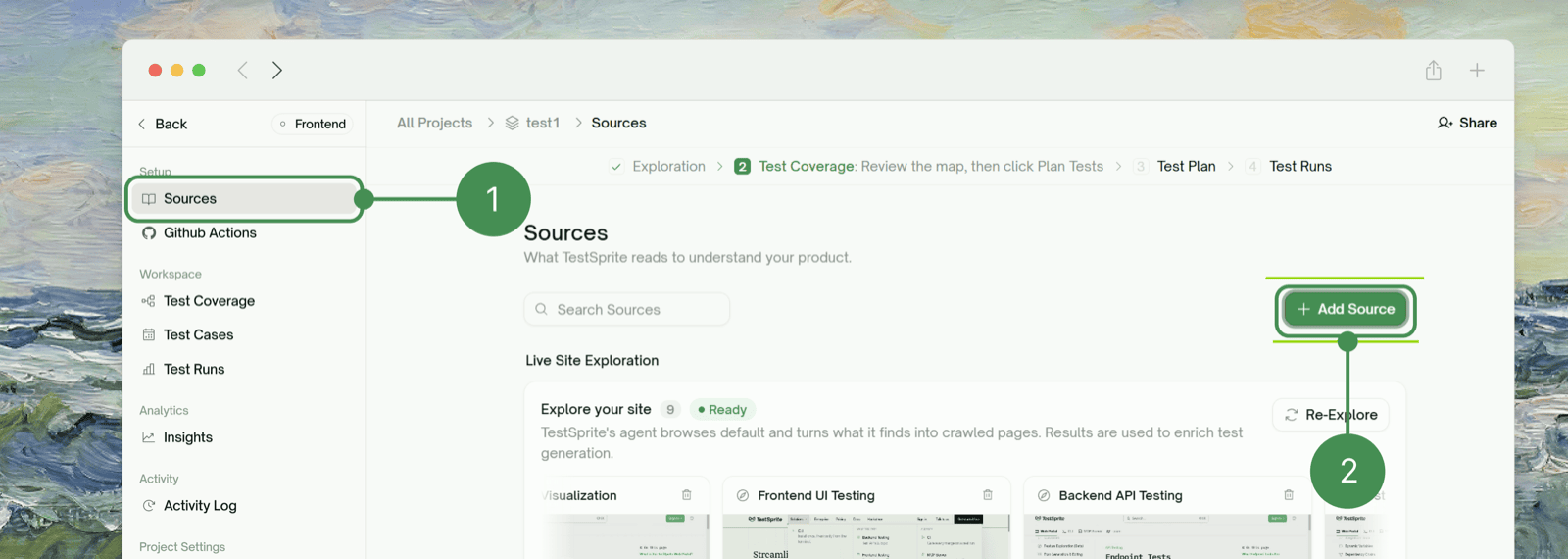
You're not limited to what you add at project creation. Go to Setup → Sources and click + Add Source to upload more sources at any point. The same page also shows your Live Site Exploration status and every page it's captured so far.
## Adding a Source Later
You're not limited to what you add at project creation. Go to Setup → Sources and click + Add Source to upload more sources at any point. The same page also shows your Live Site Exploration status and every page it's captured so far.
 ## Endpoint Discovery & Selection
For Backend projects, endpoints only come from an uploaded API doc — there's no separate crawl or agent-exploration path to discover them. After upload, TestSprite parses the doc and shows every discovered endpoint in a reviewable list where you can remove ones you don't want tested, add endpoints manually, or fix flagged coverage gaps (e.g. a resource with no matching `POST`) before saving.
## Combining Sources
The most common pairing is **PRD + Agent web exploration**: the PRD drives what gets generated, and exploration fills in how the app actually behaves. For Backend projects, **API doc** is the source endpoint tests are generated from, with **PRD** still driving feature-level coverage alongside it.
## Where to Go Next
Configure how your tests run once sources are in place
Define environment variables and run against dev/staging/prod
How TestSprite explores your live app feature by feature
Haven't created a project yet? Start here
This documentation is built and hosted on [Mintlify](https://mintlify.com), a developer documentation platform.
## Endpoint Discovery & Selection
For Backend projects, endpoints only come from an uploaded API doc — there's no separate crawl or agent-exploration path to discover them. After upload, TestSprite parses the doc and shows every discovered endpoint in a reviewable list where you can remove ones you don't want tested, add endpoints manually, or fix flagged coverage gaps (e.g. a resource with no matching `POST`) before saving.
## Combining Sources
The most common pairing is **PRD + Agent web exploration**: the PRD drives what gets generated, and exploration fills in how the app actually behaves. For Backend projects, **API doc** is the source endpoint tests are generated from, with **PRD** still driving feature-level coverage alongside it.
## Where to Go Next
Configure how your tests run once sources are in place
Define environment variables and run against dev/staging/prod
How TestSprite explores your live app feature by feature
Haven't created a project yet? Start here
This documentation is built and hosted on [Mintlify](https://mintlify.com), a developer documentation platform.