Documentation Index

Fetch the complete documentation index at: https://docs.testsprite.com/llms.txt

Use this file to discover all available pages before exploring further.

What is the TestSprite Web Portal?

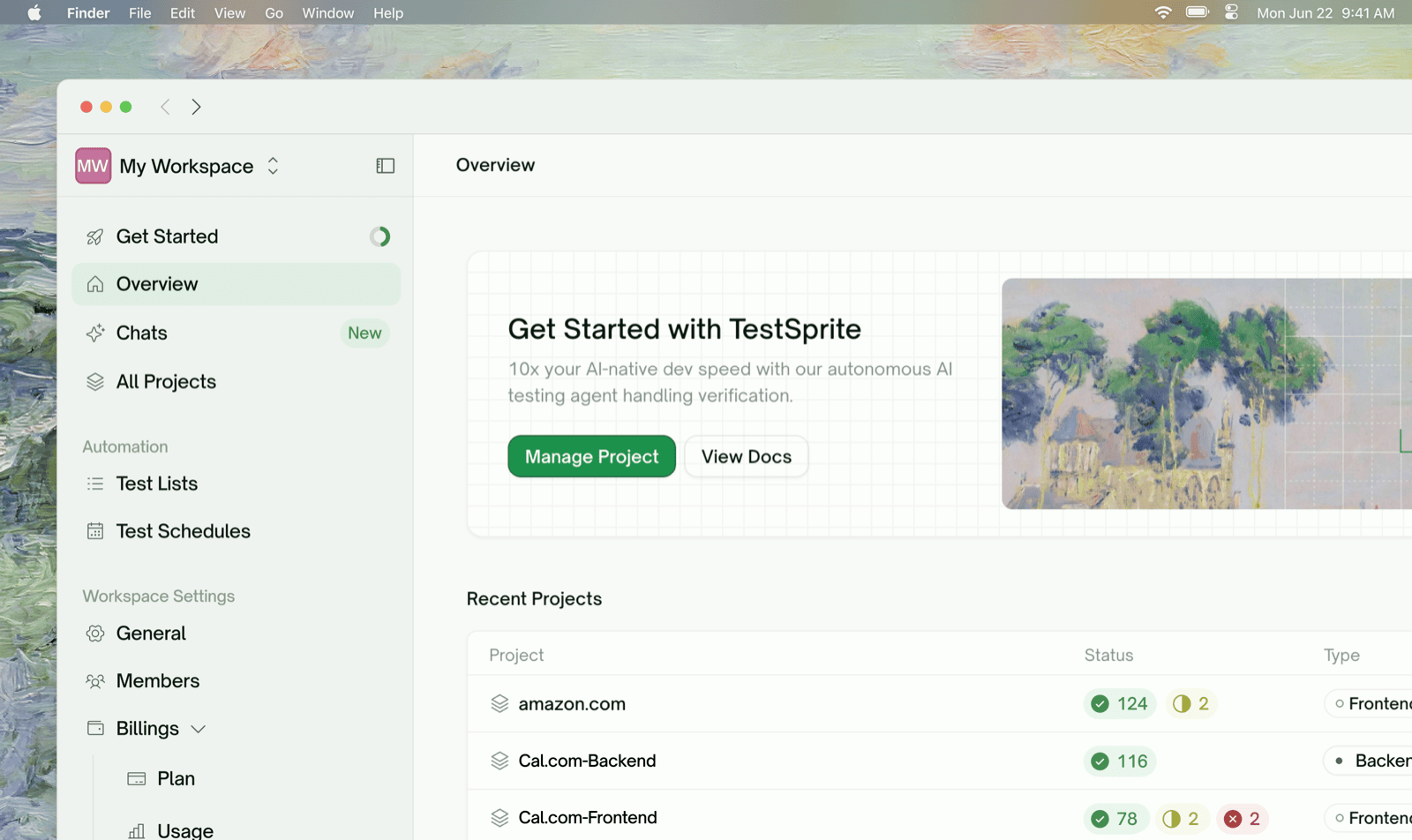
The TestSprite Web Portal is a browser dashboard that takes a project from “I have an app” to “I have a passing test suite running on a schedule” — without writing a single line of test code. It complements the MCP Server (which lives in your IDE) by giving non-IDE users, QA, and engineering teams a shared place to configure projects, manage credentials, run tests, and review reports.
Web Portal dashboard

Spec-Driven Testing

TestSprite is spec-driven. Plans are derived from what your product is supposed to do (your PRD), what the live app actually does (exploration / discovery), and the gap between the two.
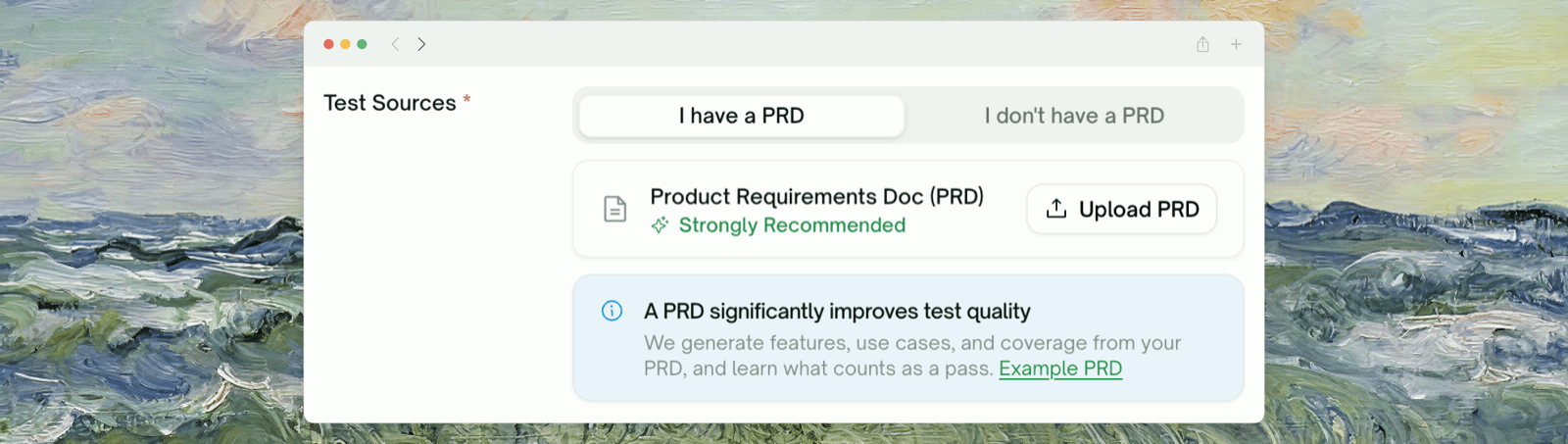
Uploading a PRD isn’t required, but it is strongly recommended — it’s how TestSprite builds an accurate feature map of your product before any test is written, and it directly improves the quality and coverage of the generated plan.
Web Portal dashboard

What It Tests

TestSprite covers two test types from the same dashboard:
Web Portal dashboard
Test typeWhat it coversPlanned from
UI (frontend) — Playwright-driven, runs against a live URLUser-journey flows, form validation, visual states, stateful components, auth flows, UI error handlingA feature map built from your PRD plus Feature Exploration of your live app
API (backend) — Python-driven, runs against a base URLFunctional workflows, schema validation, auth flows, data integrity across calls, error handling, securityYour PRD plus OpenAPI / Swagger / Postman collections (or any free-form docs you upload) and live probes against the base URL

How It Works

You provide a URL, credentials, and a PRD (strongly recommended). TestSprite builds a feature map from the PRD, explores or discovers your app, drafts a plan you can review, generates the tests, runs them in the cloud, and gives you a report you can refine in natural language.
1

Project Setup & PRD Upload

Name the project and upload your PRD (or any product-spec document — markdown / PDF / plain text all work). PRD upload is strongly recommended; it’s the only thing this step asks for besides the name.
Web Portal dashboard
2

Feature & Use-Case Extraction

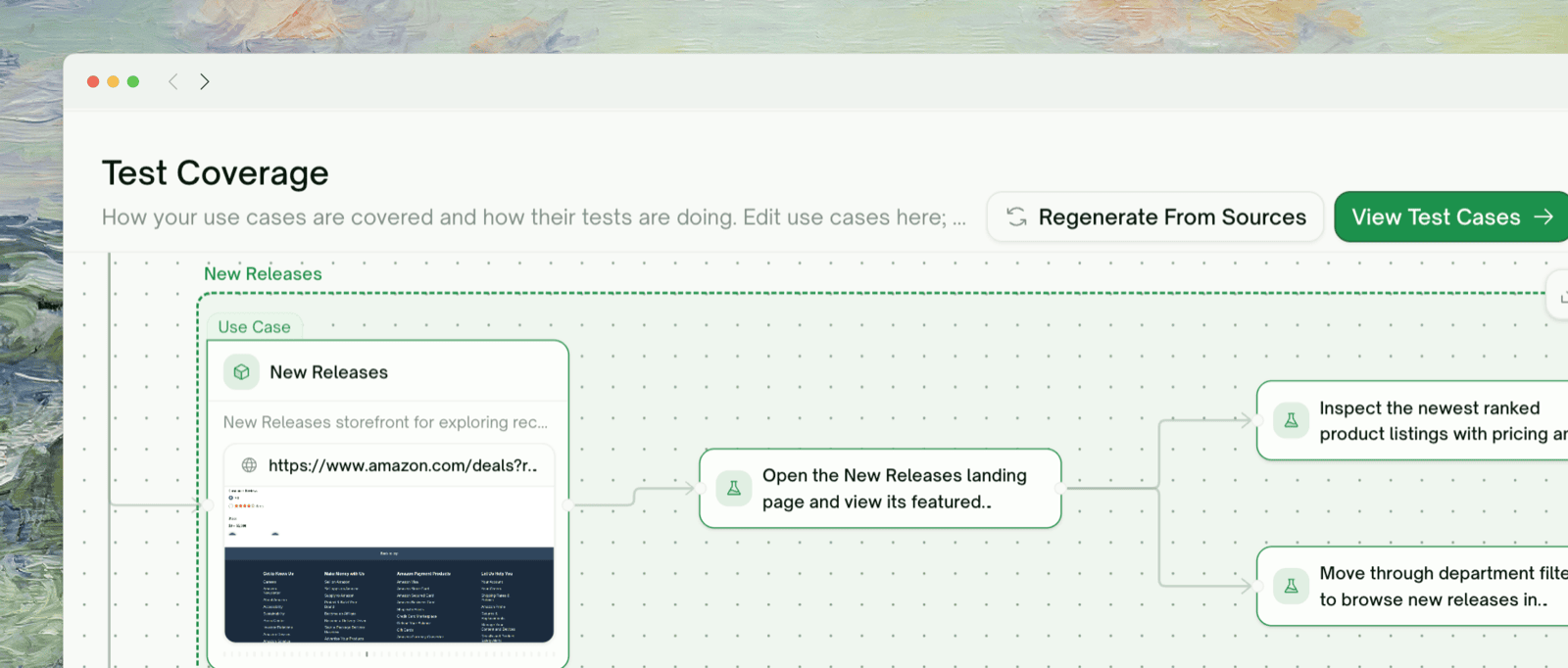
TestSprite reads your PRD and produces a feature map — a structured list of features and the use cases under each, rendered as a flow graph. This is what grounds the rest of the lifecycle; if you skipped the PRD, this step is bypassed and the wizard falls back to your URL inputs alone.
Web Portal dashboard
3

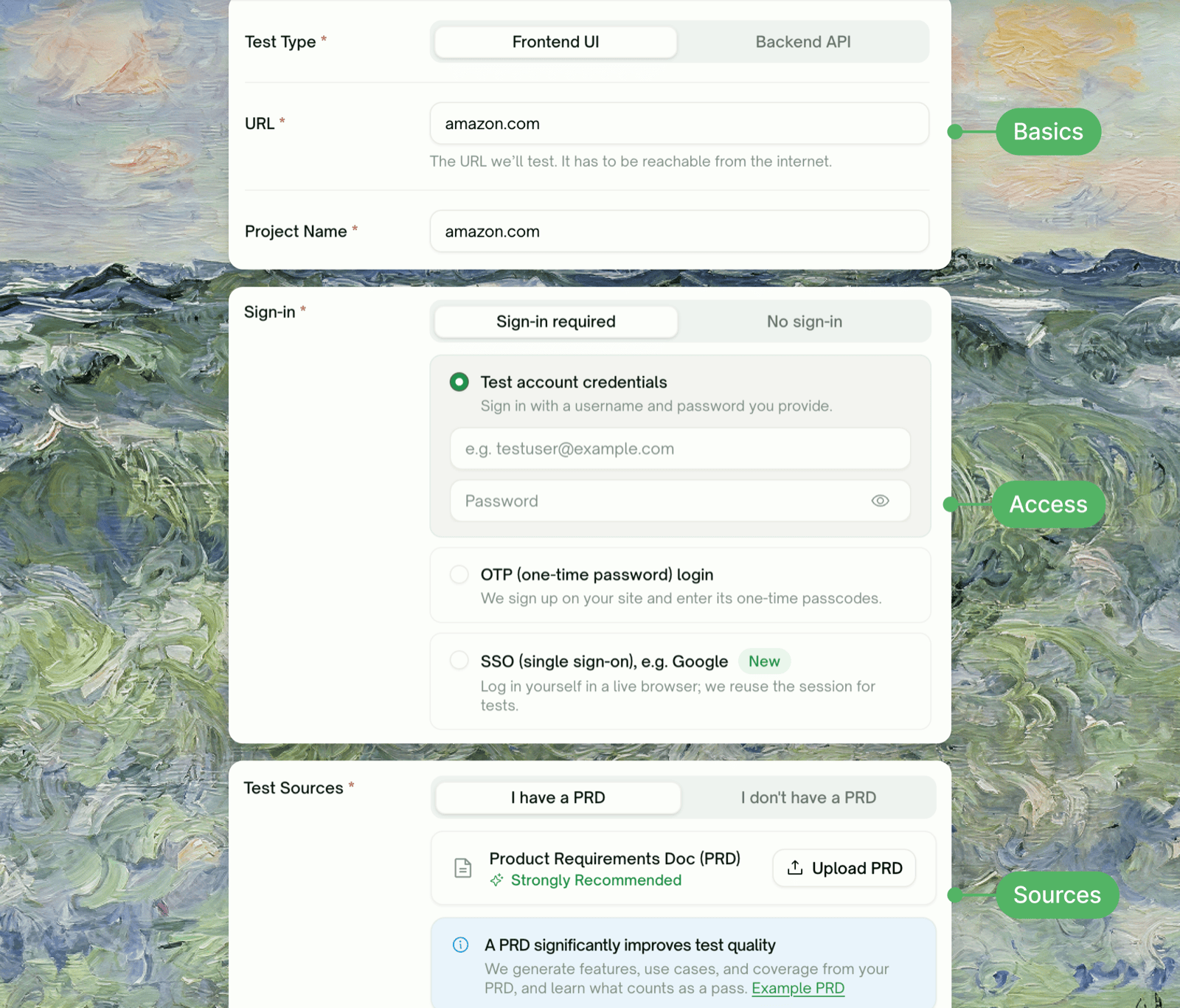
Configure

Provide your live URL, test-account credentials, and — for API projects — your API documentation (OpenAPI / Swagger / Postman or any free-form docs). Add natural-language hints for what to focus on or skip.
Web Portal dashboard
4

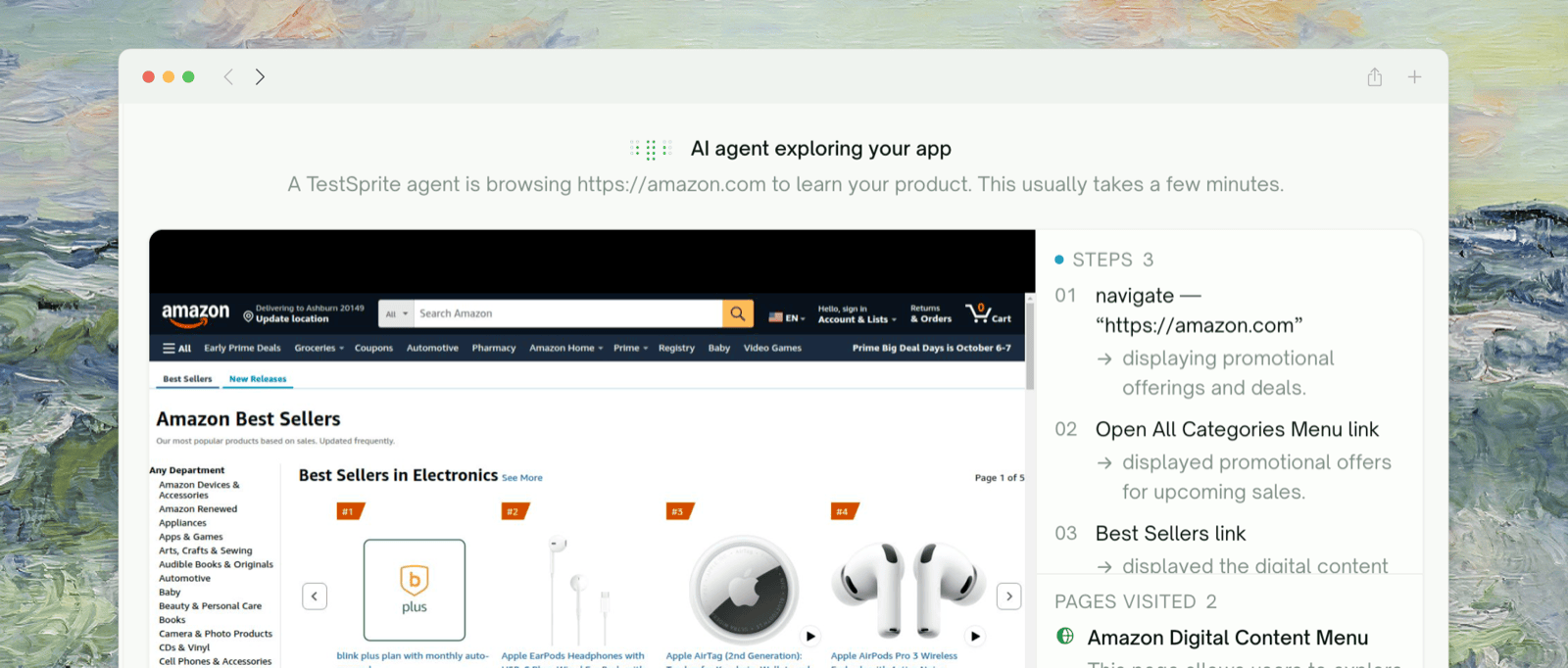
Explore or Discover

For UI, TestSprite walks your live app feature by feature, targeting the use cases from the feature map. For API, TestSprite reads endpoints from your docs and probes the base URL to confirm shapes.
Web Portal dashboard
5

Plan and Review

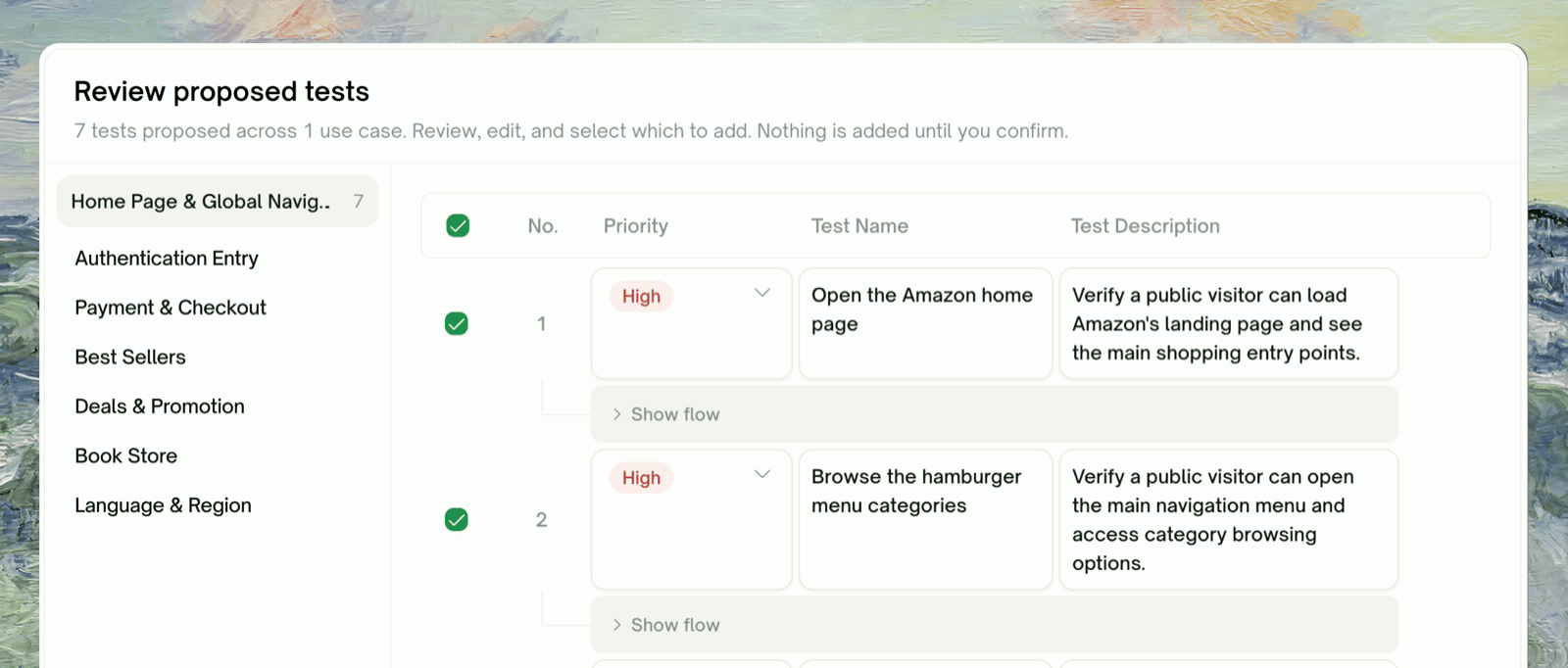
A test plan is drafted from the feature map + what was observed. You select / deselect / edit cases before generation runs.
Web Portal dashboard
6

Generate, Run, Report

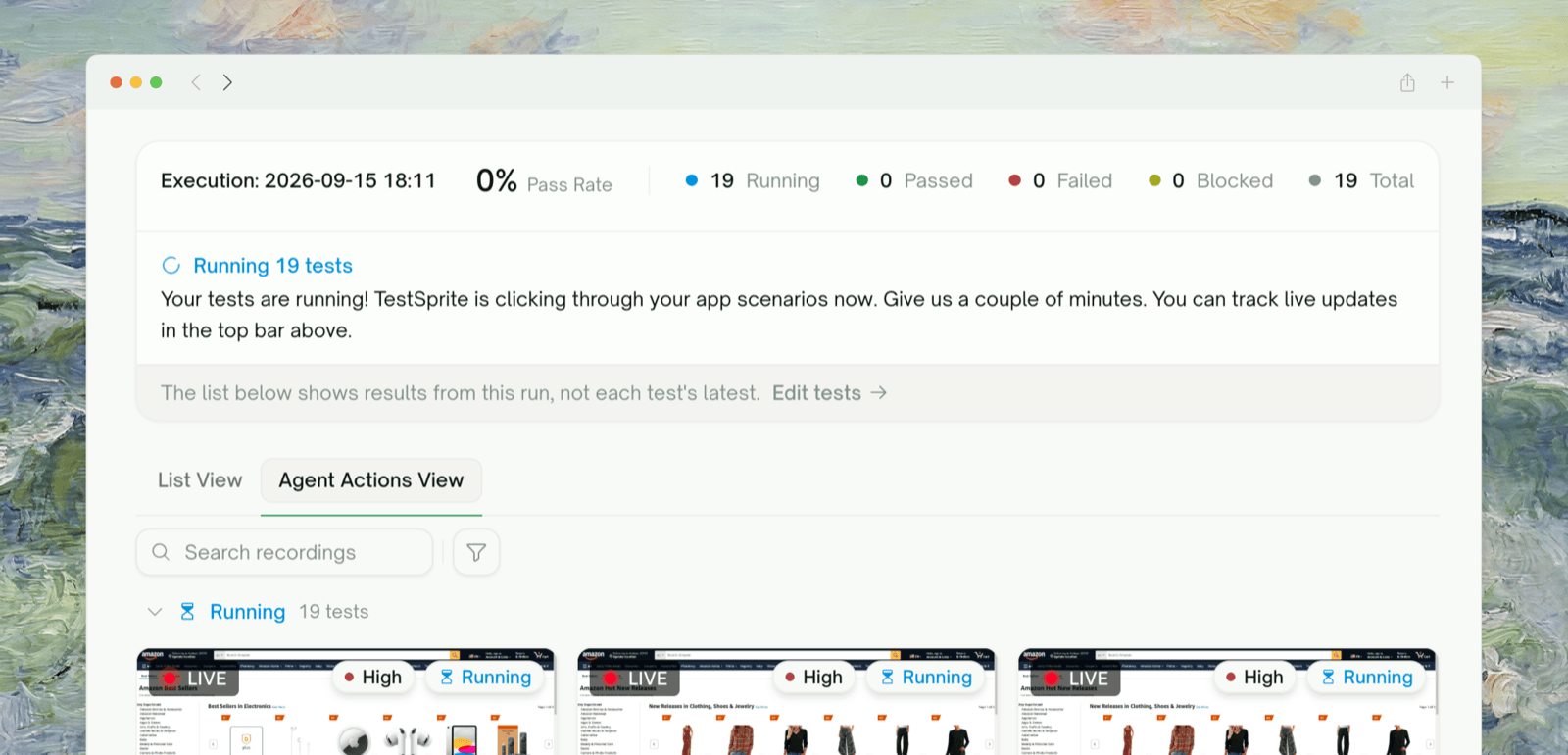
Tests are generated and executed in our cloud. A run-level report highlights failures and suggests causes.
7

Refine and Schedule

Iterate on individual tests via the Chat tab. Group tests into Test Lists. Schedule continuous runs to catch regressions.

Try it end-to-end

Walk through a complete project in about 15 minutes

Key Benefits

Different roles get different value out of the same dashboard:
  • For developers: Skip the test-writing boilerplate. Watch your changes get exercised against real flows in minutes, not hours. Iterate in natural language when something needs to be tightened.
  • For QA teams: Replace handwritten regression suites with a plan TestSprite re-derives from your live app. Use Test Lists and Monitoring to keep coverage running on a cadence.
  • For engineering leads: Get reproducible reports, severity-ranked failures, and a defensible coverage story without standing up a test-writing organization.

What Makes It Different

FeatureTraditional TestingTestSprite Web Portal
Test case creationWriting test cases manuallyAI generates test cases automatically from your live app + docs
SetupSetting up frameworks, fixtures, runnersAlmost zero setup — provide a URL and credentials
MaintenanceUI tests break on every minor tweakAuto-Heal recovers UI tests when the page changes; Auto-Auth refreshes API tokens
DebuggingReading stack traces, hunting causesAI cause-and-fix on every failure; refine in natural language
CoverageLimited to what someone wrote downPlan derived from observed behavior — not just intent

Testing Capabilities

  • PRD-driven Feature Map — features and use cases derived from your spec, rendered as a flow graph
  • Feature Exploration (Beta) — TestSprite walks your live app before any plan is written, targeting the use cases from the feature map
  • Plan derived from spec + observed flows — grounded in both intent and reality
  • Auto-Heal — recover automatically when the page changes instead of marking tests Failed
  • Step-by-step replay — per-step screenshots + recorded video for every run
  • Visual states, form flows, auth flows, error handling
  • Generated code in Playwright + Python

What’s Inside the Dashboard

SurfaceWhat it does
Create TestsThe wizard that drives Configuration → Exploration/Discovery → Plan → Generation
All TestsEvery project you’ve created, grouped by type, with run status and quick-rerun
Test ListsGroup tests across projects into a single executable list — see Test Lists
MonitoringSchedule Test Lists to run on a cadence with execution history — see Monitoring
Settings → API KeysGenerate keys for MCP / external tooling
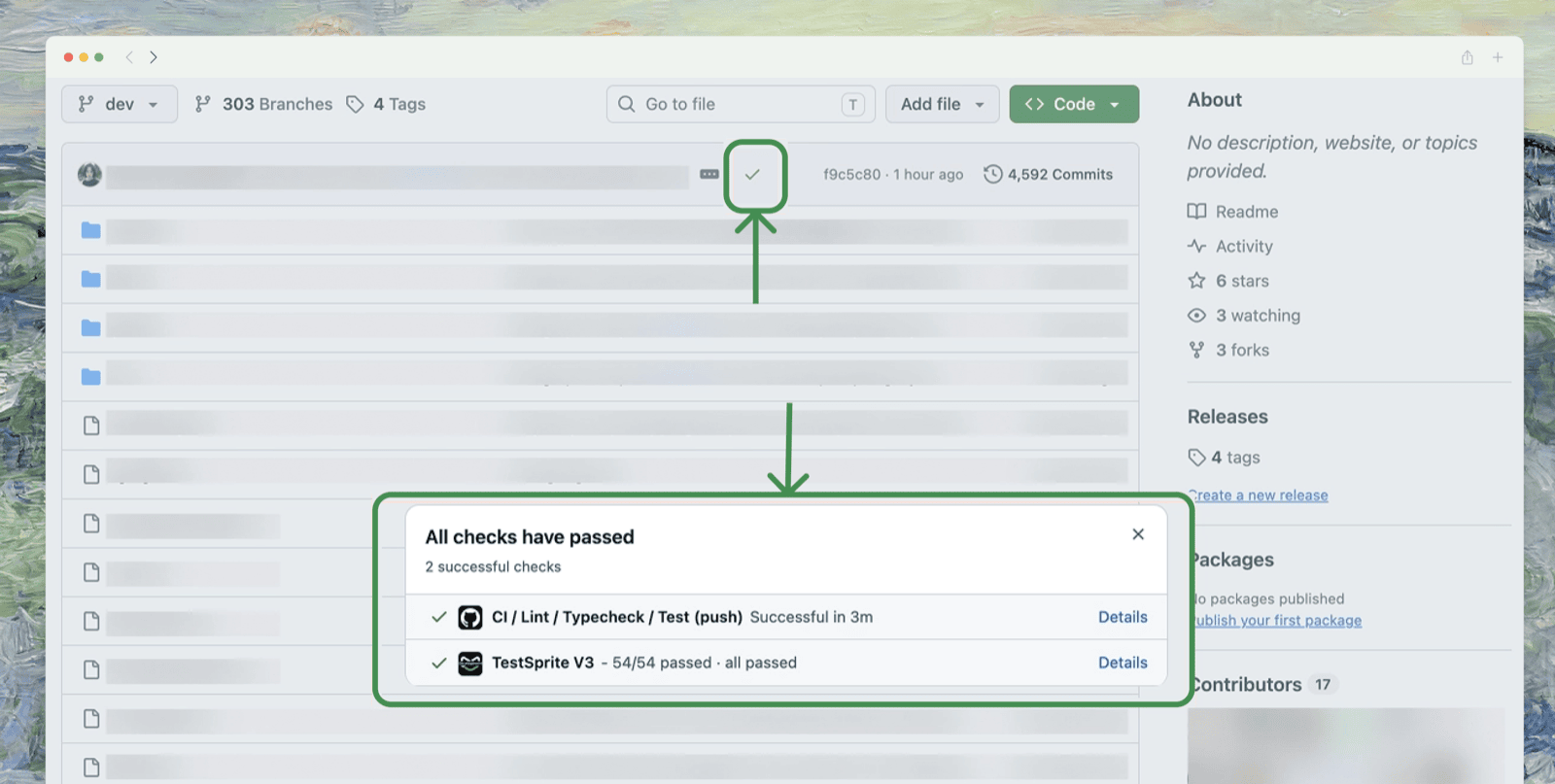
Settings → GitHub AppConnect repos for PR-based test runs and code export
Settings → Plan & BillingPlan tier, monthly credits, and feature gating

Where to Go Next

Your First Test

Walk through configuration to report end-to-end

Key Terms

Vocabulary used across the rest of the docs

Testing Lifecycle

The mental model behind TestSprite’s wizard

UI Testing

Start a UI project from scratch

API Testing

Start an API project from scratch

Join the Community

Discord for users and the team