

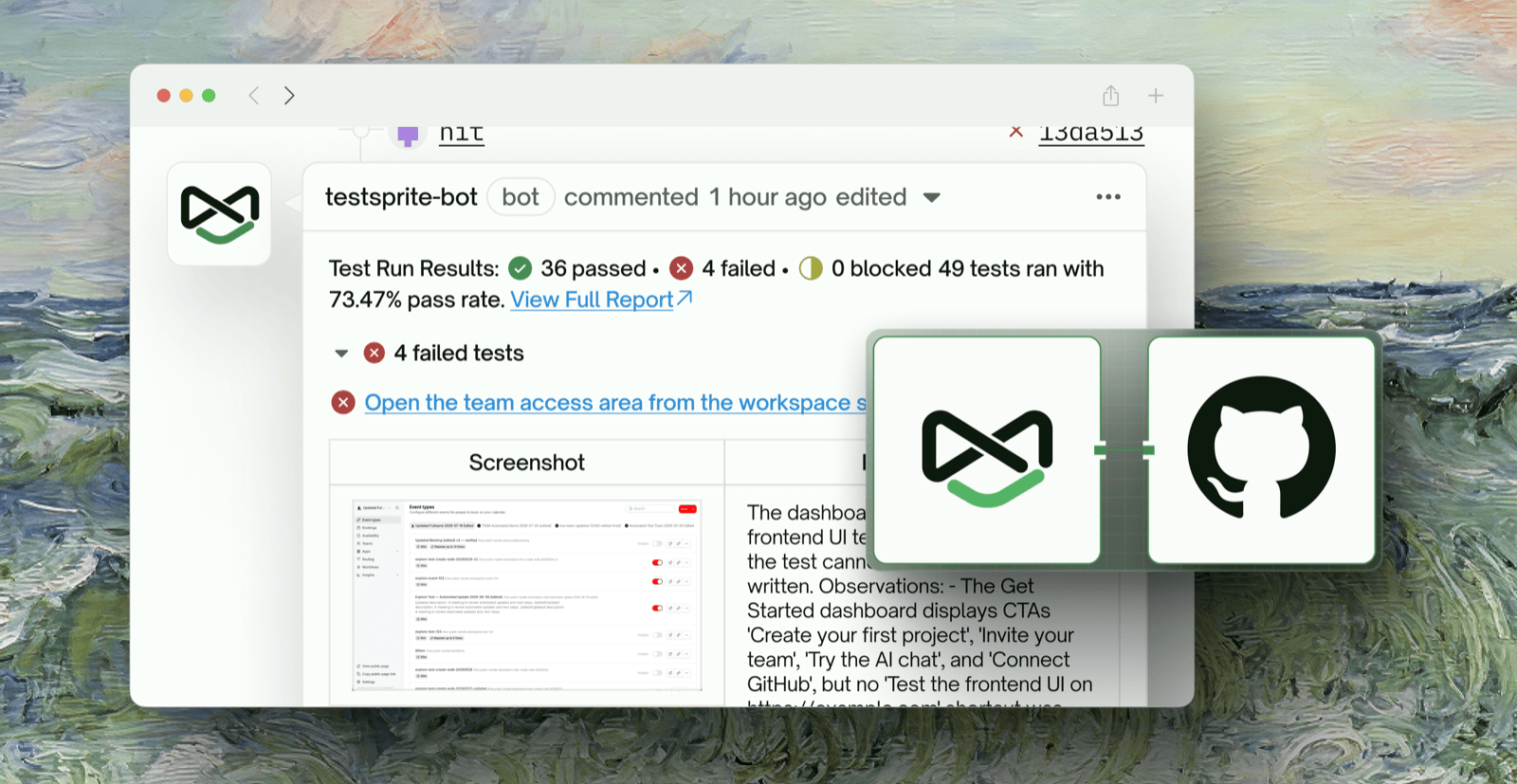
Overview
- Goal: connect your GitHub repository to TestSprite so your tests run automatically every time a new deployment is ready — either on a pull request, or on a push to a branch.
- Time needed: about 10 minutes.
- You will need: permission to install a GitHub App on the repo’s organization, a repo that already produces deployments, and a TestSprite project that already has test cases.
How This Works
TestSprite does not build or deploy your app. It listens for a GitHub event that means “the new build is deployed and the URL is live,” then runs your test suite against that URL:- Your CI/CD pipeline builds and deploys your app, producing a deployment event in GitHub.
- TestSprite receives that event through the GitHub integration.
- TestSprite resolves the target URL to test — from the deployment, or from a URL pattern you define.
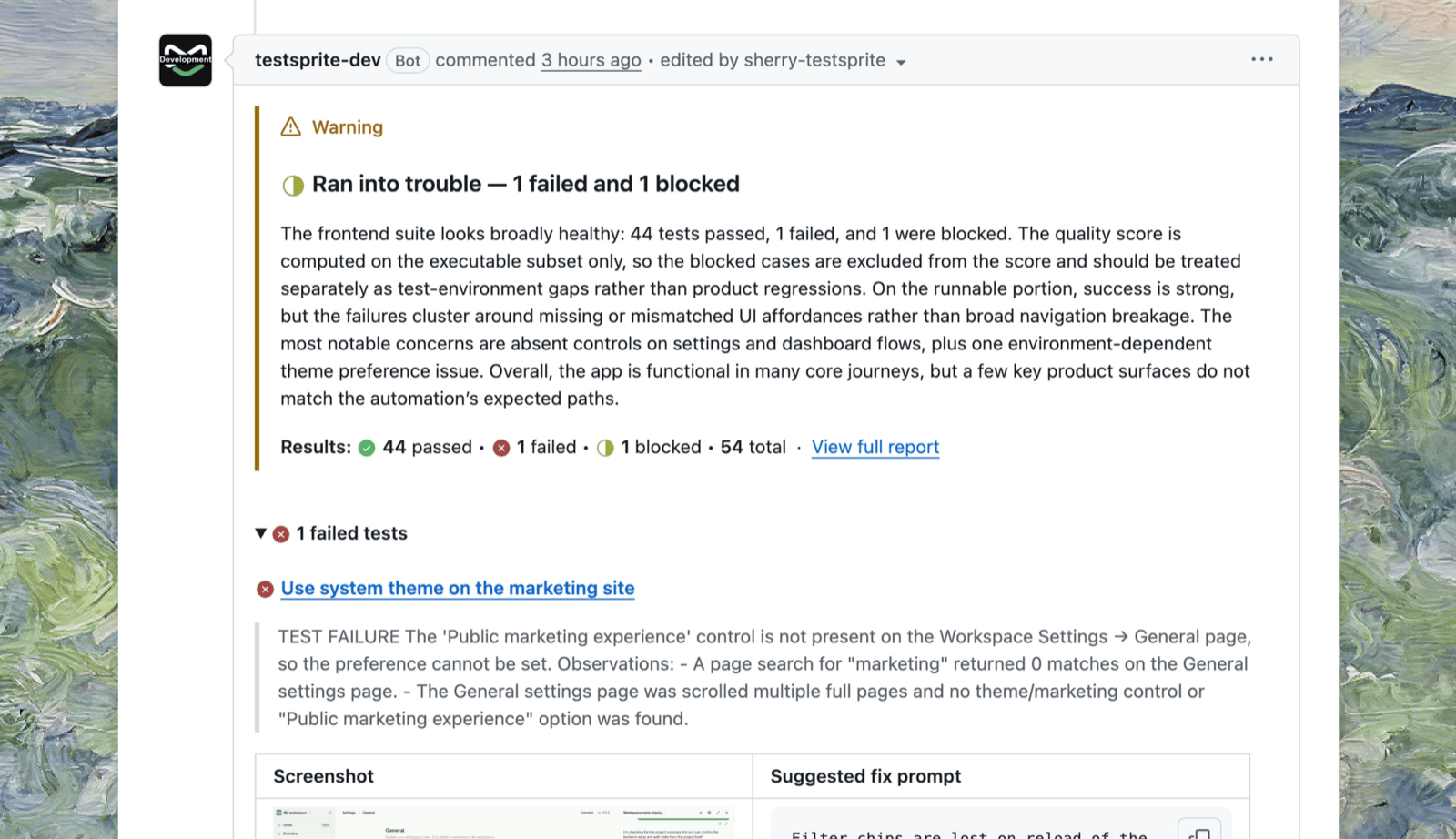
- TestSprite runs your tests and posts results back to GitHub as a PR comment or a commit check.
Prerequisite: Prepare a Deployment in Your GitHub Repo
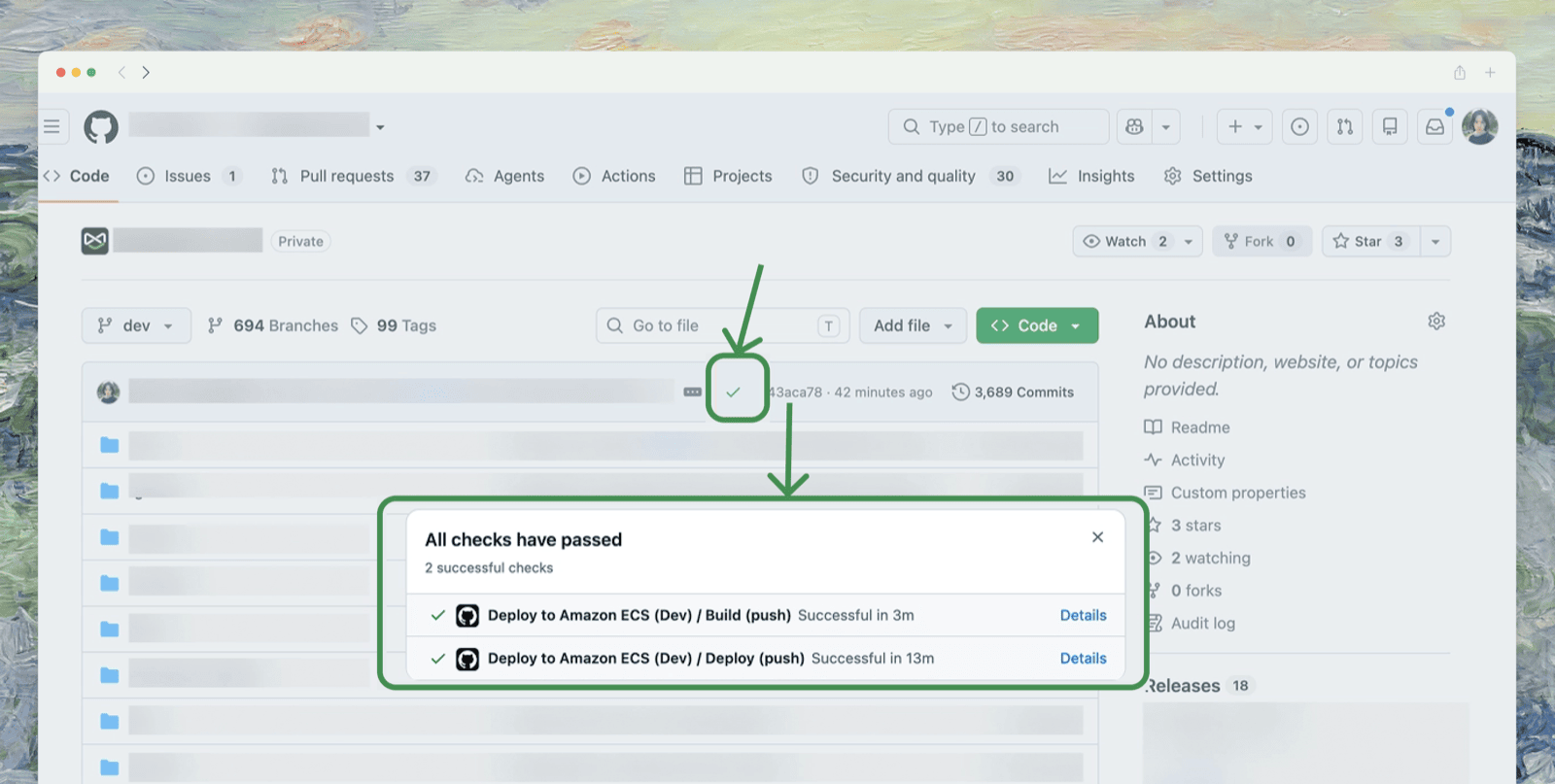
TestSprite triggers off a deployment that GitHub reports, so confirm your repository creates one before connecting anything:-
Testing on push to a branch — the branch must have a deployment attached to it. Confirm the branch has a recent, successful deployment check (e.g. a “Deploy” workflow run) with a live URL behind it.
-
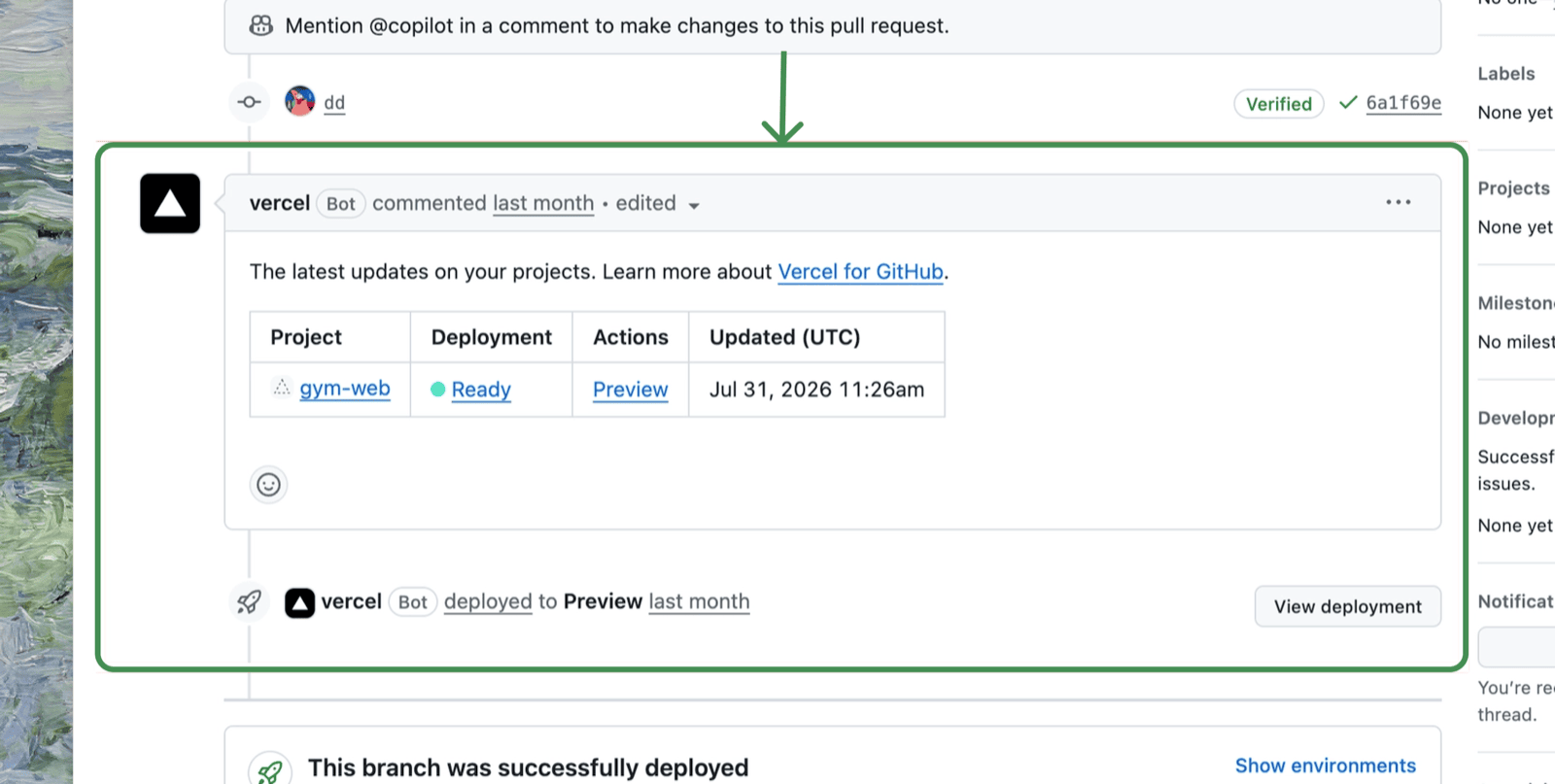
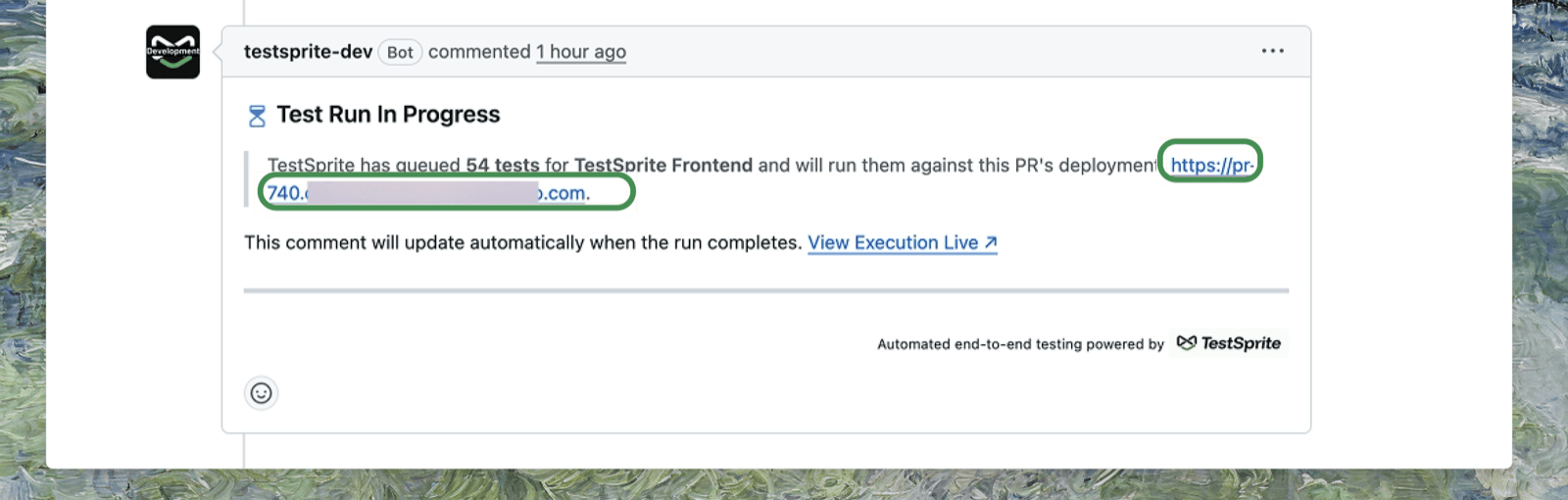
Testing on a pull request — the PR must produce its own preview deployment. Open an existing PR and confirm a deploy bot (Vercel, Amplify, or similar) has commented with a clickable preview URL, then open that URL to check the preview environment actually loads.
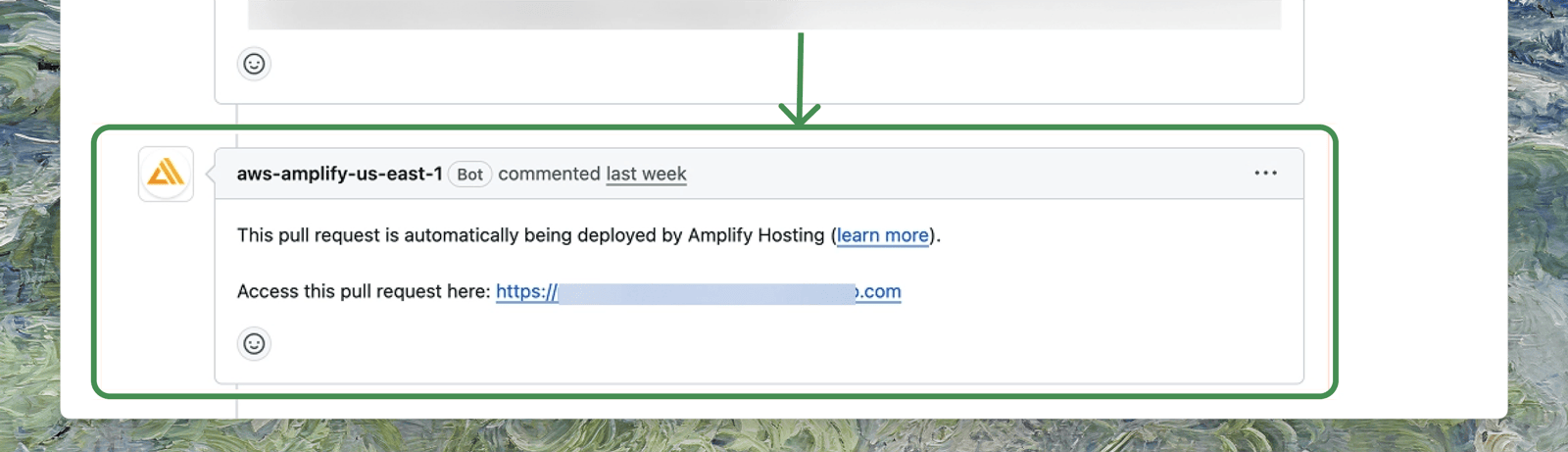
Any deploy bot works the same way. Here’s the equivalent Amplify comment:
Step 1: Connect GitHub to Your Workspace
A one-time setup per workspace that lets TestSprite read events from your repositories.1
Open the integration
In TestSprite, go to Workspace Settings → Connections → Integrations, find the GitHub row, and click Connect.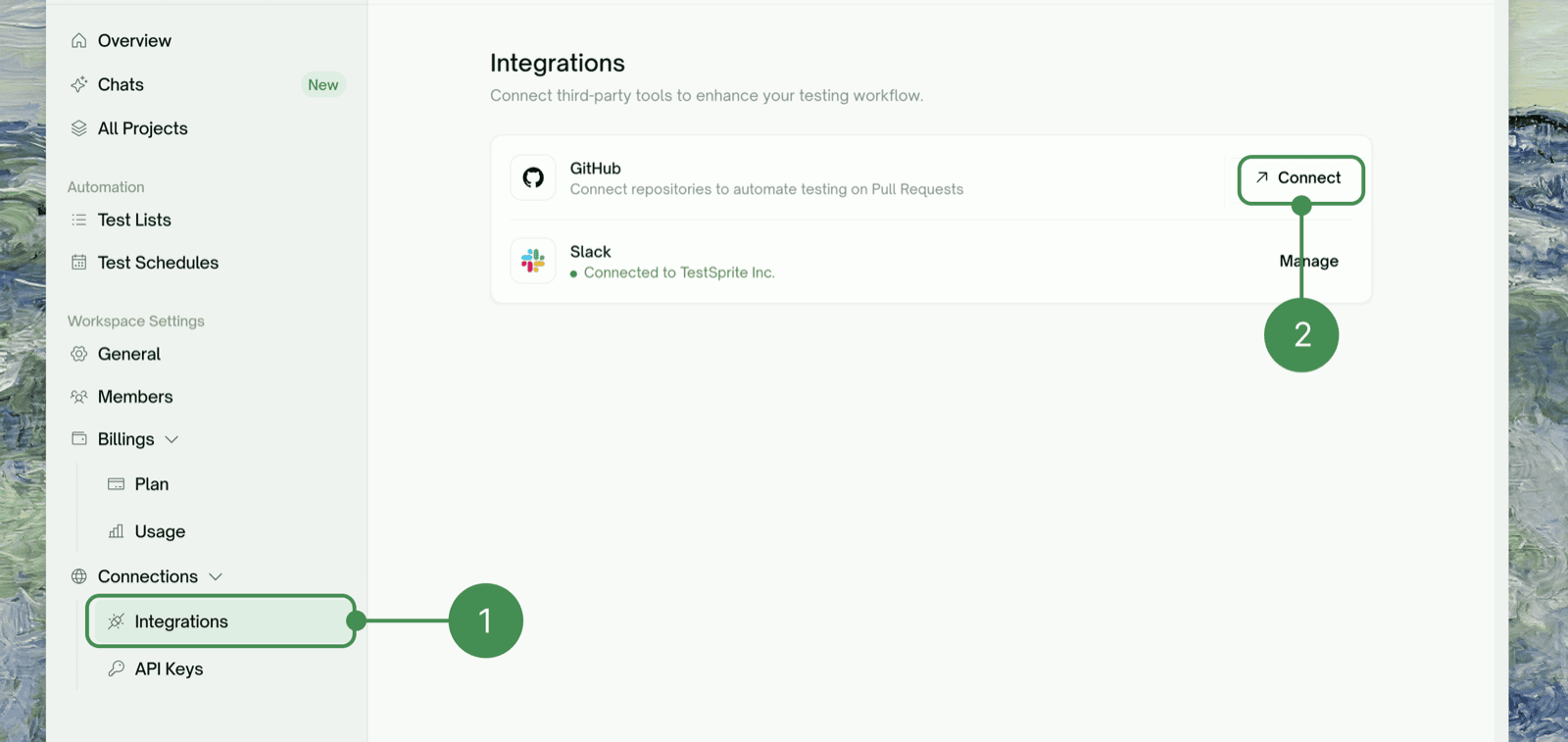
2
Choose the account and repository access
You’ll be redirected to GitHub. Choose the organization or personal account that owns the repo, then choose All repositories or Only select repositories to limit access to just the repos you want TestSprite to watch. Click Install & Authorize.TestSprite requests read access to actions, checks, issues, and metadata, and read/write access to code, commit statuses, deployments, and pull requests.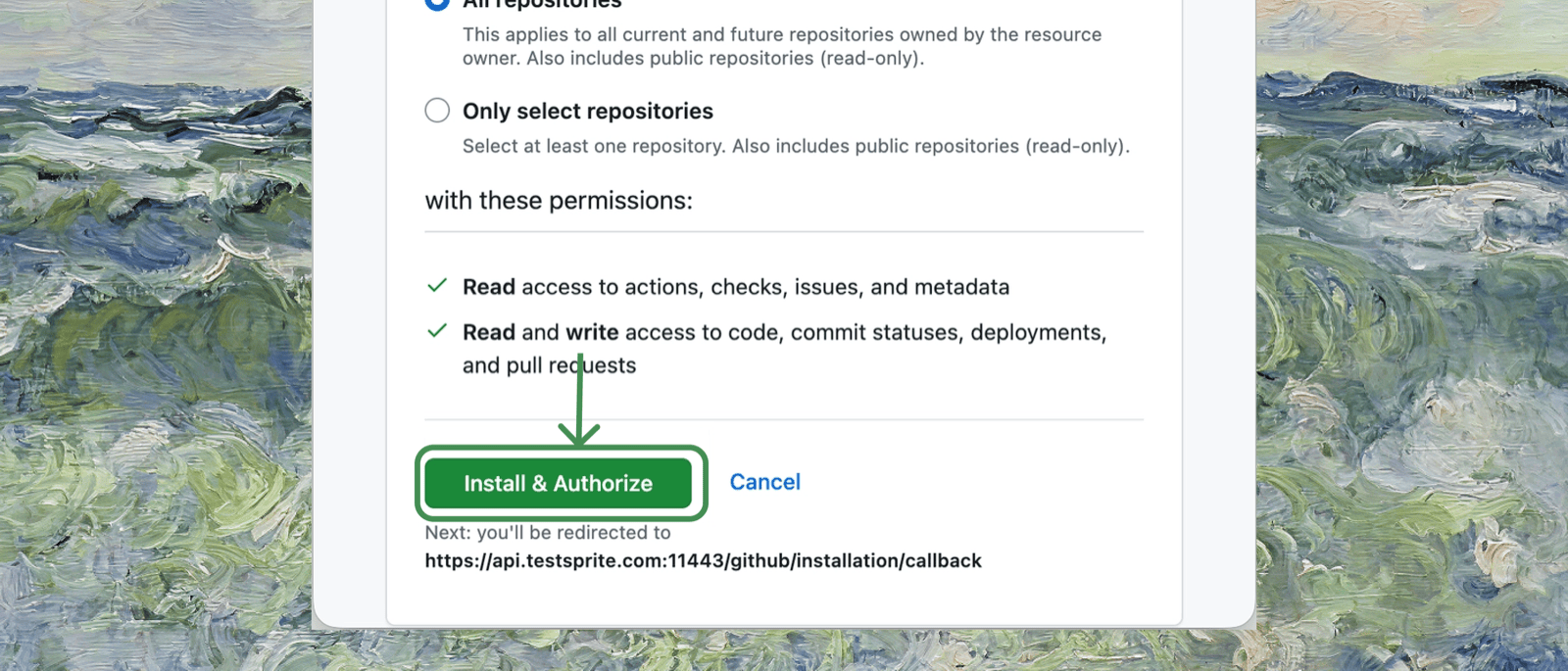
3
Return to TestSprite
You’ll be returned to TestSprite, and the GitHub integration should now show as Connected.
If your organization doesn’t appear in the list, you likely don’t have permission to install GitHub Apps for it. Ask an org owner to approve the installation, then come back to this step.
Step 2: Connect GitHub Action to a Project
Now link a specific repository to a specific TestSprite project.1
Open the project's GitHub Action tab
Open the TestSprite project you want to connect and go to the GitHub Action tab.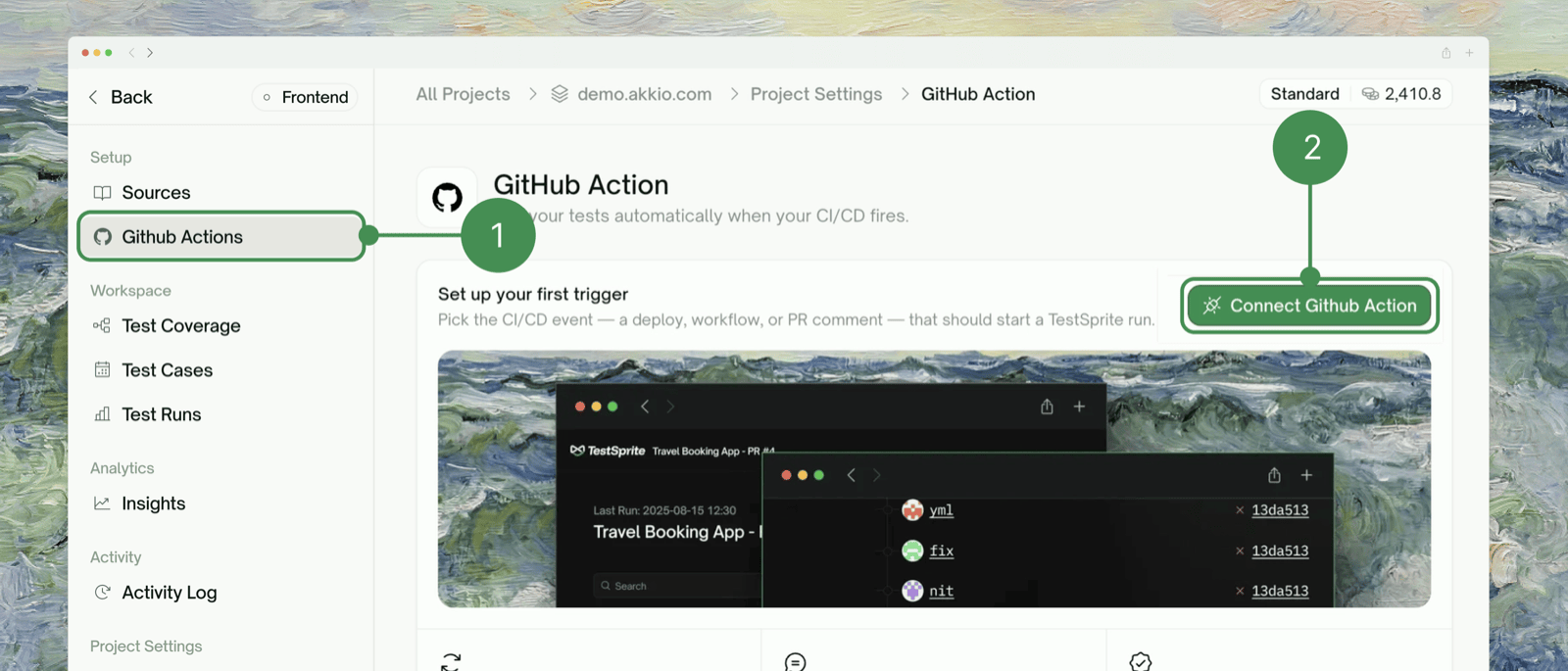
2
Connect GitHub Action and pick a trigger type
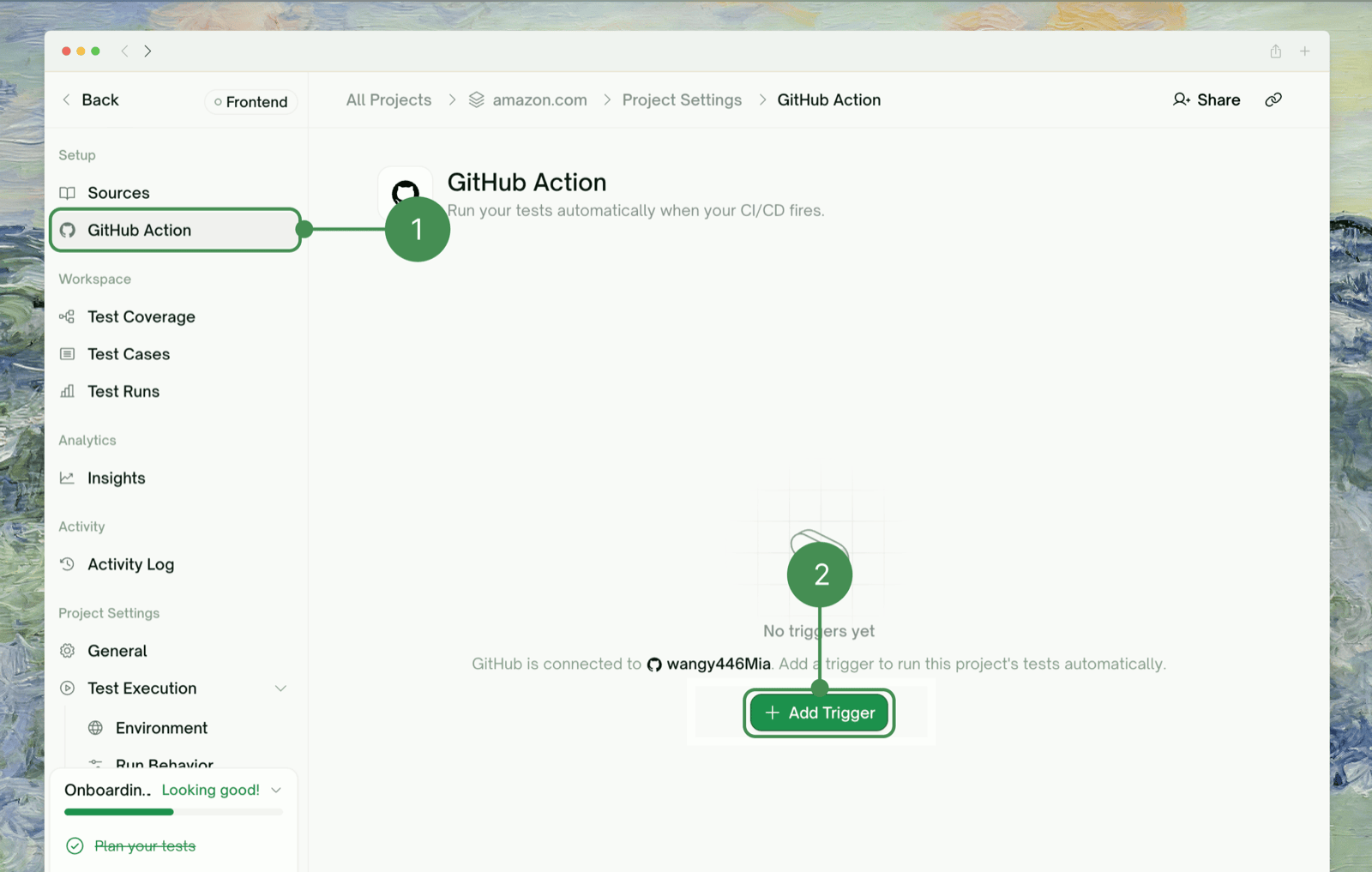
Click Add Trigger, then choose how tests should be triggered:
You only need one to get started; create both if you want PR checks and branch checks.
Trigger Rules
Each rule watches for a real signal from your own CI/CD (a check finishing, a workflow run completing, or a deploy bot’s PR comment), not just “a PR was opened” or “a commit was pushed”.A Push trigger tests against a TestSprite Environment you’ve already configured for that branch — set that up first if you haven’t.
Setting Up a Pull Request Trigger
1
Paste a sample PR link and detect events
In the Connect Github Action modal, stay on the Pull Request tab, paste the URL of an existing PR that has a working preview deployment, then click Detect Events. TestSprite lists the CI/CD events it found on that PR — checks, workflow runs, or bot comments.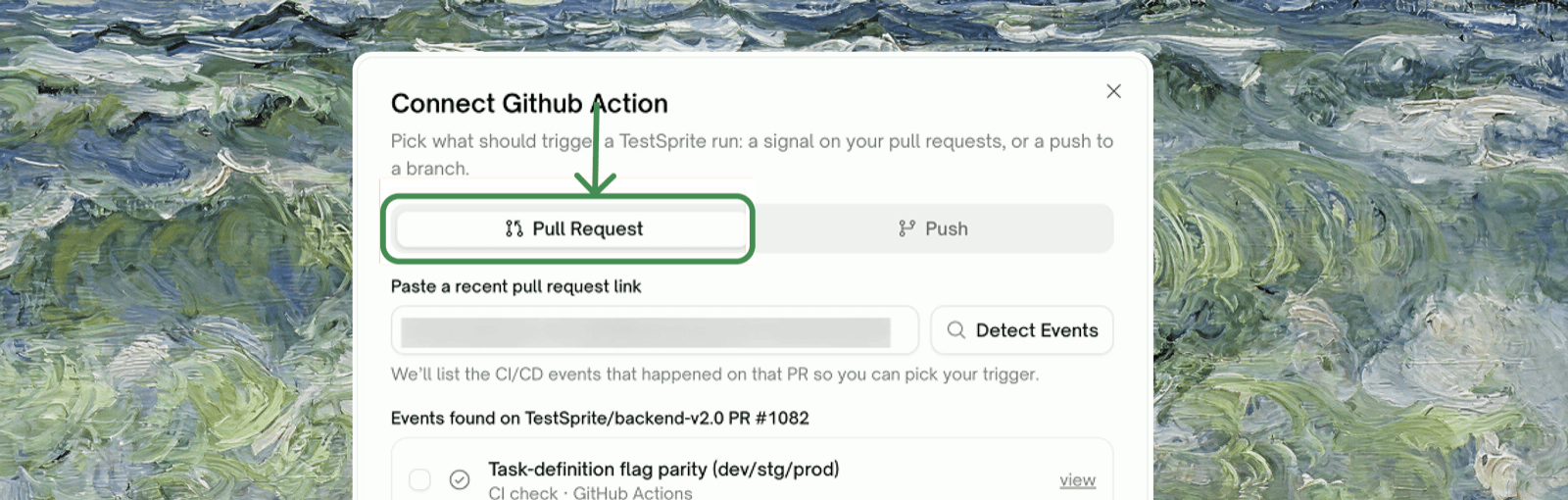
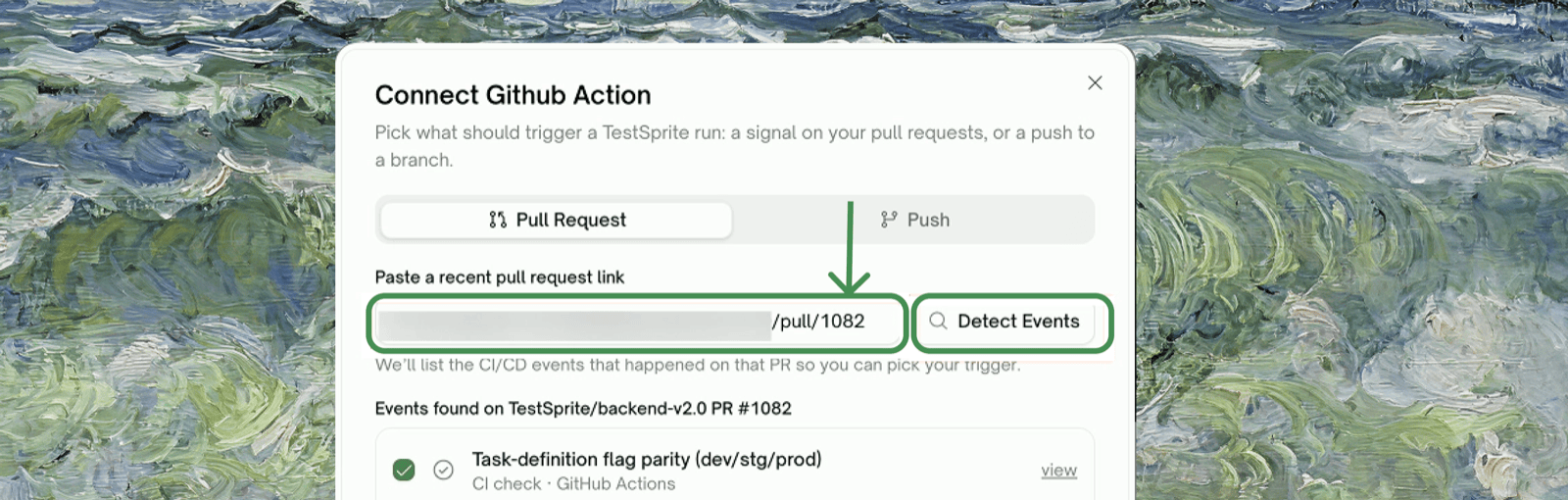
2
Select the event that means 'deployment finished', and fill in the Target URL pattern
Pick the event that fires after the deployment is live and reachable — not one that fires at build start. Then tell TestSprite how to build the preview URL for any given PR, using placeholders 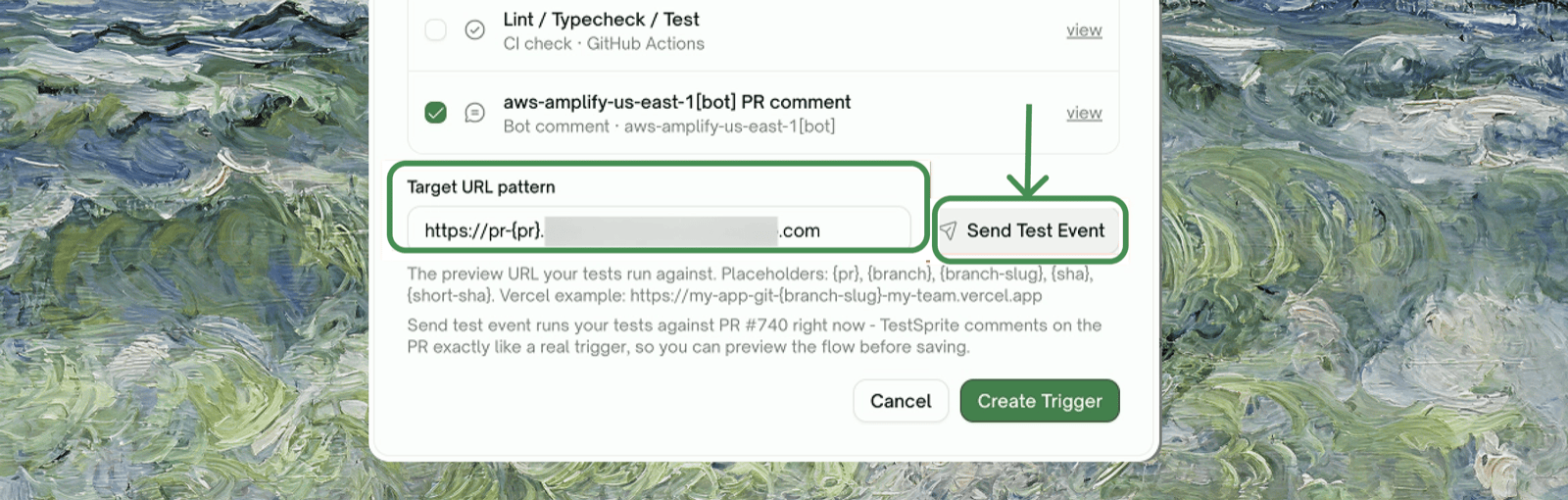
{pr}, {branch}, {branch-slug}, {sha}, {short-sha} (e.g. a Vercel-style pattern: https://my-app-git-{branch-slug}-my-team.vercel.app).3
Send a test event and verify
Click Send Test Event. TestSprite confirms it queued a run against that URL.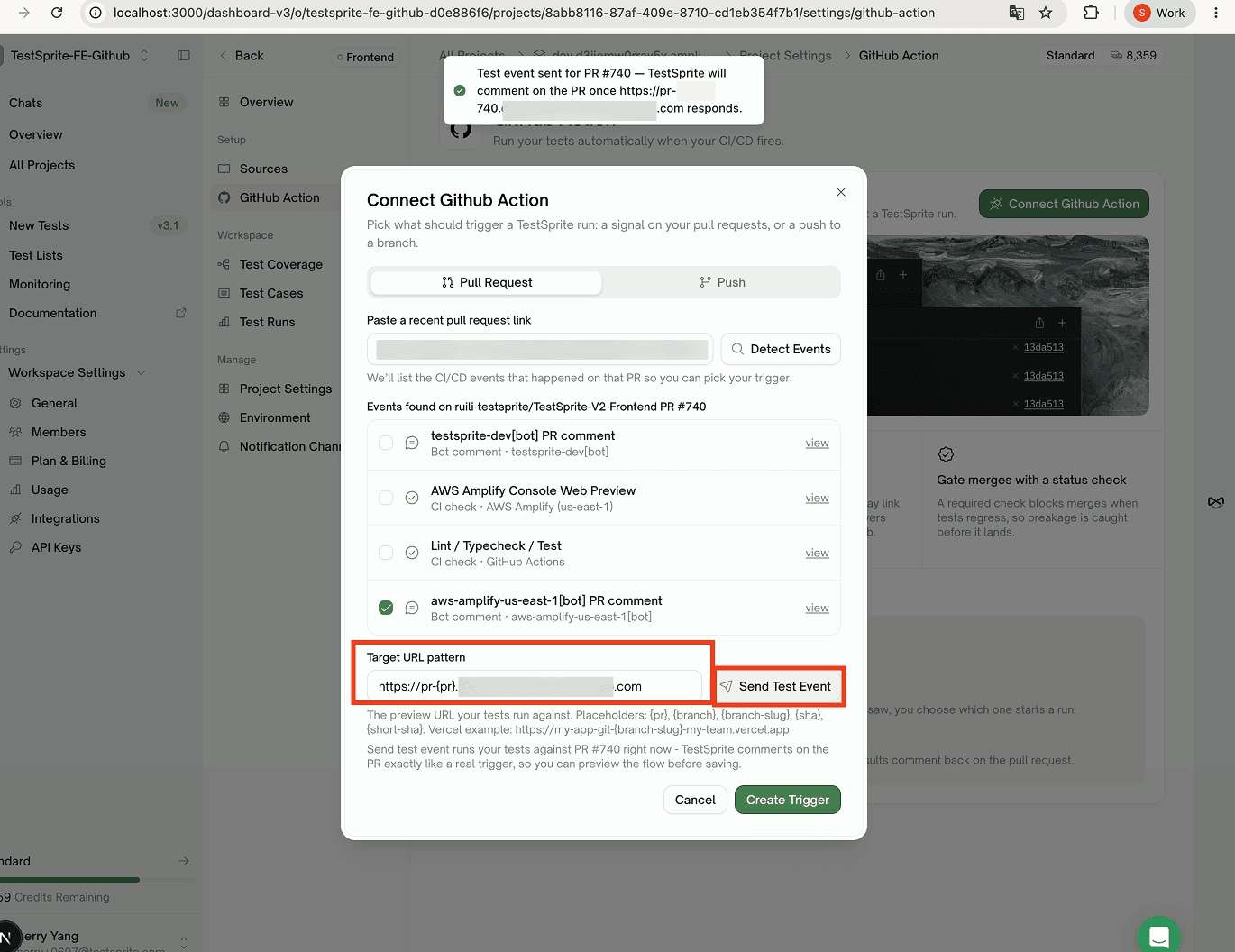
4
Create the trigger
Once the test event looks right, click Create Trigger. It appears in the Triggers list, marked Active, and runs on every future PR automatically. Two optional toggles: Include draft PRs, and Block PR until tests pass.
Setting Up a Push Trigger
1
Pick the repository and branch, and detect events
In the Connect Github Action modal, switch to the Push tab. Under Repository and branch to watch, choose the repo and type the branch (e.g. 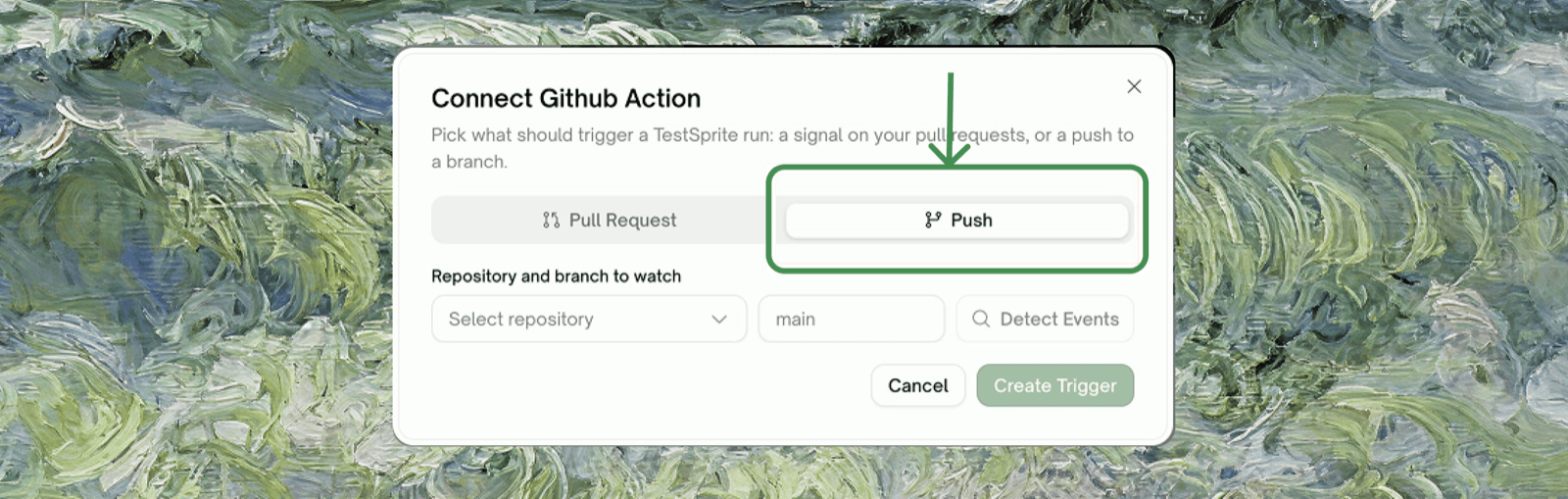
main, dev), then click Detect Events.2
Select the event
TestSprite lists what it saw on that branch — a named workflow (e.g. 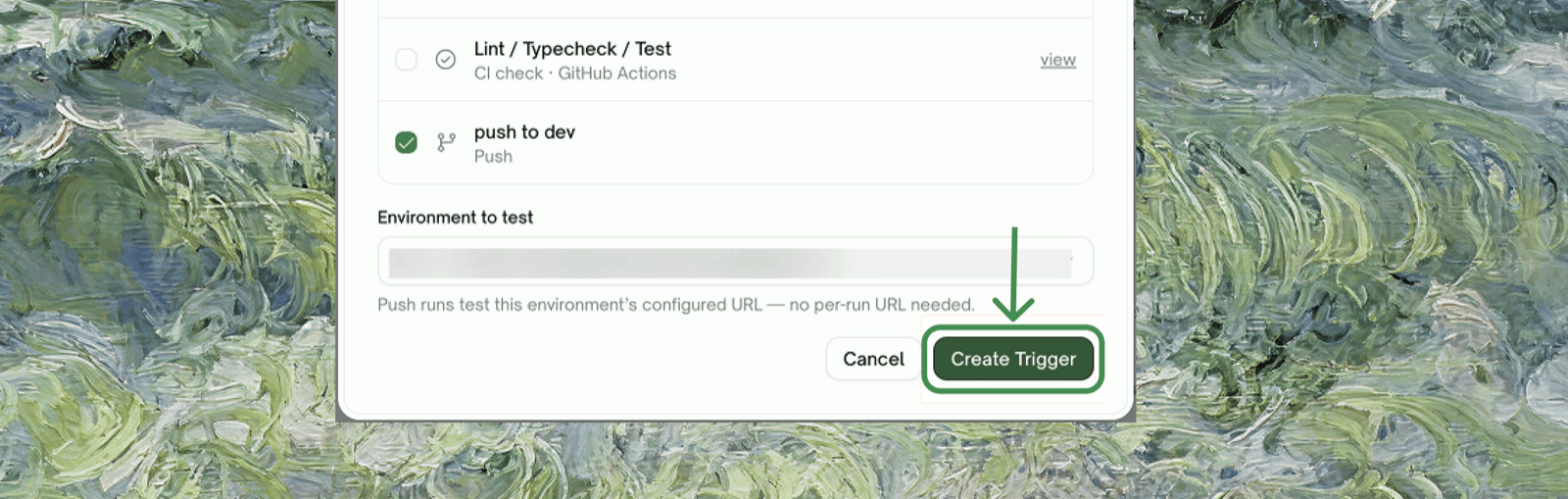
CI), a named CI check (e.g. Lint / Typecheck / Test), or the raw push itself (push to <branch>). Pick whichever one means “this push is ready to test.”3
Select the Environment to test
In the Environment to test dropdown, pick the TestSprite environment that matches this branch. Push runs test that environment’s configured URL — no per-run URL pattern needed.
4
Create the trigger
Click Create Trigger. It’s saved and active immediately.
5
Verify on your next push
Push a commit to that branch. Once the watched event fires, a TestSprite check appears on the commit alongside your other checks, showing pass/fail counts directly — open it for the full run.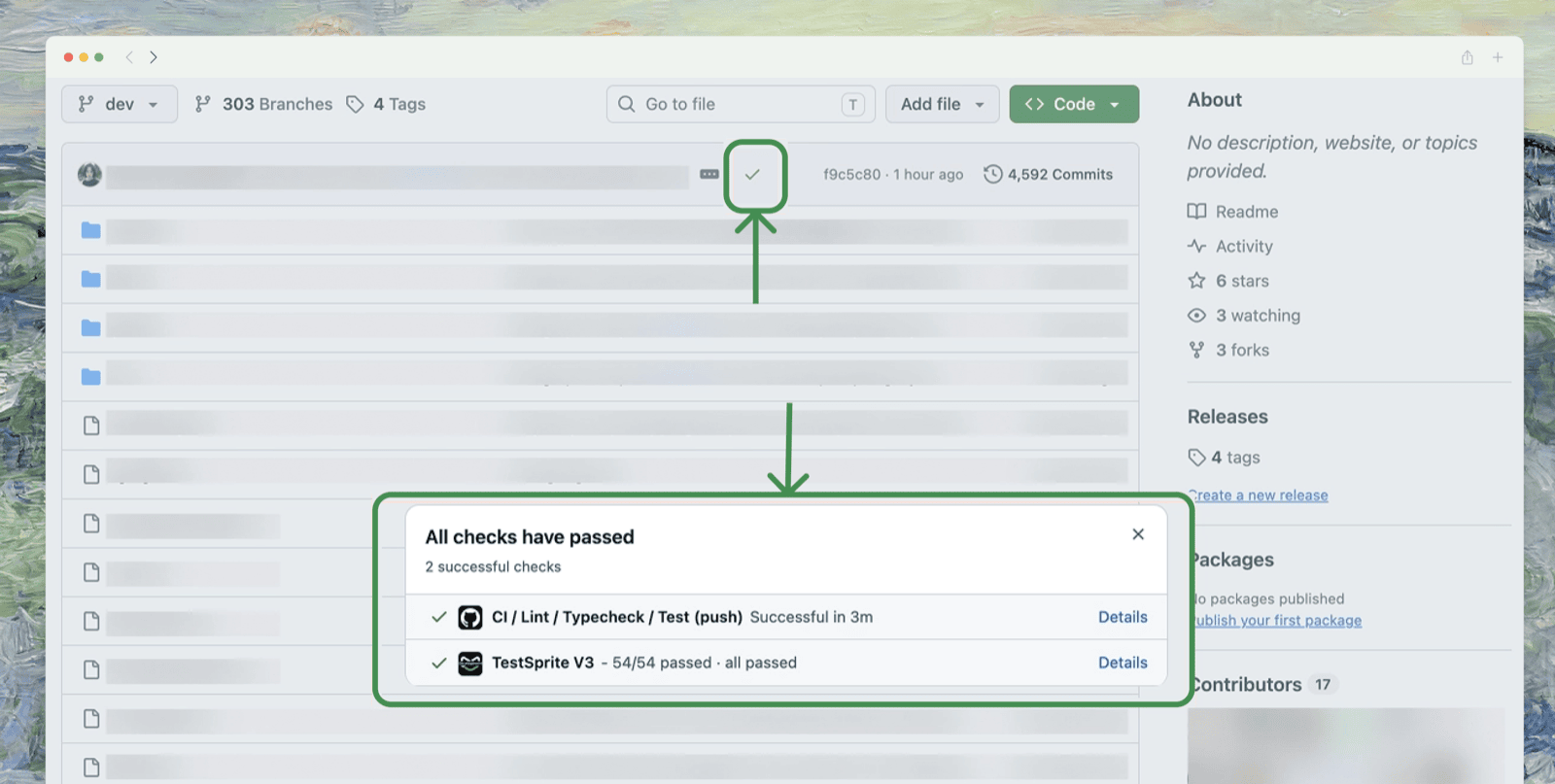
Trigger Activity
Below the Triggers list, the Trigger activity card — “What your triggers heard from GitHub, and what happened” — lists recent matches across all of a project’s rules.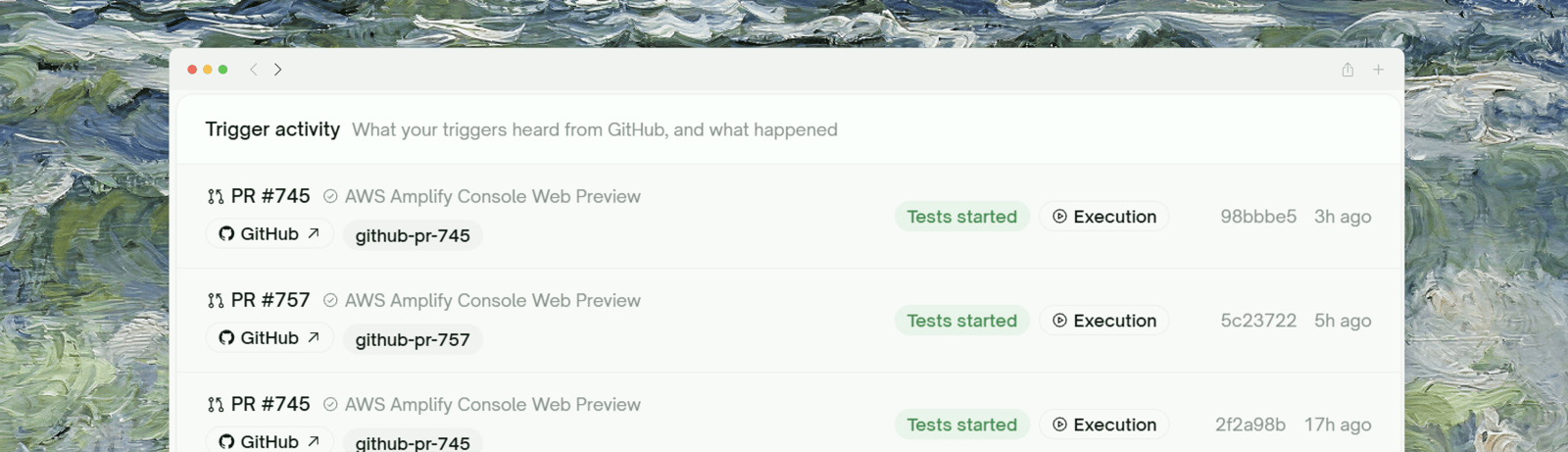
github-pr-745), an outcome badge (Tests started for a normal dispatch), a link to the Execution it started, the short commit SHA, and when it happened.
Activity is retained for 30 days.
Disconnecting a Repository
To stop a specific trigger without uninstalling anything, click its trash icon in the Triggers list — that trigger stops firing immediately, and existing run history stays accessible. To fully revoke TestSprite’s access to a repository (not just stop a trigger), edit the GitHub App’s repository access from GitHub’s side: Settings → Applications → Installed GitHub Apps → TestSprite → Configure, and change or remove that repo from the access list.Uninstalling the App Entirely
To remove the integration completely:- From GitHub, go to Settings → Applications → Installed GitHub Apps
- Find TestSprite and click Configure
- Scroll to the bottom and click Uninstall
Exporting Test Code to GitHub
Separate from everything above: Export to GitHub pushes the test code TestSprite generated for a project into a GitHub repository, so it lives alongside your source instead of only inside TestSprite.1
Trigger the export
Go to All Projects, click the ⋮ menu on the project’s row, and select Export to GitHub.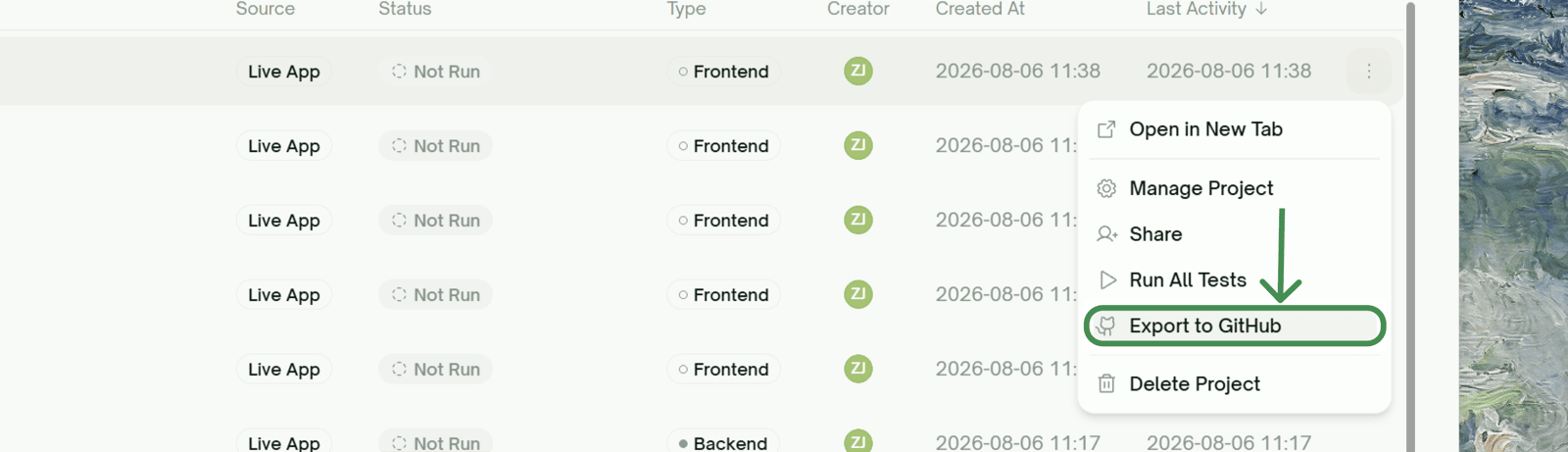
2
Connect GitHub, if you haven't
If this account has no GitHub login connected yet, a Connect GitHub prompt opens first. Connect once; every later export reuses it.
3
TestSprite pushes the code
If the project has no linked repo yet, TestSprite creates one for you and adds you as a collaborator. Test code lands committed straight to
main:testsprite_test_code/latest/— the most recent execution’s teststestsprite_test_code/history/execution_<timestamp>_<id>/— every past execution that finished (passed or failed), kept as a history
Export runs at the project level — it pushes every finished execution’s generated test code, not just one test. There’s currently no option to change the target branch or the file path it commits to.
Tips
Start with non-blocking for new triggers
Start with non-blocking for new triggers
Leave Block PR until tests pass off for the first few PRs while you confirm tests run cleanly. Flip it on once you’re confident the suite is stable.
Use draft PRs for quick checks
Use draft PRs for quick checks
With Include draft PRs on, open a draft against your branch to get a TestSprite run before a refactor, without asking for review.
Pair with scheduled monitoring
Pair with scheduled monitoring
PR checks catch regressions before merge; scheduled runs catch regressions in production. Most teams run both.
Where to Go Next
Test Schedules
Run tests on a schedule, not just on PRs
CLI
Run tests from your terminal or coding agent
MCP Server
Run tests from your IDE
Test Detail
Where PR-triggered runs land