

What is the TestSprite CLI?
The verification layer for the agentic coding era. TestSprite is the AI testing platform 100,000+ teams use to test their software — frontend and backend — in the cloud, against the live product, not mocks. The CLI puts that platform in your coding agent’s hands: structured output it can parse, exit codes it can branch on, and one self-consistent failure bundle it can act on — no dashboard scraping.The
--output json response shape and exit codes are a stable contract your agents and CI can rely on — designed to stay backward-compatible as the CLI grows.Why a CLI for coding agents?
Every step between “agent writes code” and “agent reads what broke” is a manual context-transfer tax. The CLI removes it: your agent describes intent and reads results, never needing to know how the test was driven — only what a real user experienced.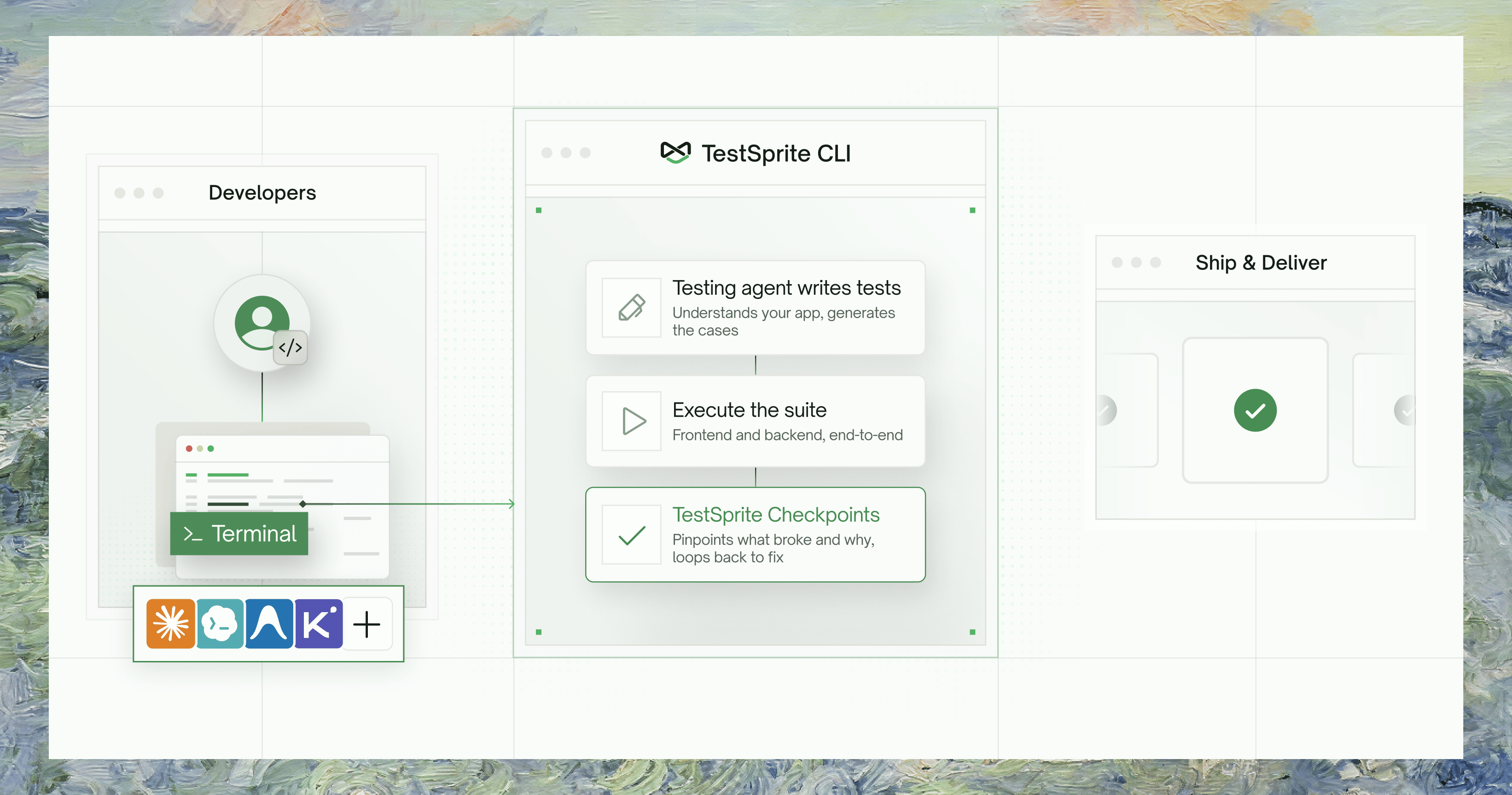
The manual loop
Agent writes code → you run the app, click around, screenshot the result, paste it back, and type “the checkout button is broken on mobile.”
With the CLI
Agent describes intent → triggers a real cloud run → reads the verdict itself. No human in the middle.
The verification loop
1
Install and onboard
Install once globally, then run
testsprite setup. It prompts for your API key, verifies it against the platform, and installs the verification skill into your agent’s project — so your agent already knows when and how to run tests.2
Describe a behavior and create + run a test
Describe the behavior you want to verify as a plan file — write it yourself, have your coding agent author it, or let TestSprite generate it. One command then creates the test, triggers a real cloud run against your live app, and blocks until a verdict:Exit 0 means the test passed, exit 1 means it failed — you (or your agent) branch on the exit code.
3
On failure, read the one bundle
Pull a self-contained failure bundle — no back-and-forth across endpoints:The bundle contains the failing step and its neighbors, DOM snapshots rendered as text, the test source, a root-cause hypothesis, and a recommended fix target.
4
Fix and rerun — coverage compounds
After fixing the code, replay the test — billed as a rerun, same as a fresh run:Every pass is banked into the durable suite. Next time you ship a change, you rerun rather than recreate — coverage compounds into a lasting record of every requirement you’ve verified, far bigger than any context window.
Who It’s For
One Platform, Three Surfaces
All three surfaces hit the same backend and share the same tests, projects, and runs. Choose by context:- Web Portal
- MCP Server
- CLI
- What it’s for: Humans — visual project setup, PRD uploads, test exploration, dashboards, scheduling, billing, and team management.
- Best when: You’re starting a new project, reviewing test coverage visually, managing schedules and monitors, or handling billing and credentials.
- Limitations: Not scriptable; not designed for agent-driven loops.
Go to Web Portal docs
Where to Go Next
Installation
Install the CLI and sign in in under 2 minutes
Quickstart
Create a test, run it, and read what broke — end to end
Key Terms
Projects, tests, runs, and the concepts behind them
Command Reference
Every command, flag, and exit code