

Overview
TestSprite gives you full control over your automated test cases with powerful in-place editing. Whether you’re watching tests run live or reviewing results days later, you can fine-tune every step to match your exact requirements.
Interactive Step Editing
Click on any step to see a snapshot of that exact moment in your test, then modify it if needed.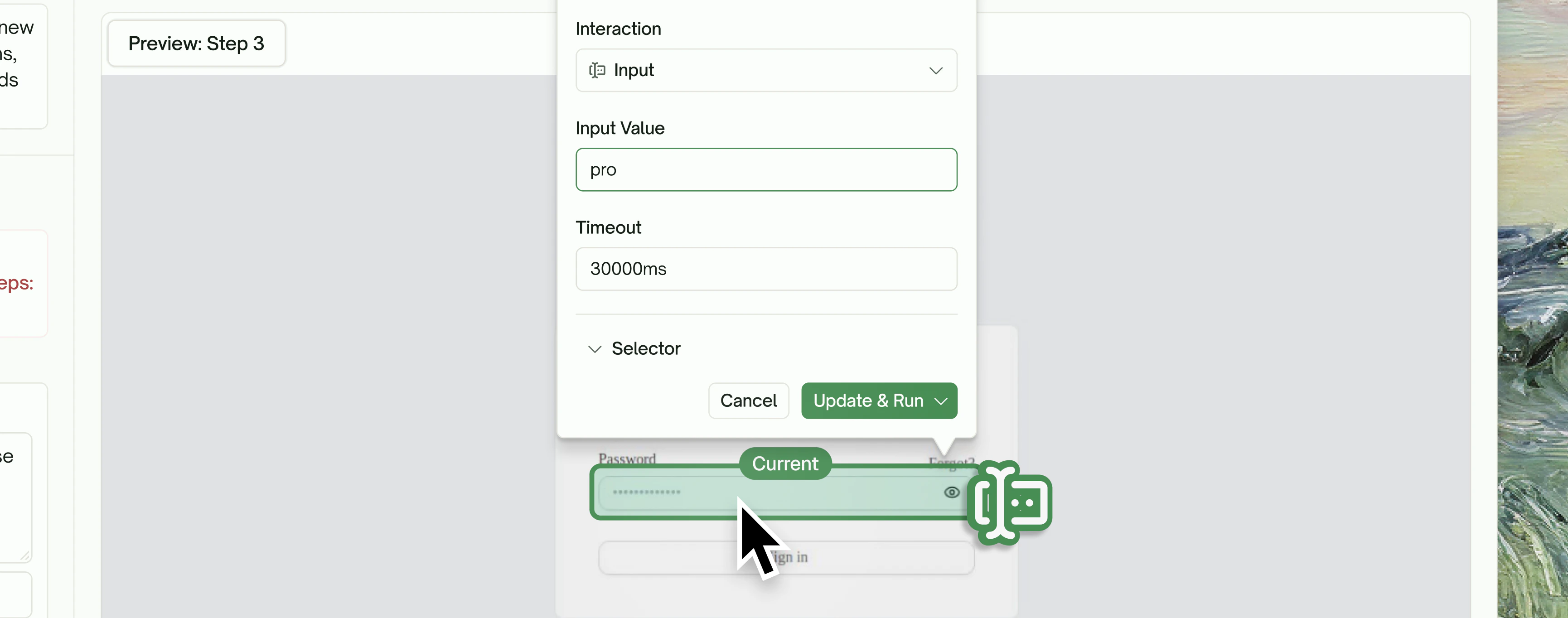
Edit Any Interaction
When you select a step, you can:1
Change the Interaction Type
Switch between Click, Navigate, Input, Scroll, Assert, or modify the Selector.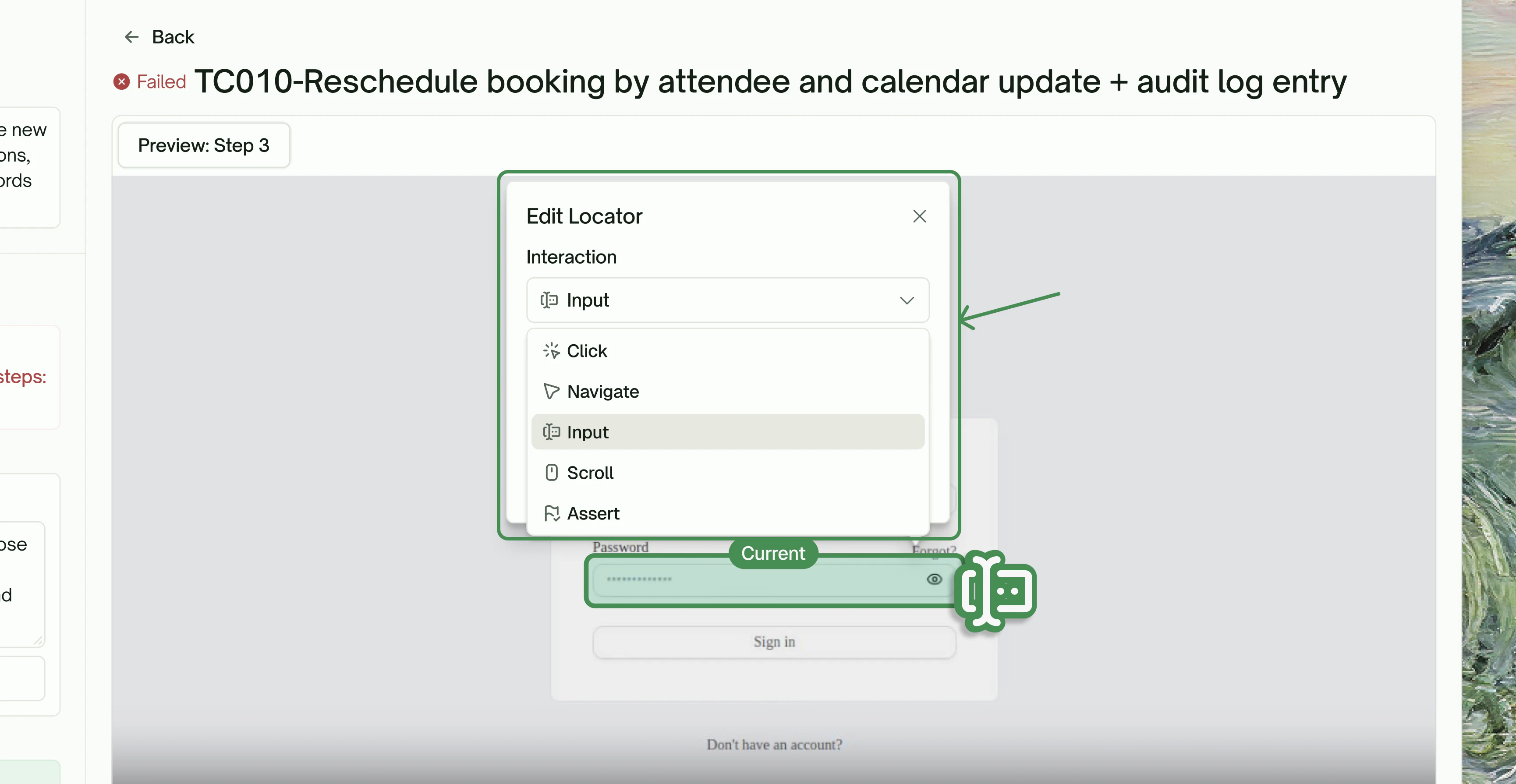
2
Update Input Values
Change what text gets entered into form fields.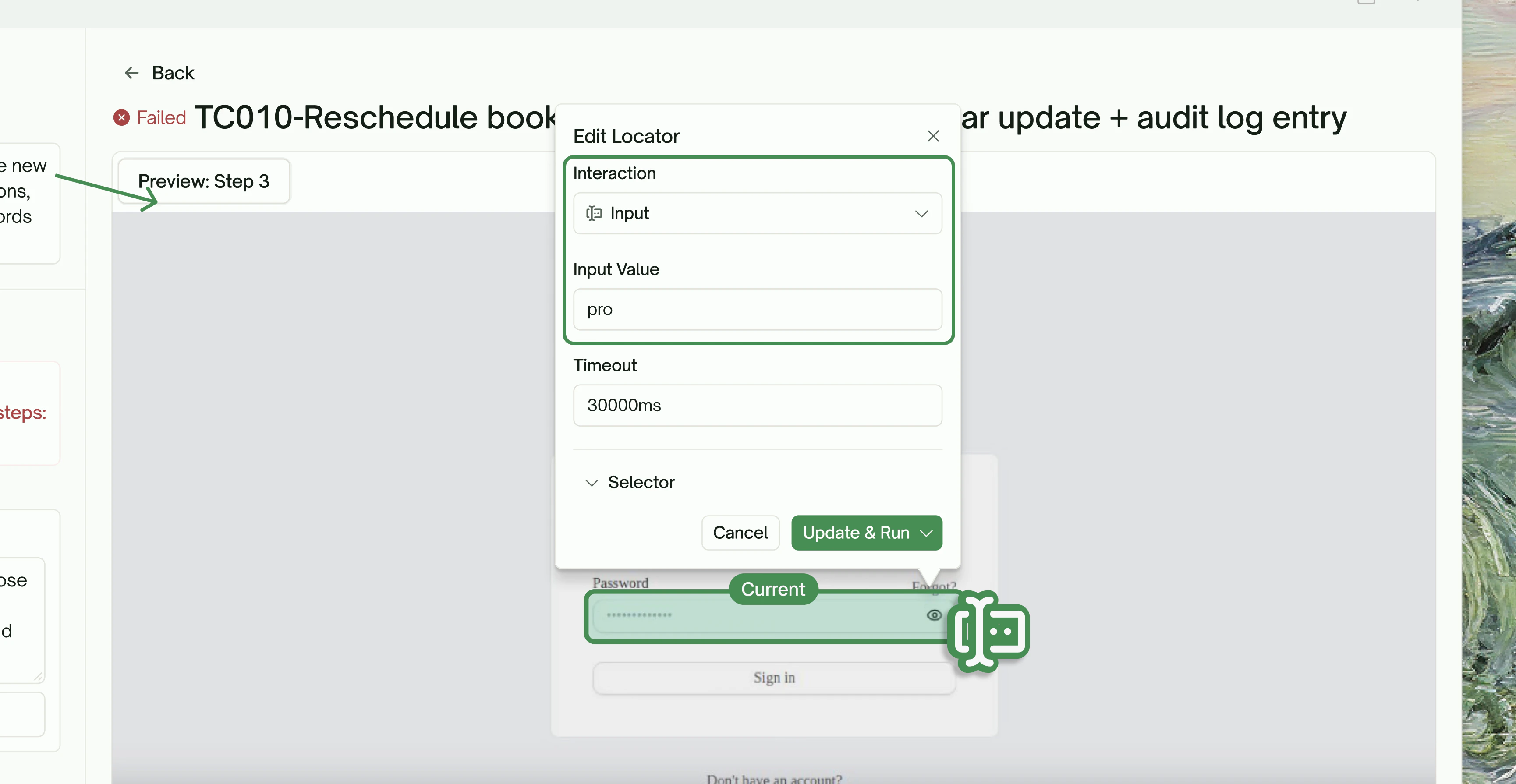
3
Adjust Timeouts
Fine-tune wait times for slow-loading elements.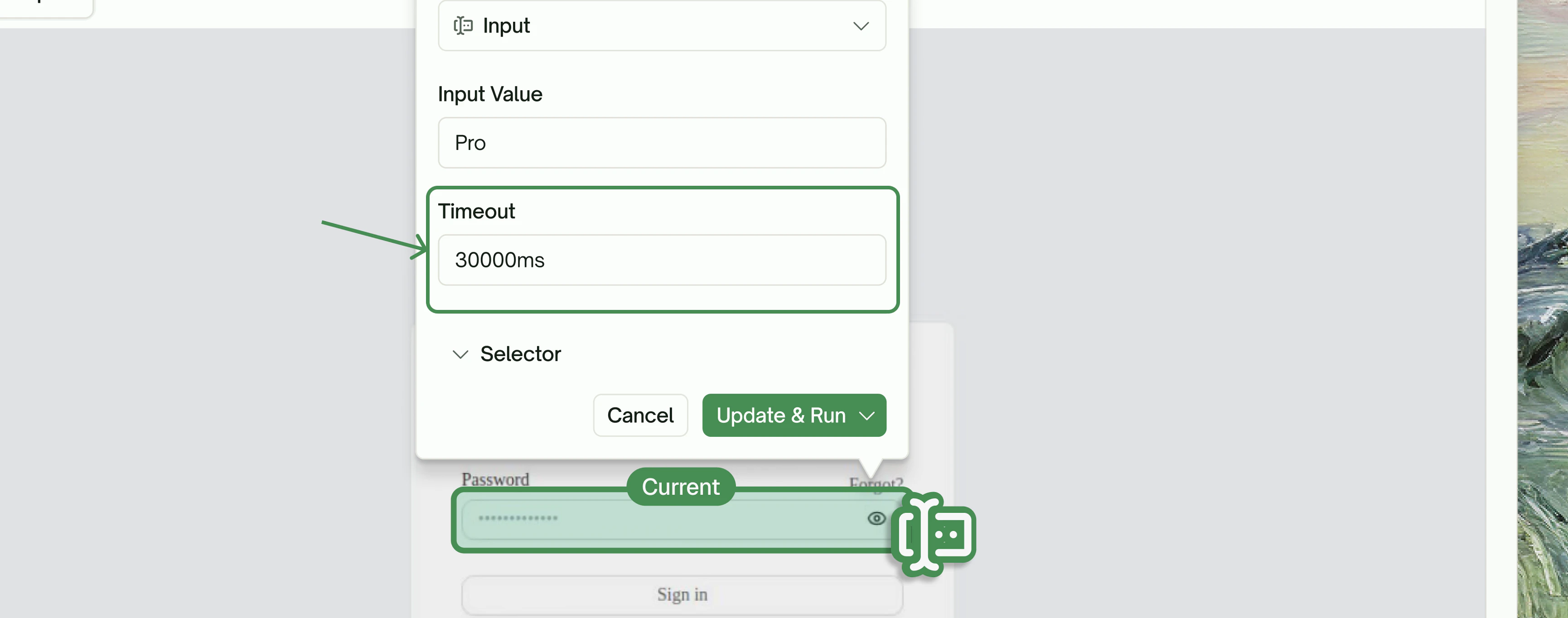
4
Modify Interaction Element
Pick a new element on the page if the current one isn’t right.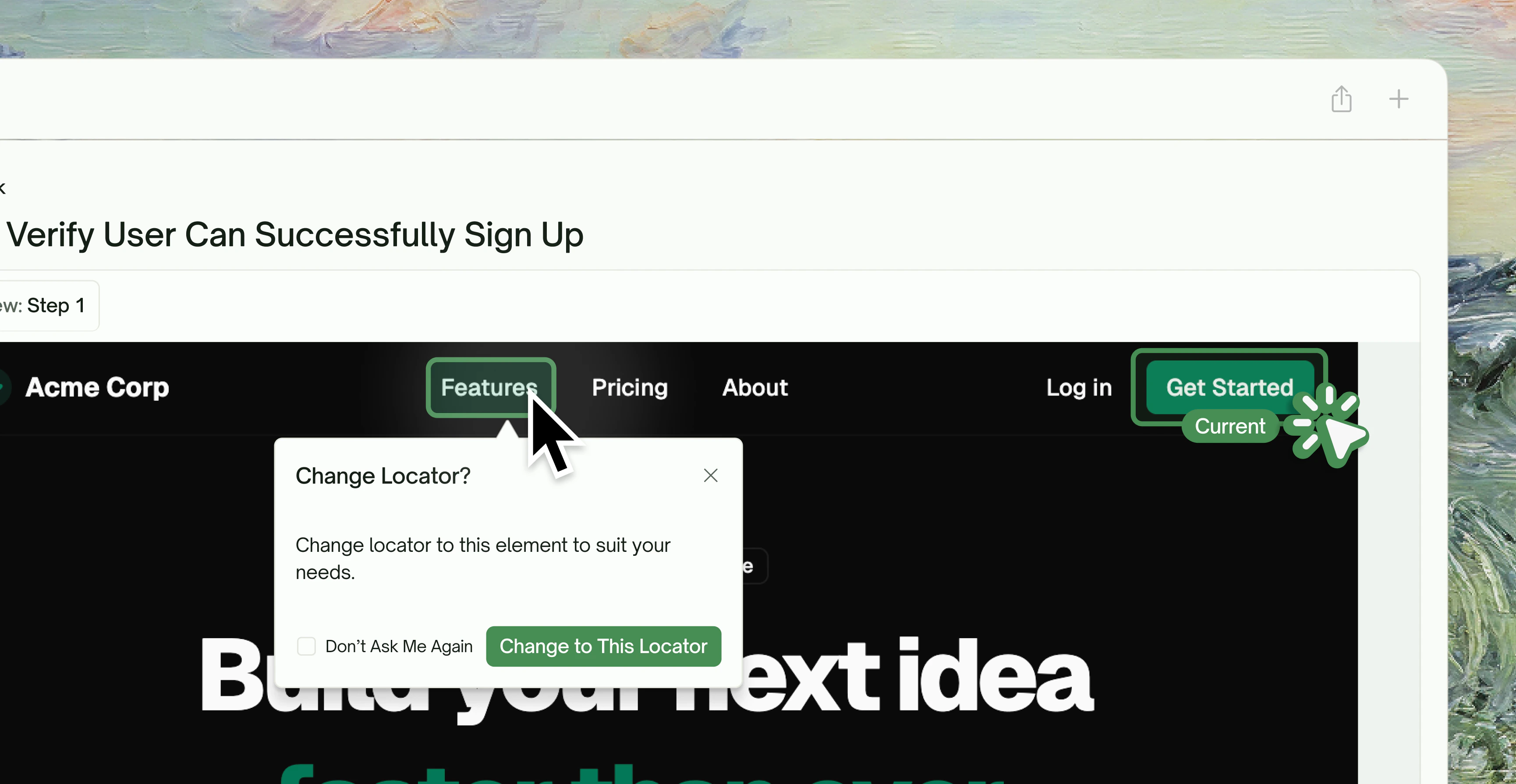
Visual Element Selection
Don’t like the current locator? Simply click any element on the page preview, and TestSprite will prompt you: “Change locator to this element to suit your needs.” This visual selection means you don’t need to manually write CSS selectors or XPath—just point and click.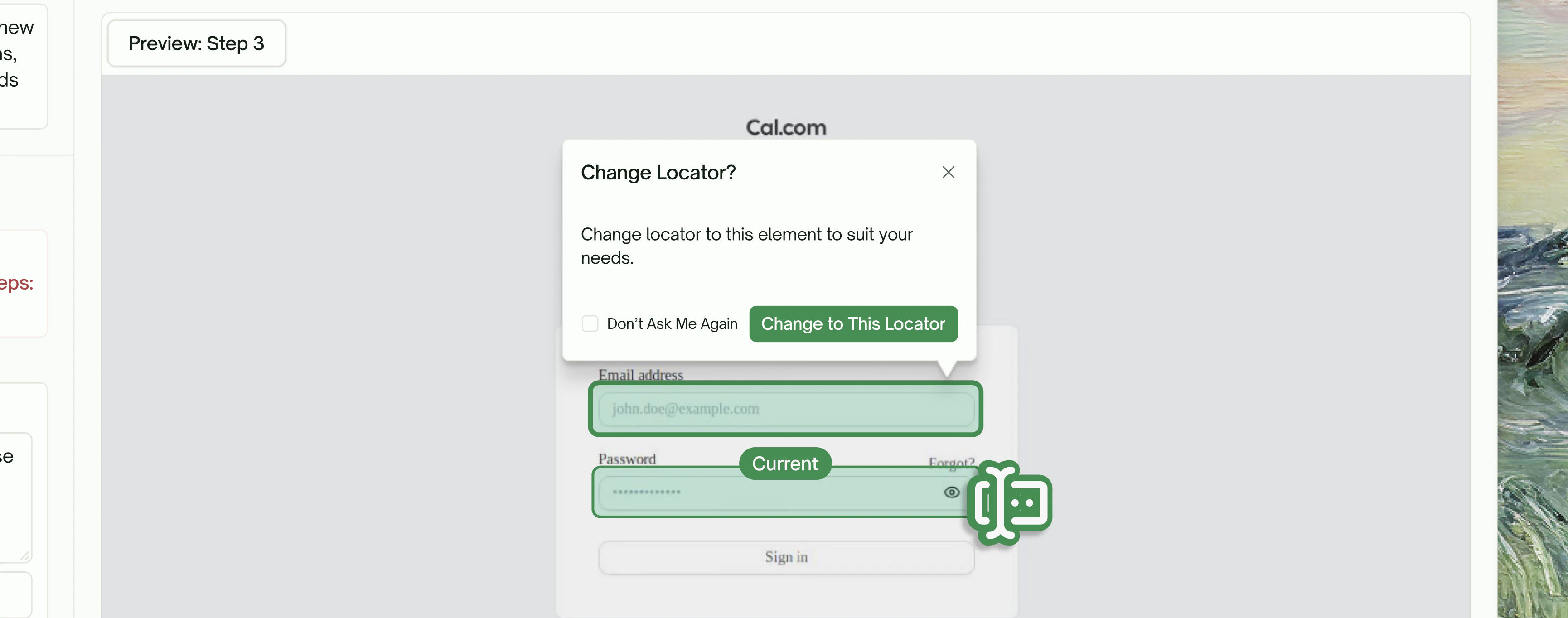
Smart Regeneration Options
TestSprite will automatically regenerate the affected steps while preserving your customizations.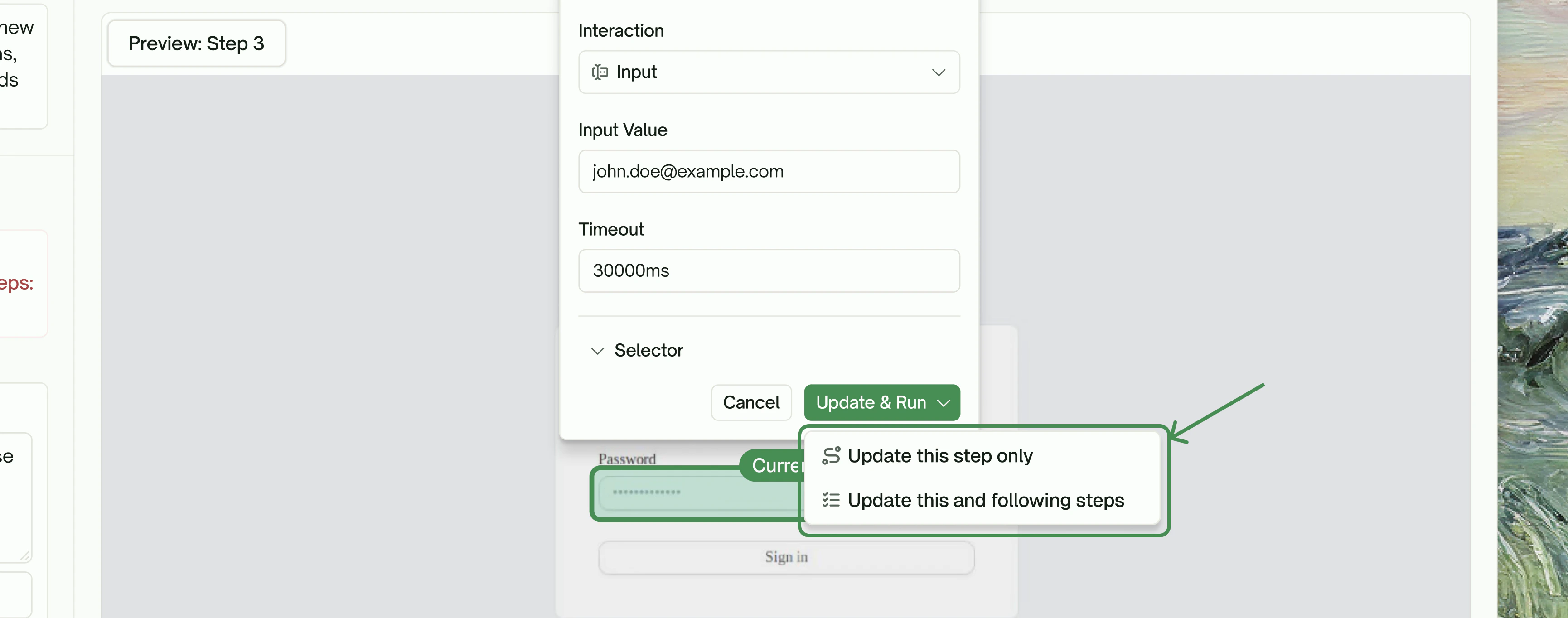
Key Benefits
No More Black-Box Testing
No More Black-Box Testing
See exactly what your tests are doing with video recordings and step-by-step snapshots.
Fix Tests Without Rewriting Them
Fix Tests Without Rewriting Them
Visual editing means you can adjust locators, inputs, and actions without touching code.
Maintain Test Suites Over Time
Maintain Test Suites Over Time
As your application evolves, easily update test steps to match new UI layouts or workflows.
Debug Failures Faster
Debug Failures Faster
Pinpoint issues instantly with detailed error messages and execution recordings.
Quick Reference
Next Step
Progress Dashboard
Monitor real-time test execution
Create Tests for New Change
Test diff-scoped changes
Healing & Observability
Learn about auto-healing
MCP Tools Reference
Explore all available tools