

Overview
When you triggertestsprite_generate_code_and_execute, TestSprite automatically opens a live progress dashboard where you can monitor your entire test suite as it runs.

- Real-Time Monitoring
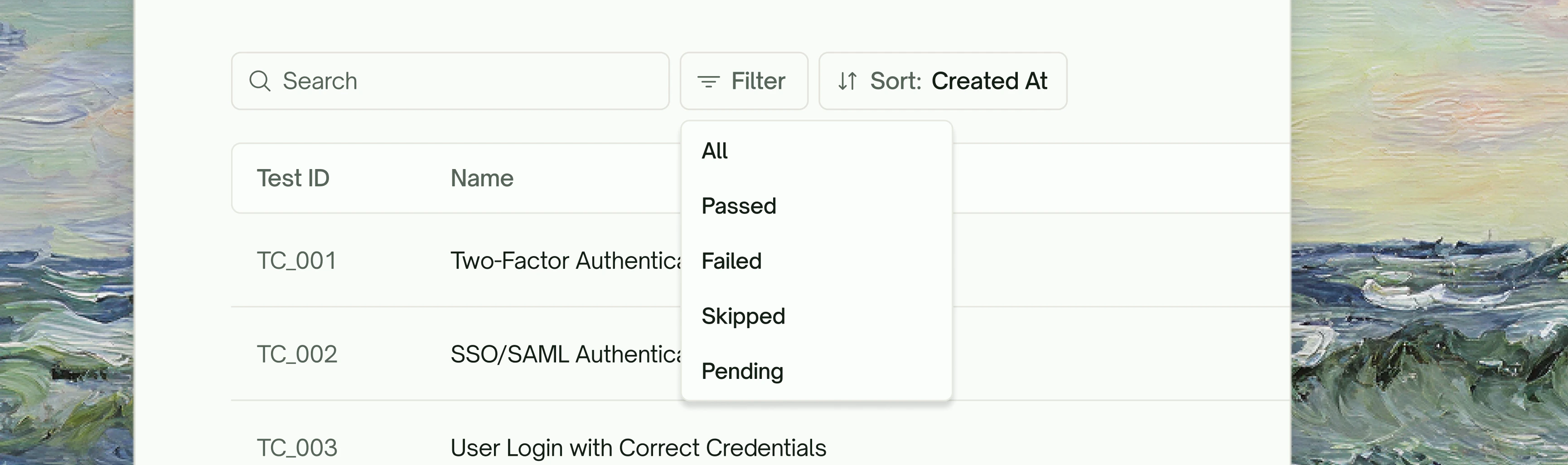
- Search & Filter Tests
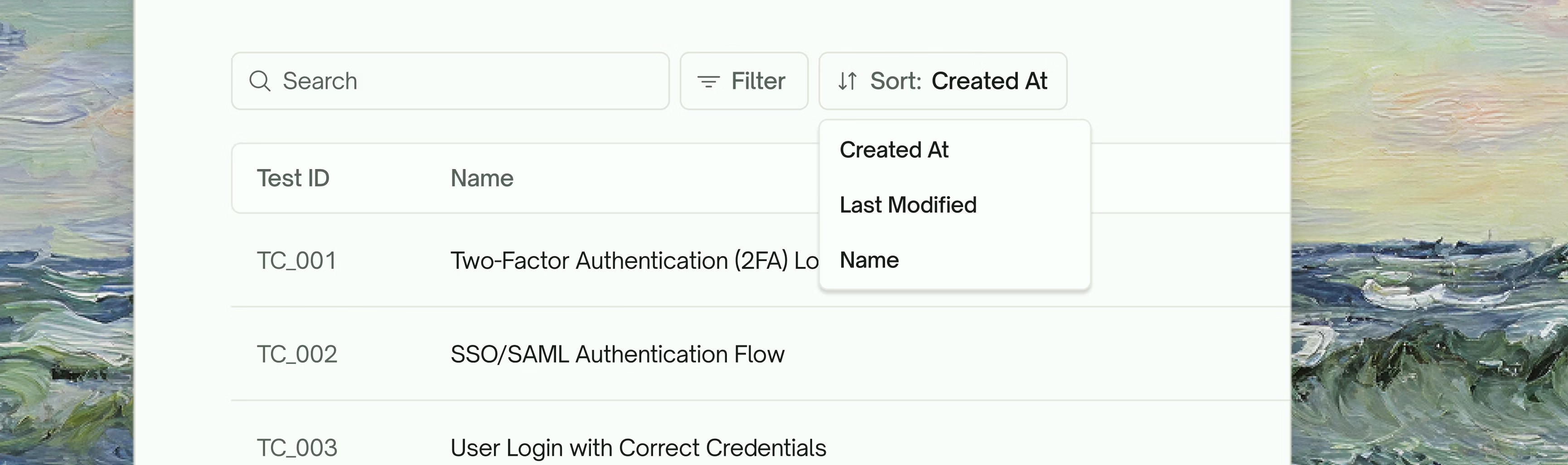
- Sort Your Way
Watch your test cases execute with live status updates. Each test displays its current state—whether it’s still running, has passed, or encountered an issue.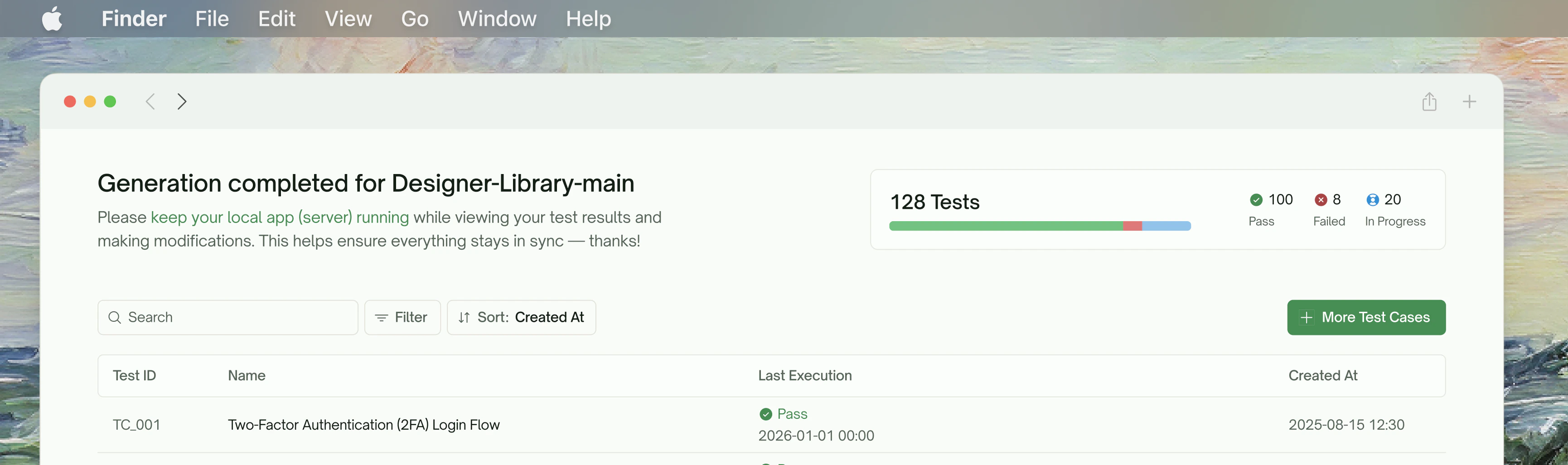
Test Detail View
Click on any test case to dive into its detailed execution results.Execution Recording
Every test run is recorded, giving you a complete video playback of exactly what happened during execution.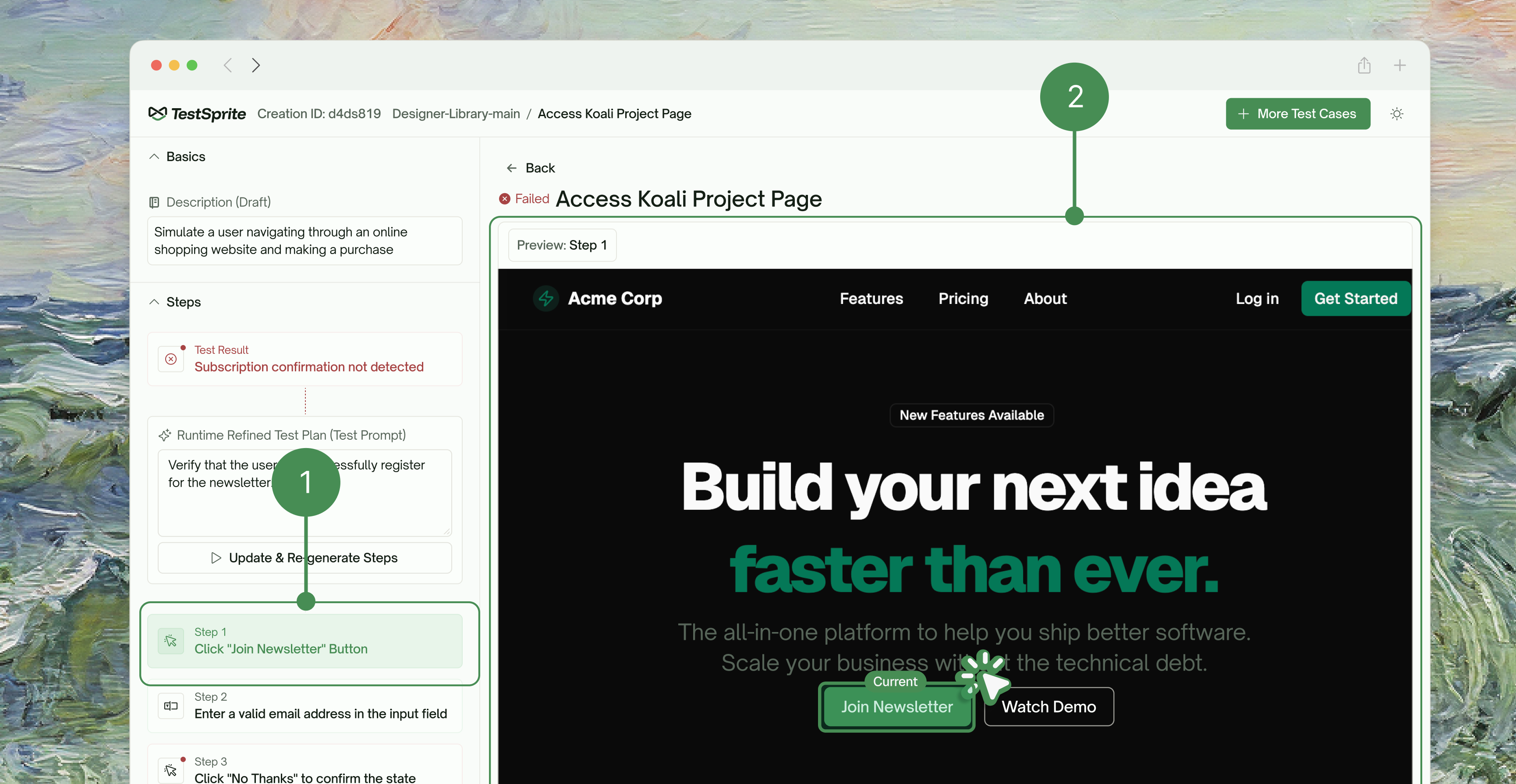
Test Results at a Glance
Get a quick summary of each test’s outcome, including pass/fail status, error details, and timing information.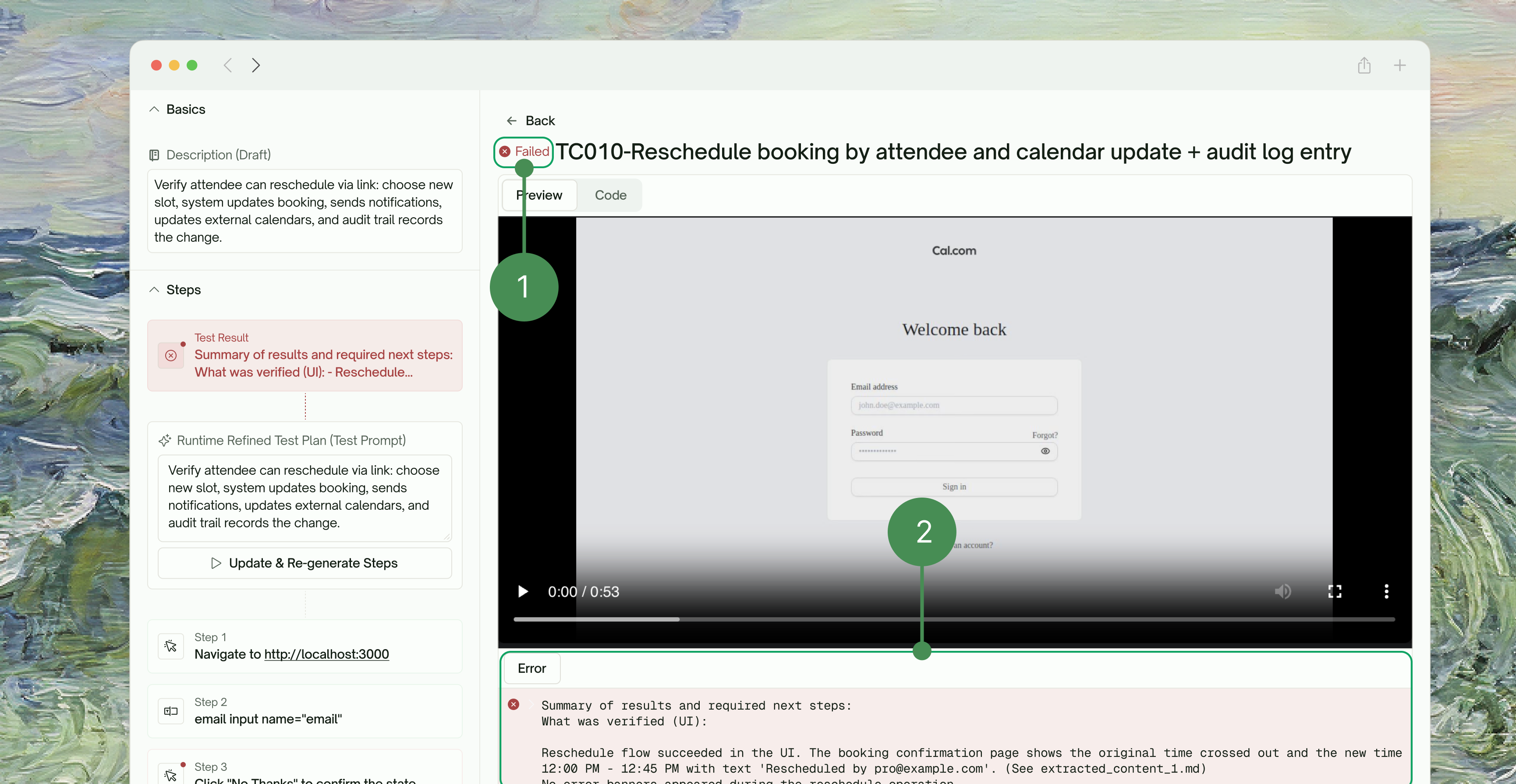
Step-by-Step Breakdown
Drill into each test to see every action it performed, from navigation and input to assertions, so you can pinpoint exactly where things went right or wrong.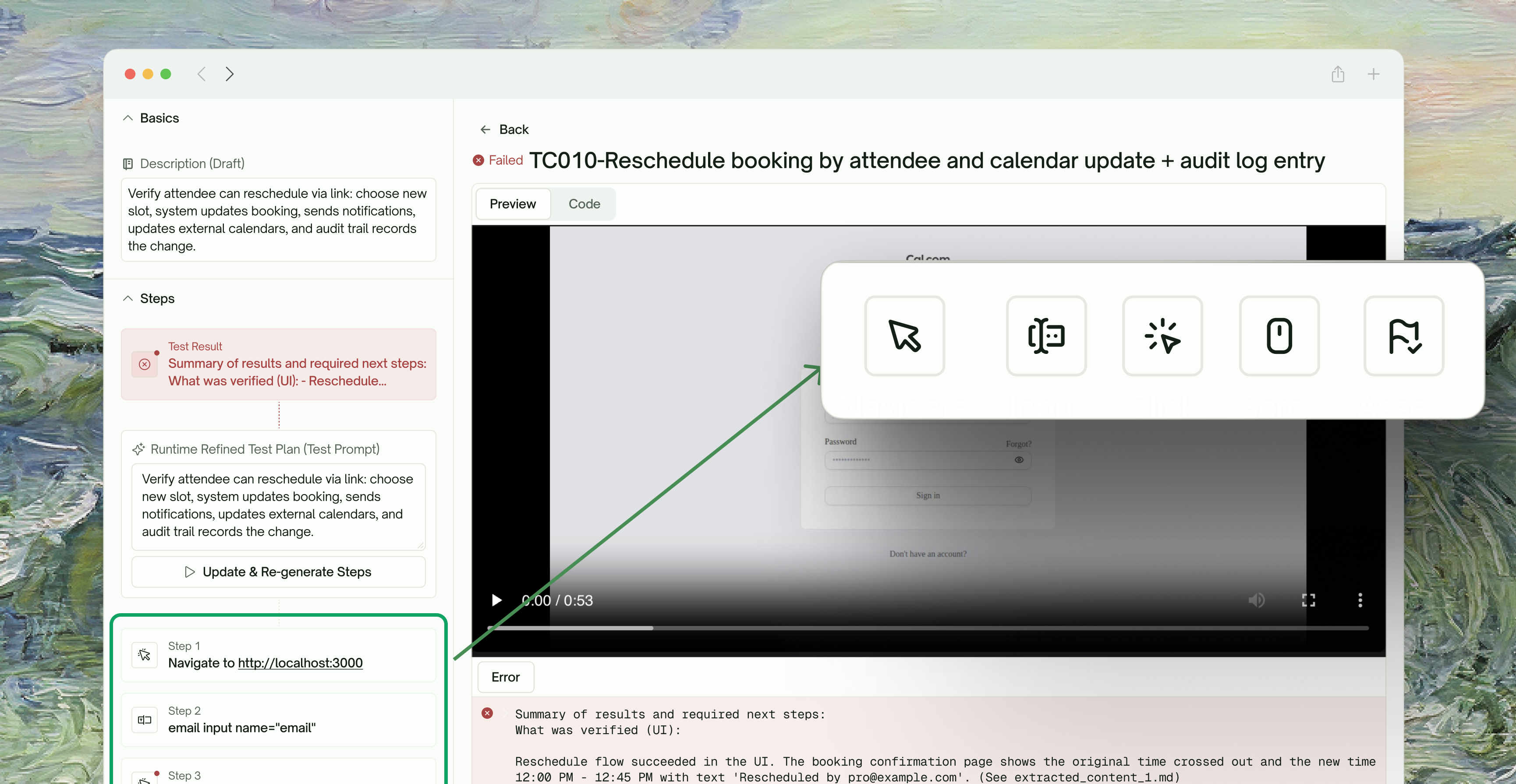
Review Past Test Runs Anytime
Use thetestsprite_open_test_result_dashboard tool to reopen the progress dashboard at any time. Simply prompt:
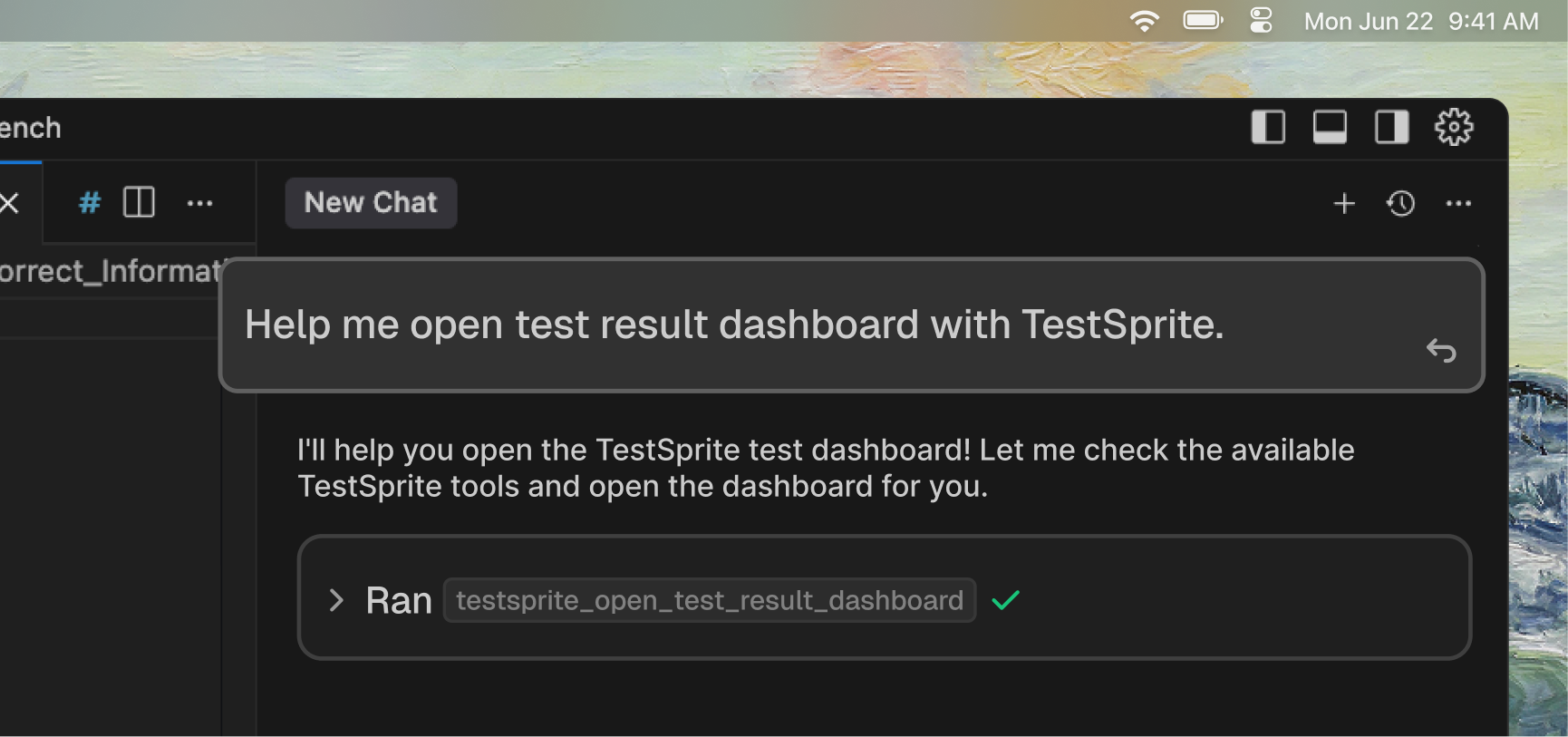
- Browse all your historical test suites
- Review execution recordings from previous runs
- Make modifications to any existing test case
- Re-run updated tests with your changes