

What Test Generation Does
For each case in the reviewed plan, TestSprite’s testing agent writes a Python + Playwright test that opens a real browser, drives your app through the flow, and asserts on the visible state at each step. You can drop the code into your own CI/CD, but its main use is running in TestSprite’s cloud sandbox, where every step is observed.Generated UI test (illustrative)
- Grounded in observed behavior: tests follow flows the agent walked during exploration, including form validation, error states, and redirects.
- Survives refactors: with Auto-Heal, tests recover when the UI changes but the flow still works.
- Readable: plain Python + Playwright, no proprietary DSL, so your QA team can review exactly what’s checked.
Watching Generation Live
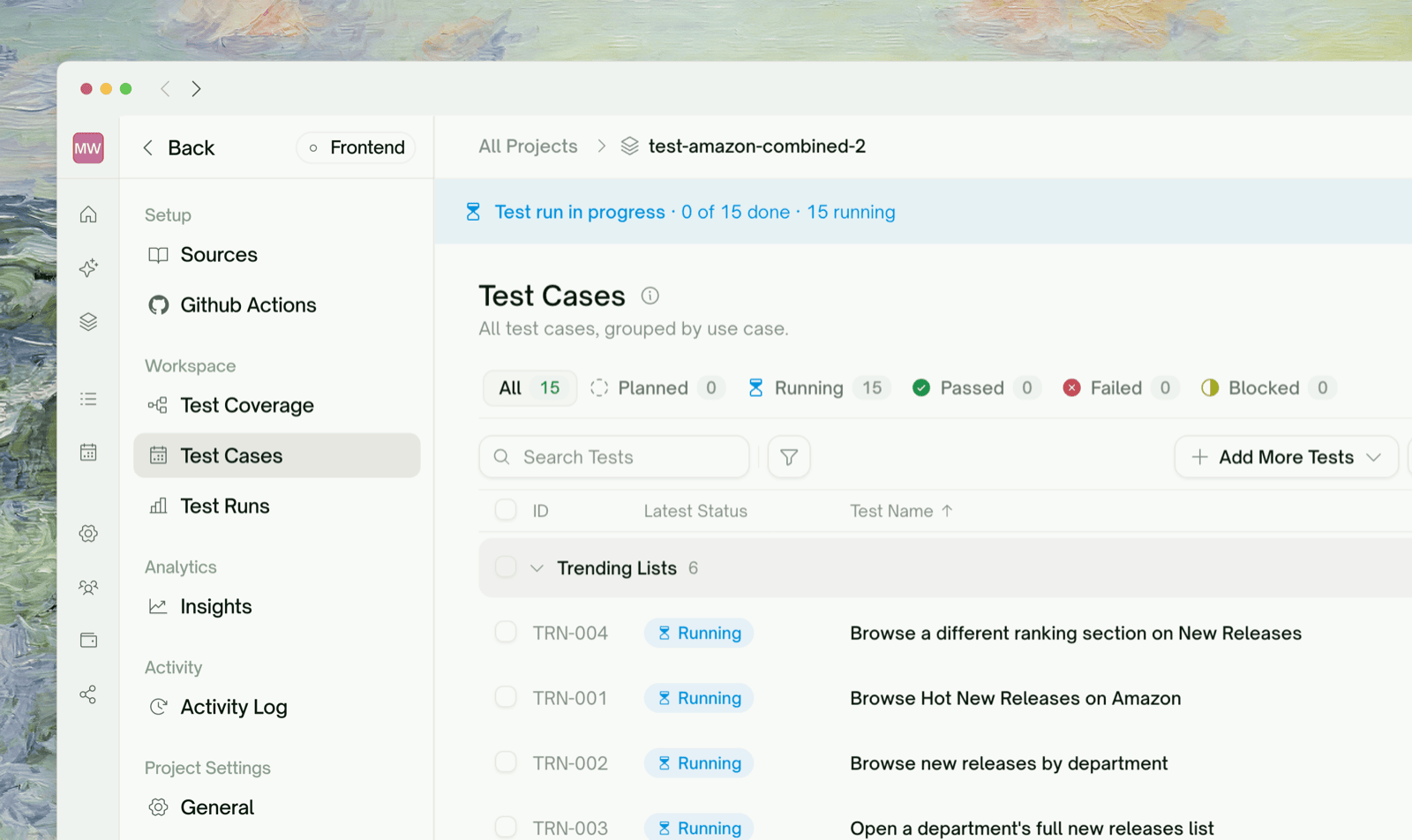
Generation runs across plan rows in parallel. Each test is verified after it’s generated; one that can’t be generated cleanly is marked Failed so you can try again. Tests stream into the project test list with a status: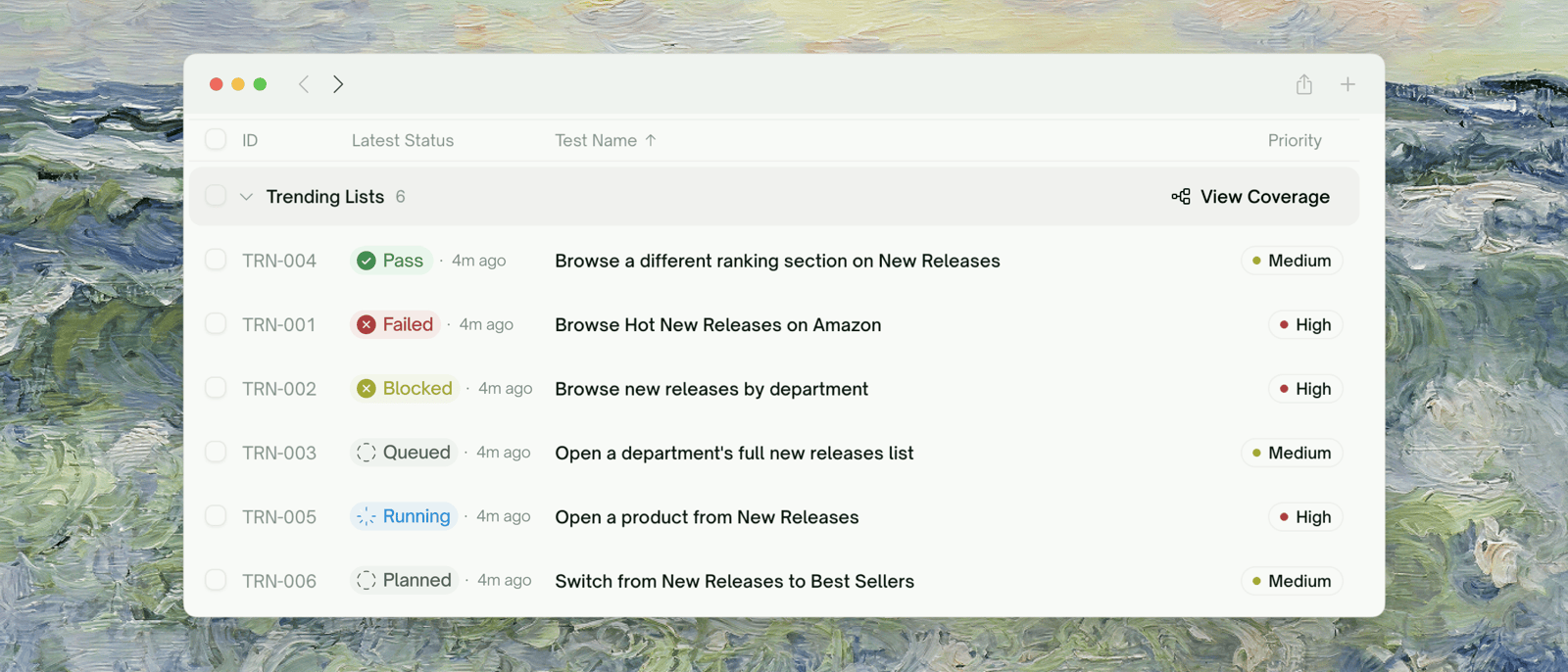
A 20-test plan typically finishes generating in 1–3 minutes.
What “Run” Does
Each time a UI test runs (after generation, or on a later rerun), TestSprite starts a Playwright browser in the cloud sandbox, signs in with your test account, drives the flow (resolving selectors against the live DOM), captures per-step screenshots and a full video, and decides Pass/Fail from the assertions. A typical UI test takes 5–30 seconds. For how this compares with API tests, see Testing Lifecycle.Reviewing a Failed Test
Click any Failed row to open its detail page (see Step-by-Step Replay for the full view):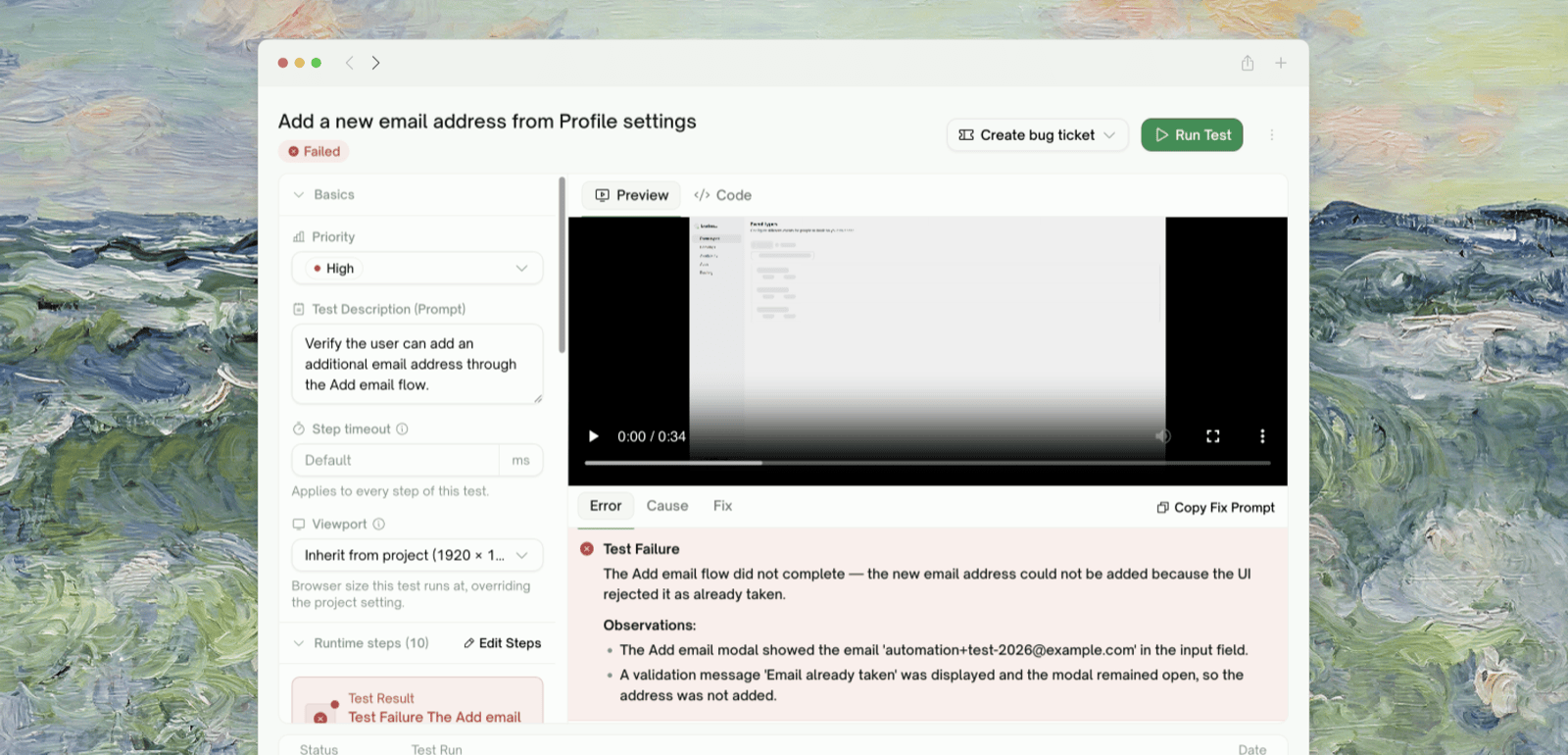
Iterating on a Test
Open the test’s detail page and edit the test description; Save & Run regenerates the test against the new wording.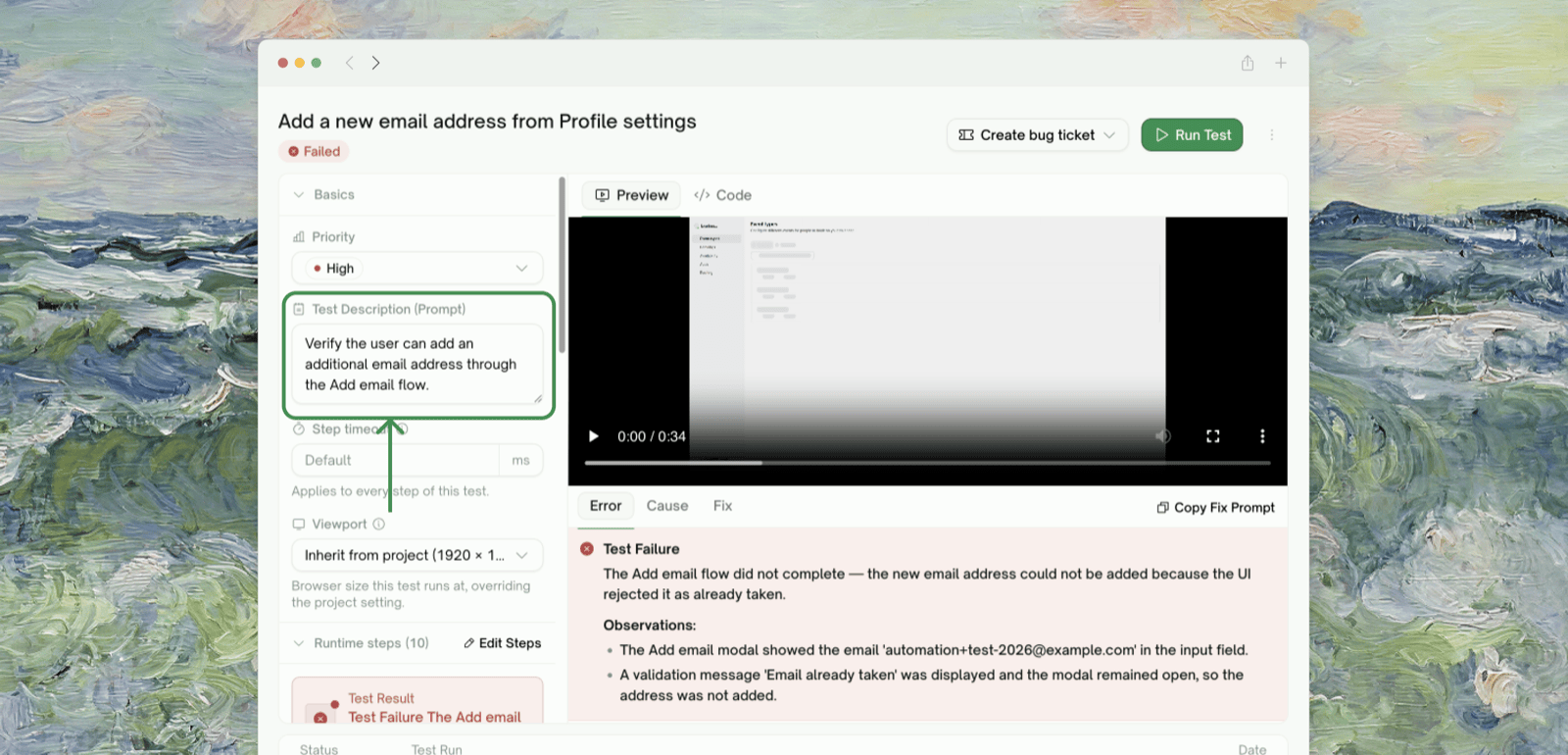
Edge Cases & Troubleshooting
A generated test uses a selector that doesn't match my actual DOM
A generated test uses a selector that doesn't match my actual DOM
Refine in chat, e.g. “The Sign In button uses
data-testid='login-btn', not the role-based selector”.The test got generated against a feature I didn't explore
The test got generated against a feature I didn't explore
It’s a spec-based case, so the code is best-effort and the first run may fail. Refine with the actual UI details after the failure.
The first run hangs / never finishes
The first run hangs / never finishes
Usually one test is stuck mid-generation: every other row has a result and one is still Running. Give it a couple of minutes; it surfaces as Failed and the rest of the suite continues.
My test imports a Playwright API I haven't seen before
My test imports a Playwright API I haven't seen before
Generation normally uses
playwright.sync_api, the standard library, and pytest. If your description implied something unusual (“use playwright async”), generation may follow it. Refine back to standard, or keep the variant.The video captures are missing on a failed test
The video captures are missing on a failed test
Recording is on by default; a missing video means the sandbox failed to capture it (rare). The screenshots and Playwright trace should still be there. File a bug if all three are missing.
Where to Go Next
Step-by-Step Replay
Per-step screenshots, video, and run trace
Auto-Heal
Subsequent runs handle UI drift automatically
Managing Test Cases
Natural-language adjustments