Documentation Index

Fetch the complete documentation index at: https://docs.testsprite.com/llms.txt

Use this file to discover all available pages before exploring further.

UI testing overview
UI Testing in TestSprite is a journey from “here’s my web app” to “here’s a regression suite that catches UI bugs without breaking on every minor refactor”. This page is the map.

Key Features

FeatureDescription
Fast SetupGet started in minutes — share your URL and (optionally) a test account
Feature Exploration (Beta)TestSprite explores your live app feature by feature so the test plan reflects real behavior, not docs
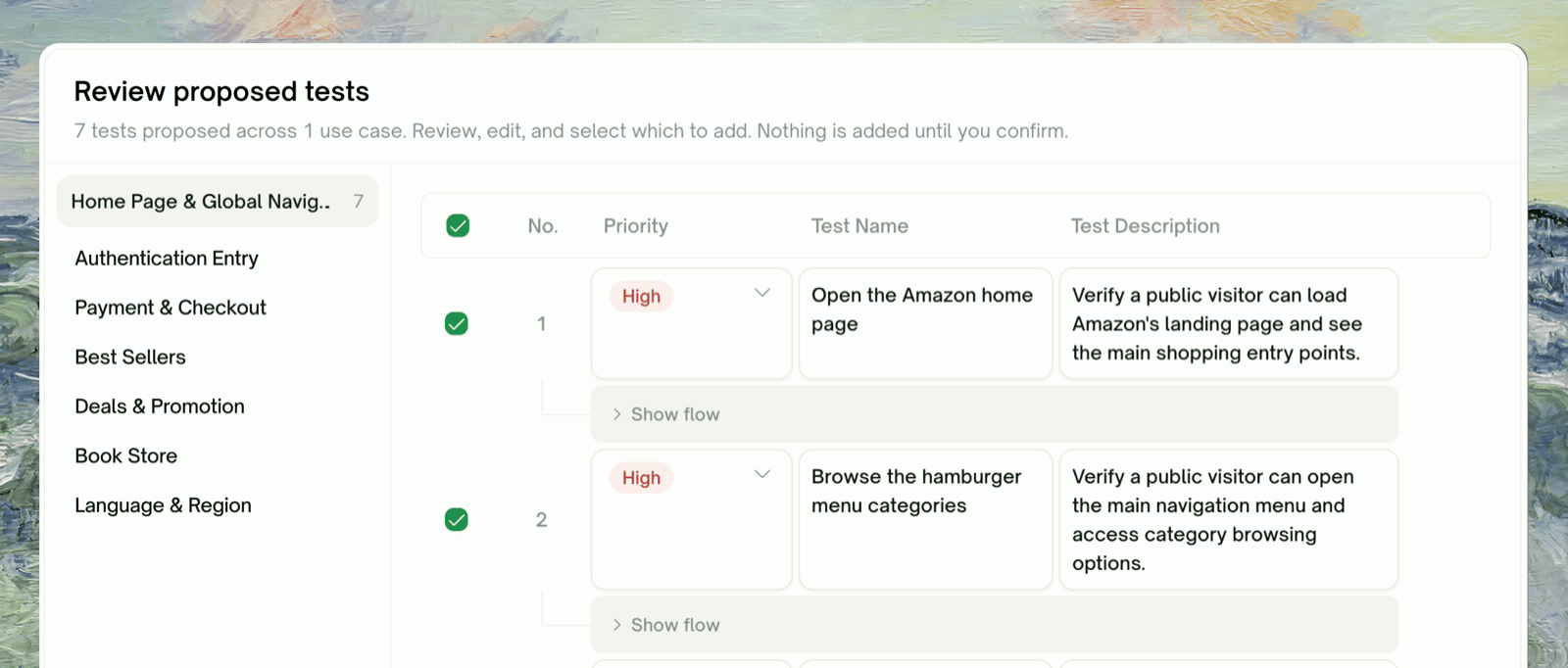
AI-Generated Test CasesTest plans tailored to your real screens and flows; full control to add, remove, or refine
Step-by-Step ReplayEvery run records a video + per-step screenshots — replay to see what happened visually
Live Test PreviewWatch tests run in real time and catch issues as they happen
Auto-Heal (Pro)When the UI drifts, TestSprite re-decides selectors against the live DOM instead of marking the test Failed
Natural Language RefinementAdjust any test in natural language — no code required
Reusable Test CodeGenerated Python + Playwright tests, ready to drop into CI/CD or regression suites

The UI Testing Journey

Each step gets its own page. Click through in order if you’re new — or jump to the one giving you trouble.

Feature Exploration

How TestSprite walks your live app to discover what to test

Plan Generation & Editing

Review the plan grounded in observed flows; edit, add, prune

Test Generation

Python + Playwright code per test case

Step-by-Step Walkthrough

Per-step screenshots, video, and behavior trace for one test

Agent Actions

Project-level video gallery — every recording, bucketed by status

Rerun

Re-execute a single test, the whole project, or a scheduled run

Auto-Heal (Pro)

Recover UI tests when the page changed but the flow is fine

What Lives Where

The Web Portal sidebar for a UI project is grouped into Overview / Data / Result. UI projects don’t have integration chains, shared-value wiring, or cleanup phases, so the sidebar is shorter than a backend project’s
UI project sidebar — Overview / Data / Result groups
GroupItemWhat you see
OverviewUse Case FlowSite map of explored features; click a node to drill in
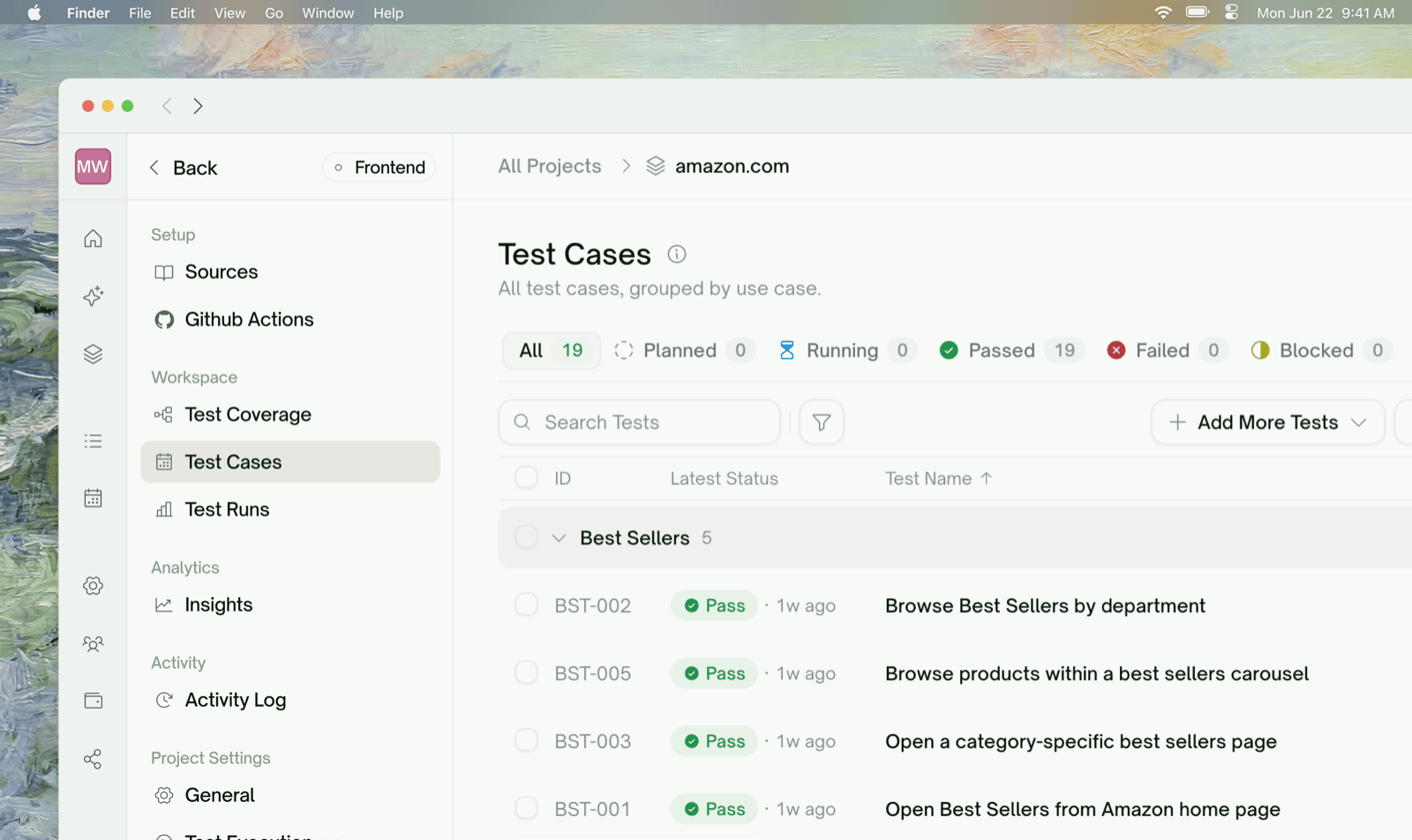
OverviewIntegration TestsdefaultFlat list of UI test cases with status chips and last-run results — clicking a row opens its detail page (recorded video, step-by-step screenshots, error trace, refine + rerun)
DataSite ExplorationPer-feature exploration walks: what TestSprite reached, where it got stuck
DataAuthenticationTest account credentials used during exploration and runs
ResultAgent ActionsProject-level video gallery of every test recording, bucketed by status — see Agent Actions
ResultTest ReportAggregated outcomes; badges show Failed (red) and Blocked (amber) counts
Settings actions at the bottom of the sidebar: Export to Github, Delete Creation.
Test list scheduling (paid; auto-heal toggle) lives under the global Monitoring → Schedules section, not the per-project sidebar.
UI testing is single-test-centric, not chain-centric. Each UI test is end-to-end self-contained — sign in, do the thing, assert. There’s no cross-test data wiring like there is in backend tests. The complexity in UI testing is on the per-test side (the page, timing, change absorption) not the multi-test orchestration side.

Quick Start

Quickstart

Walk through your first UI project end-to-end — from project creation to a passing browser test — in about 10 minutes.

Refining Tests in Natural Language

Every test row supports natural-language refinement. You can say:
test type
Original: "Test login functionality"

Refined: "Verify the Sign In link directs users to the login page and that valid credentials land them on the dashboard."
TestSprite parses the request, regenerates affected test code, and re-runs. See Refining Tests for the full chat capabilities.

Backend’s Sibling Page

If you’re testing an HTTP API rather than a website (UI / browser flows), the backend equivalent of this page is API Testing — Overview. The wizard, refinement, and rerun concepts mirror; the underlying execution model differs (HTTP requests vs. browser actions), and a few features are exclusive to one side:
UI TestingAPI Testing
Discovery phaseFeature Exploration (TestSprite walks the live app)API Discovery (reads your docs and confirms endpoint shapes)
Plan groundingObserved flowsObserved responses
Test executionBrowser via PlaywrightHTTP via requests
Multi-step conceptEach test is end-to-endIntegration chains across endpoints
Drift handlingAuto-Heal on rerun(No equivalent — APIs don’t drift the same way)
Auth handlingStatic test accountAuto-Auth for token refresh

Where to Go Next

Feature Exploration

The first phase — walk the live app

Step-by-Step Walkthrough

See exactly what happened on each step of a run

Auto-Heal (Pro)

Absorb UI drift between runs without re-writing tests

Subscription Plans

Free includes 10-feature exploration; Pro unlocks unlimited + Auto-Heal