Documentation Index

Fetch the complete documentation index at: https://docs.testsprite.com/llms.txt

Use this file to discover all available pages before exploring further.

Agent Actions video gallery

What Agent Actions Is

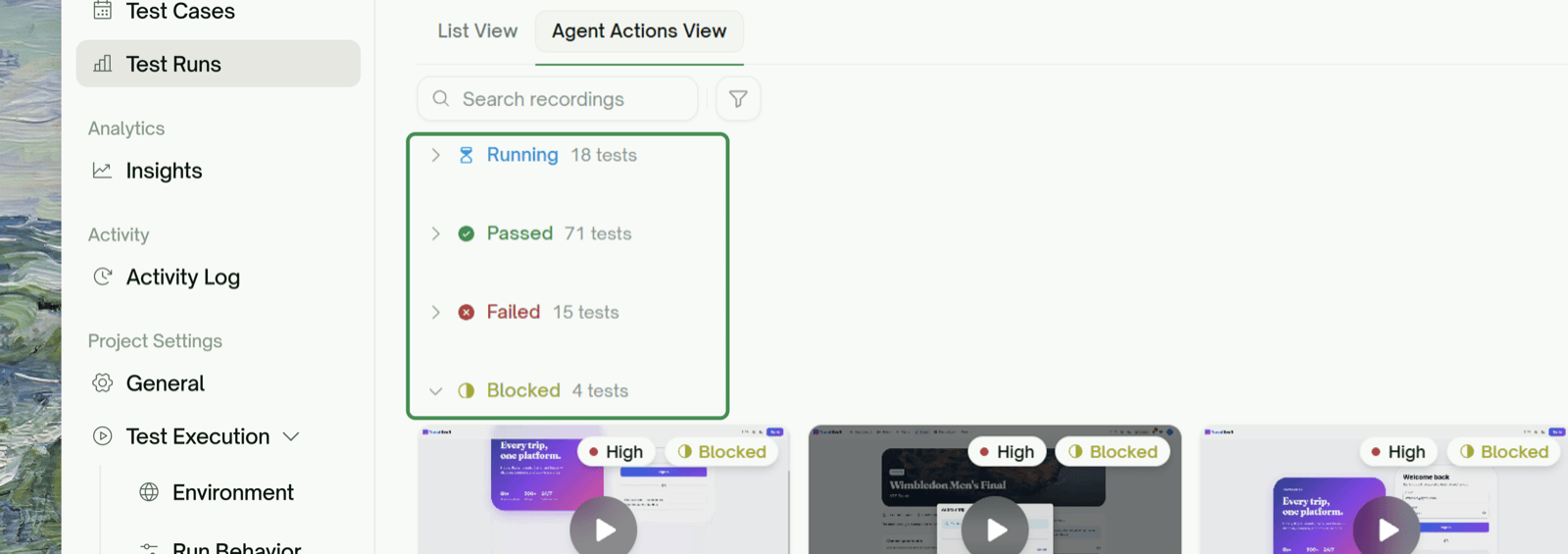
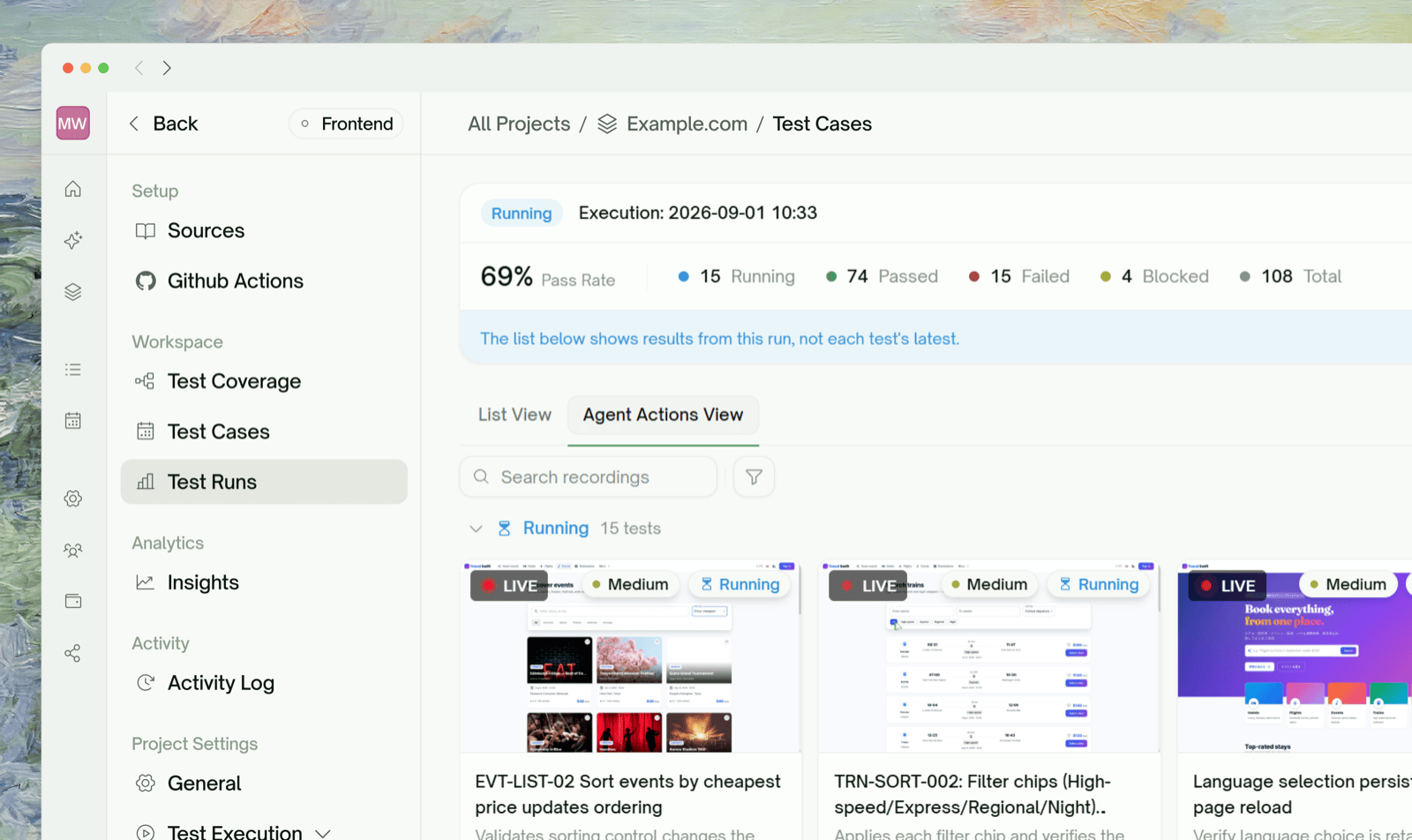
A project-level archive of every UI test recording — each tile is the video TestSprite captured while walking through one user journey. The recording itself is the action log: click X, type Y, navigate to Z, all captured as video.
This is UI-only. API projects don’t have it (HTTP requests don’t need to be filmed; their request/response bodies are the equivalent artifact).
The Agent Actions tab in the project sidebar, under the Result group. It sits alongside the Test Report tab — Test Report is the aggregated outcome view, Agent Actions is the per-recording browse view.
Agent Actions video gallery
Tiles are bucketed by status into three sections, in this order:
BucketWhat’s in it
PassedTests whose run finished and assertions held
FailedTests whose run finished and assertions didn’t hold
BlockedTests that couldn’t complete — running, idle, or anything that didn’t resolve to Pass / Fail
Each tile shows the recording thumbnail, the test title, a priority chip, and a status badge. Clicking the tile opens an inline player.
Tiles need a recording to appear. Tests that ran but didn’t produce a video (rare — typically a vendor-side recording timeout) are excluded from the gallery. They’re still visible in the Integration Tests list.

Search and Filter

The toolbar above the gallery has:
  • Search — matches against the test title and description (case-insensitive)
  • Status filter — Passed / Failed / Blocked
  • Priority filter — High / Medium / Low
Filters are independent and clearable individually. The bucket sections re-render to show only matching tiles.

What You’ll See When the Project Is Mid-Run

Two transitional states:
First run hasn’t produced any recordings. You’ll see the in-progress placeholder with stages: Running agents → Recording sessions → Processing videos. Tiles trickle in as agents finish.

Agent Actions vs. Step-by-Step

Both are visual replay tools, but at different scopes:
Agent ActionsStep-by-Step Walkthrough
ScopeProject — every UI recording in one galleryPer-test — the run of a single test
Primary artifactVideo tilePer-step screenshots + recorded video
Surface areaBrowse / filter / triage at scaleDrill into one test’s flow + assertions
When to use”Show me everything that failed""What exactly happened on step 4 of this test?”
Both pull from the same recordings — Agent Actions is the index, Step-by-Step is the inspector.

Step-by-Step Walkthrough

Per-step screenshots, video, and behavior trace for a single test

Edge Cases & Troubleshooting

Usually a stale playback link. Refresh the page; the link is regenerated on every load.
No. Recordings are static artifacts; playback doesn’t trigger any agent activity. Only re-running the test consumes credits.

Where to Go Next

Step-by-Step Walkthrough

Drill into a single test’s run

Test Detail

All project-level tabs, including this one

Rerun

Trigger a fresh run when a recording shows the wrong behavior

Refining Tests

Iterate on a test in natural language after watching its recording