Documentation Index
Fetch the complete documentation index at: https://docs.testsprite.com/llms.txt
Use this file to discover all available pages before exploring further.

What API Discovery Does
Before TestSprite can generate a single test, it needs to know what endpoints exist. API Discovery is the phase that builds that list from the inputs you provide:
| Input | What it provides |
|---|---|
| API documentation | OpenAPI / Swagger / Postman collections, or any free-form reference document (markdown, PDF, plain text) |
| Base URL | Used to confirm endpoint behavior against your live API |
| Natural-language hints | Typed into the configuration form — “Skip the admin endpoints” / “Focus on the checkout flow” |
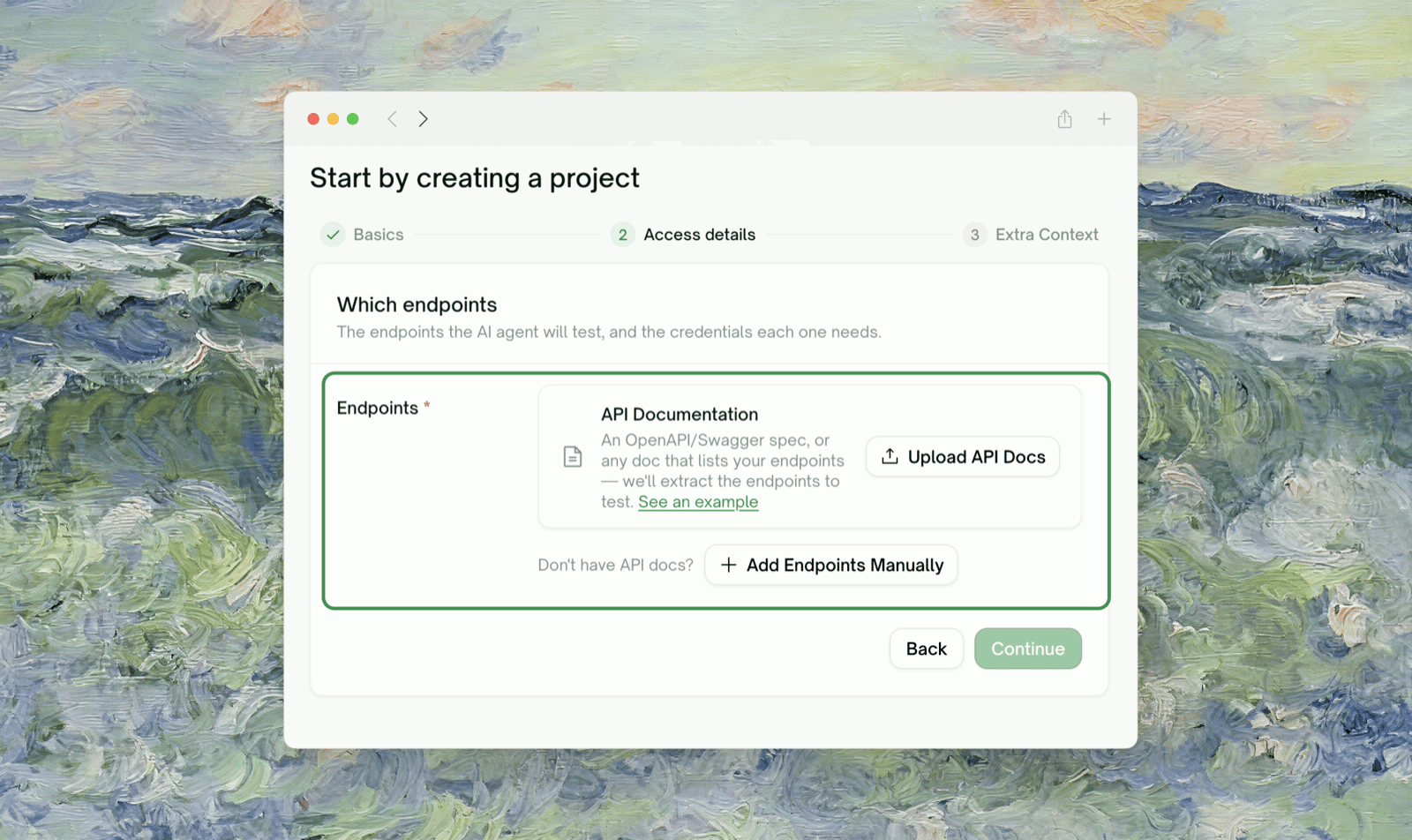
Discovery happens on the configuration step of the wizard. You re-trigger it by editing the inputs (uploaded docs, base URL, hints) and clicking Parse with AI again before you submit. Once the project is created, you can Add endpoints manually; discovering a fundamentally new set of endpoints means starting a new project.
When Discovery Runs
You trigger discovery by clicking Parse with AI at the bottom of the configuration step (after you’ve uploaded your docs and provided a base URL). The endpoint list panel and detail panel both flip to a skeleton-placeholder state while it runs; when it completes, a toast confirms how many APIs and endpoints were found and the panels populate with the grouped result.
What Gets Discovered
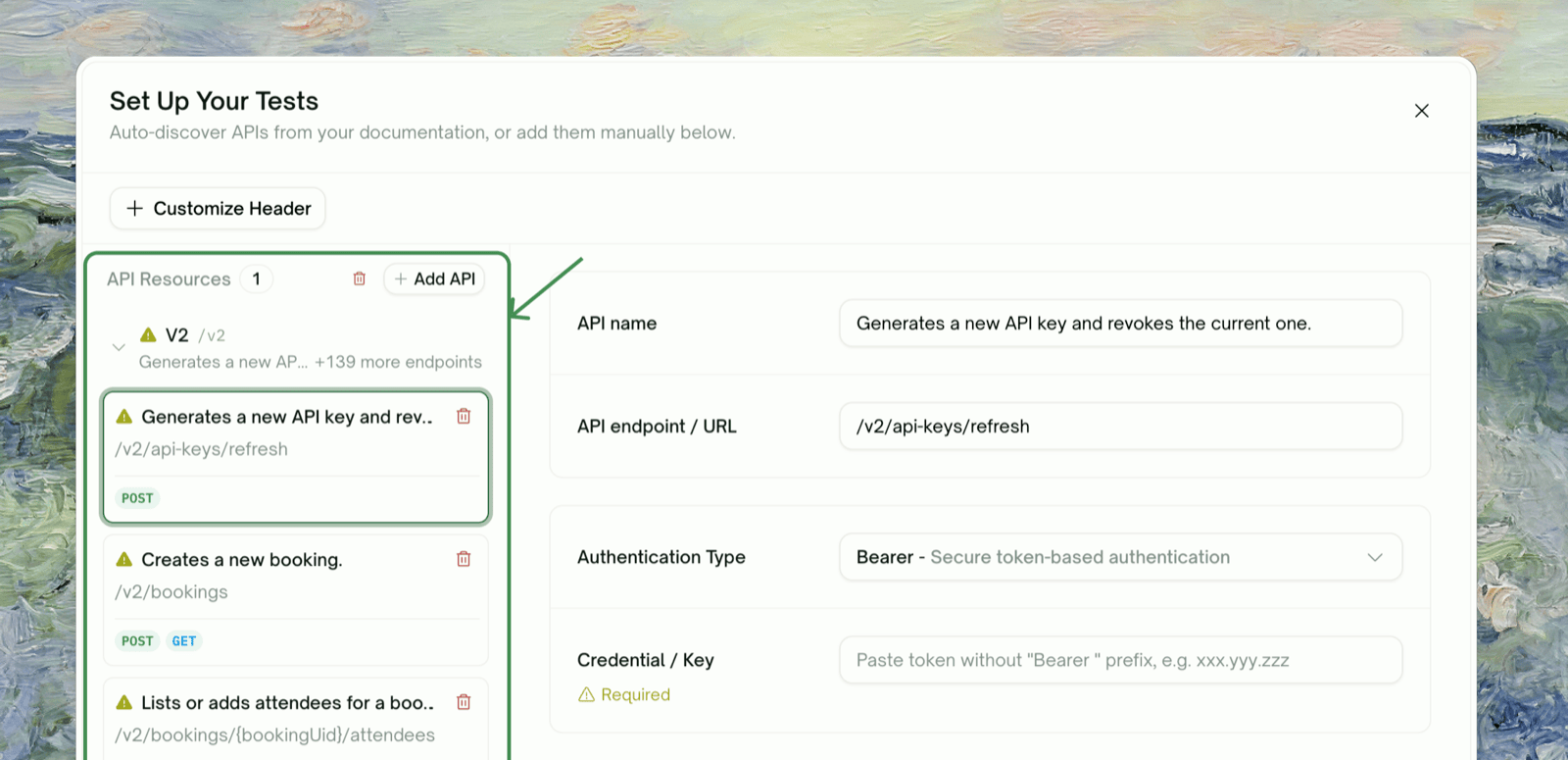
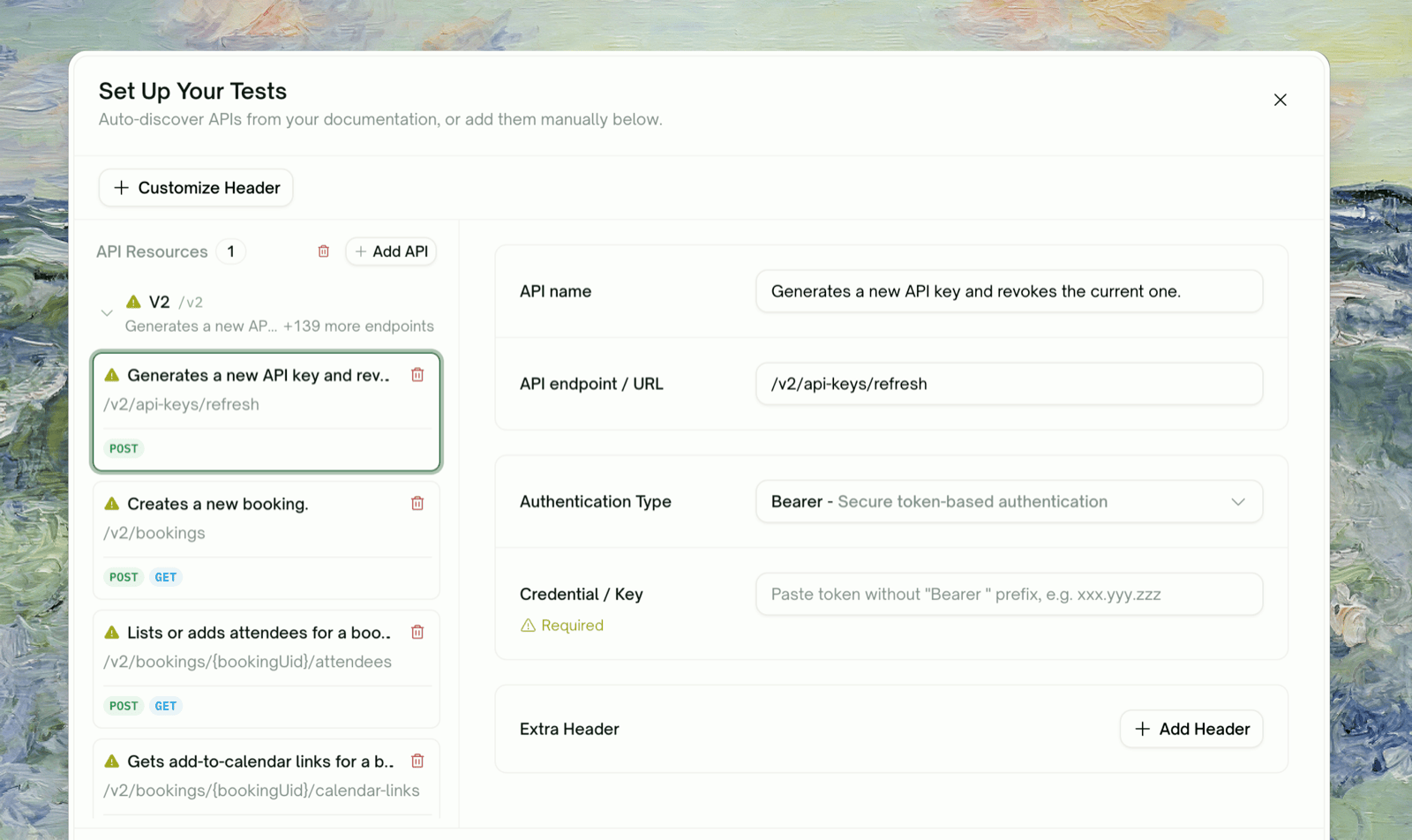
For each endpoint TestSprite finds, it captures:| Field | Description |
|---|---|
| Method (GET / POST / PUT / PATCH / DELETE) | The HTTP method for the endpoint |
Path template (e.g. /users/{id}/orders) | The path with placeholders normalized |
| Request shape | Body schema, query params, required headers |
| Response shape | Expected status codes and body schema |
| Auth requirement | Whether this endpoint requires authentication, and what type |
| Resource family | Endpoints grouped together by resource (e.g. /users/* → Users family) |
Reviewing the Discovered Endpoint List
Once discovery completes, the page shows your endpoints in a grouped, expandable table. Each resource family is a collapsible group; expand to see the per-endpoint rows.
Remove an endpoint
Click the × at the end of the row. Endpoints removed at this step won’t get tests generated for them. Useful for internal-only endpoints, deprecated paths, or anything outside your test scope.
Adjust the method or path
Click the row to edit. TestSprite’s discovery is mostly accurate, but if the path template is off (e.g.
{userId} got captured as a literal value), you can correct it here.Adding Endpoints Manually
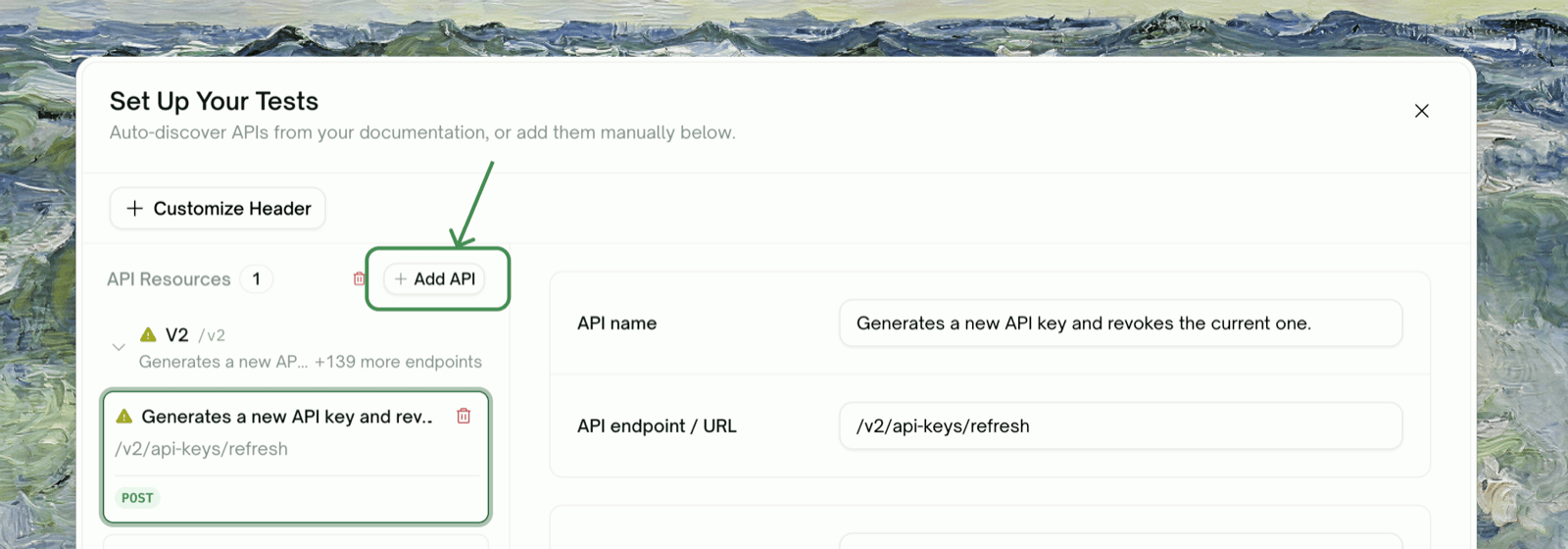
Sometimes Discovery misses an endpoint — it might be private, undocumented, or otherwise unreachable from the inputs you provided. Click Add Manually at the bottom of the configuration step (or use the inline “add endpoints manually” link under the upload card):
Auth Configuration During Discovery
The auth configuration here is discovery-time only — TestSprite uses it to confirm endpoint behavior during discovery. It’s separate from the auth that gets used during the actual test runs:| Discovery-time auth (this page) | Test-run-time auth |
|---|---|
| Provided once at project creation | Configured per-family on the Authentication sidebar tab, used for actual test execution |
| Single bearer token / API key / basic-auth pair | Per-API-family Static Credentials, or Auto-Auth (Pro) for token refresh |
| If credentials expire, fix them in the configuration step and re-trigger Parse with AI | Static credentials need manual rotation; Auto-Auth handles rotation automatically |
Adjusting Discovery via Natural Language
The configuration form has an “Extra testing instructions” textarea — anything you say there shapes both discovery and downstream plan generation. Some patterns that work well:Iterating on Discovery Before You Submit
Discovery is iterative while you’re still in the configuration step — adjust the inputs (upload a better OpenAPI spec, fix the base URL, refine the natural-language hints, update the credentials) and click Parse with AI again. Each Parse run replaces the discovered list with a fresh result, so the order of operations is: get the inputs right, parse, review, optionally edit per-endpoint or add manually, then continue to plan generation. Once the project is created, the discovered set is locked in for that project. To pick up endpoints that have shipped since the initial scan, add them manually on the configuration step (if you haven’t yet submitted) or start a new project.When Discovery Doesn’t Find Things It Should
Endpoint behind auth that discovery couldn't satisfy
Discovery uses the credentials from your config form. If your endpoint requires more elaborate auth (HMAC signing, mutual TLS, geographic IP restriction), the endpoint may be dropped or marked unconfirmed. Add it manually with a sample body, or expose a non-auth health endpoint TestSprite can hit.
Endpoint with stateful preconditions
POST /orders/{id}/cancel requires an existing order, and discovery can’t satisfy that on its own. Add the endpoint manually; the integration-test phase will figure out the dependency chain.GraphQL or RPC-style endpoints
GraphQL or RPC-style endpoints
TestSprite is REST-first; GraphQL discovery is best-effort. For Apollo/Relay-style APIs we recommend uploading a
.graphql schema file as part of the documentation upload. Pure RPC (gRPC, JSON-RPC) is not supported in v1.Endpoints that aren't documented
Endpoints that aren't documented
If an endpoint isn’t in your uploaded docs and doesn’t follow common REST conventions (e.g.
/api/v2/foo.action), discovery might miss it. Add manually.Where to Go Next
Plan Generation & Editing
The next wizard phase — turn discovered endpoints into a test plan
Auto-Auth (Pro)
Configure test-run-time auth (separate from discovery-time auth)
API Testing — Overview
Step back to the journey map
Refining Tests
Use natural language after generation, too