

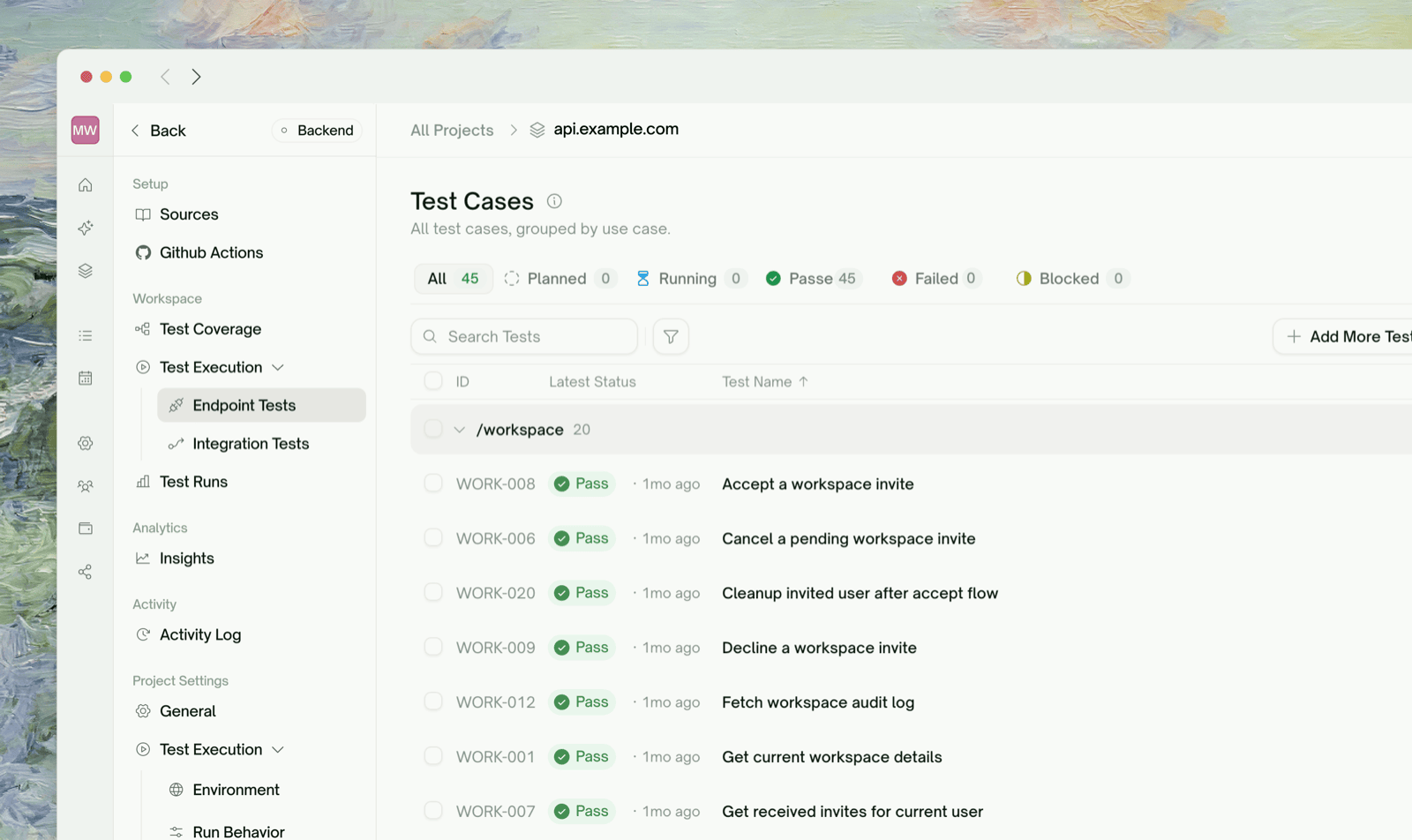
What Endpoint Tests Are
An endpoint test is the simplest kind of API test: one HTTP call to one of your endpoints, with assertions on the response. Each row in your reviewed plan (Plan Generation) becomes one endpoint test.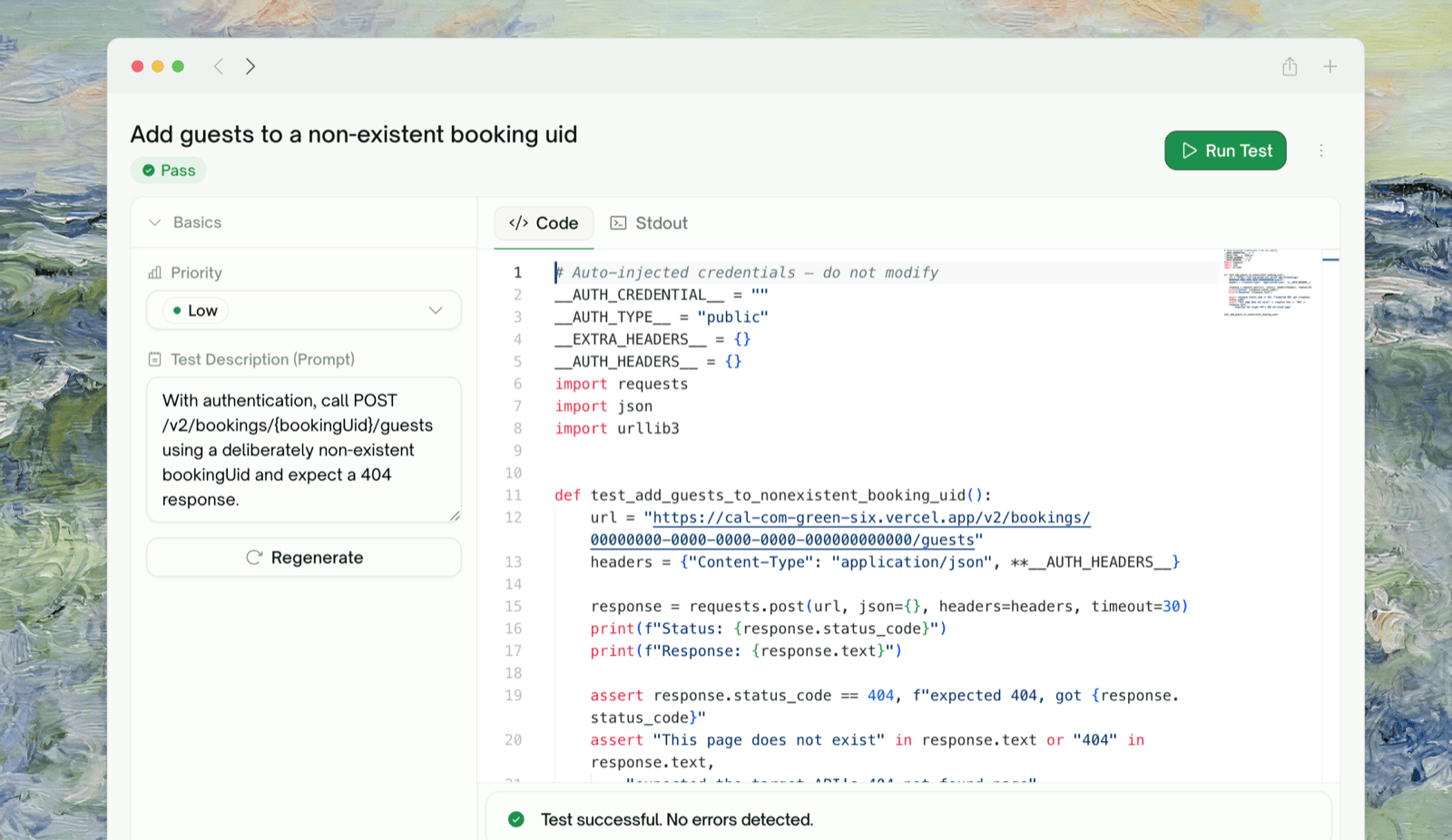
What Code Gets Generated
For each plan row, TestSprite writes a Python test usingrequests: build the request, send it, assert on status code and response shape. Roughly:
Generated test (illustrative)
requests calls and assertions, no framework lock-in. Your QA team or security reviewer can read every assertion line by line.
Generation and Verification
TestSprite verifies every generated test before it lands in your suite, checking that it’s well-formed, hits the right endpoint, and contains a real assertion. If verification can’t be satisfied, the test is marked Failed instead of being left broken in your suite. To recover, describe what to fix in the test’s description and click Regenerate.Watching Generation Live
The endpoint tests list updates as generation runs. Each row shows one of these statuses:
Generation runs in parallel across endpoints, and tests appear as they finish, so you can start reviewing before the slowest one is done.
What “Rerun” Does
A rerun (single, selected, or all) sends one HTTP request per test from TestSprite’s cloud sandbox, using your base URL and credentials (Static Credentials or an Auto-Auth token). It captures the request, response, headers, body, status code, and latency, runs the assertions, and saves the result. See Rerun for per-test and batch reruns.Test Outcomes
Reviewing a Failed Test
Click any Failed row to open its detail page:
See Test Detail for the full page.
Iterating on a Test
Open the test, describe the change in its description, and click Regenerate. For coverage on a brand-new endpoint or scenario, create a new project for it.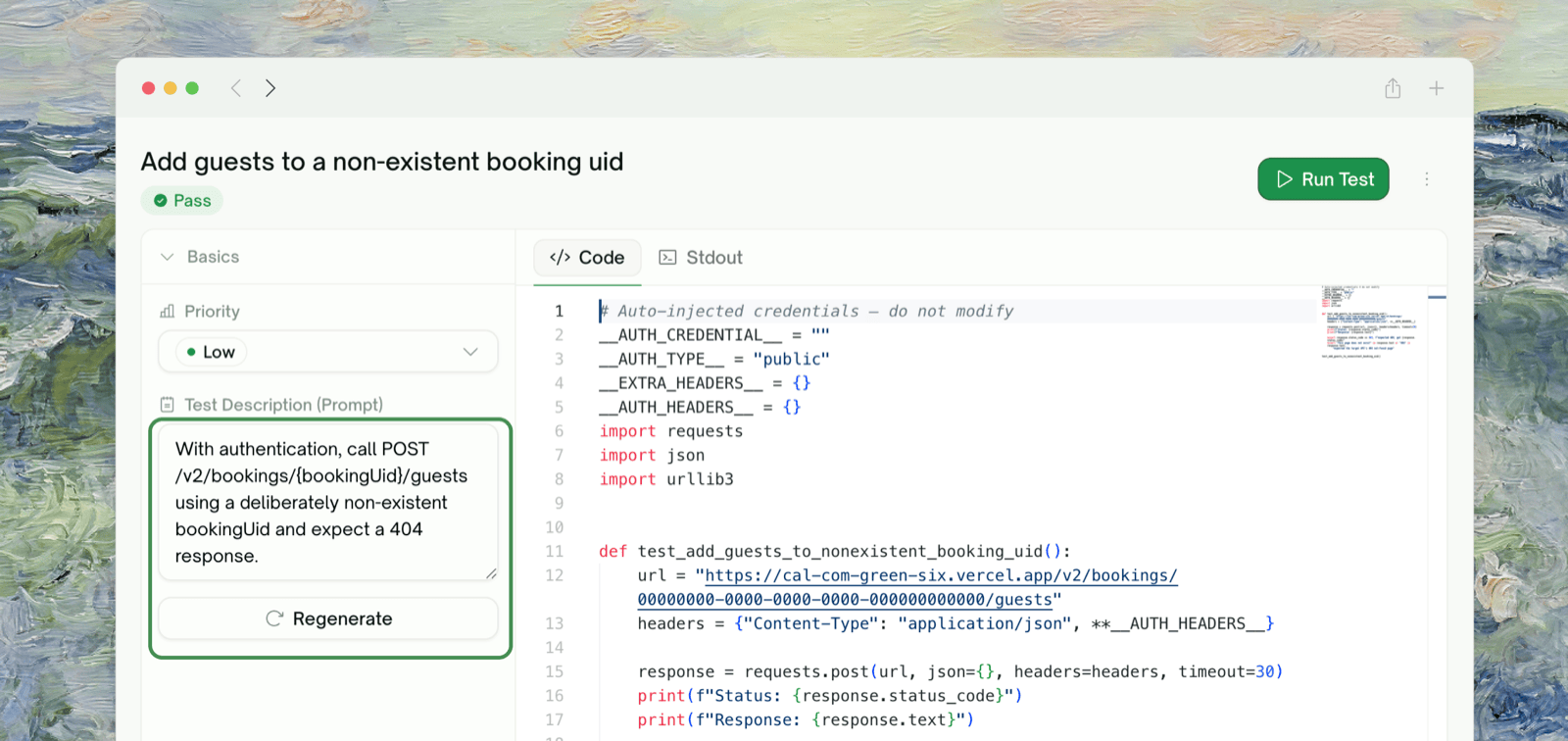
Edge Cases & Troubleshooting
A test was generated, run, and Failed but I think the test is wrong, not my API
A test was generated, run, and Failed but I think the test is wrong, not my API
Edit the test’s description to say what’s wrong: “the assertion on
created_at is too strict, accept any ISO 8601 string” for a small fix, or “rewrite this test to also send the Idempotency-Key header” for something larger. TestSprite either rewrites the assertions or regenerates the whole test, depending on the instruction.Generation says Failed before any HTTP call was made
Generation says Failed before any HTTP call was made
Verification couldn’t be satisfied. Click Regenerate for another pass; generation isn’t deterministic, so a retry often succeeds. If it keeps failing, the description may be ambiguous; clarify it.
The test asserts on a field that doesn't exist in the response
The test asserts on a field that doesn't exist in the response
The expected shape was guessed from incomplete data. Paste the actual response body into the test’s description and click Regenerate. TestSprite rewrites the assertions to match.
My endpoint requires a request signature I haven't given TestSprite
My endpoint requires a request signature I haven't given TestSprite
Explain the signing scheme in Extra Instructions (in Project Settings → General) or in Chats, e.g. “All requests need a
X-Signature: t=<ms>,v=<hmac-sha256-hex> header where the body is the canonical JSON”. TestSprite produces the signing helper inline.The generated test imports a library I don't have
The generated test imports a library I don't have
Standard generation uses
requests + pytest + stdlib only. If your description implied something else (e.g. “use httpx async client”), generation may follow it. Refine it back to standard, or accept the dependency.Where to Go Next
Integration Tests Generation
Chain endpoint tests into multi-step workflows
Test Detail
Reviewing a single test’s request, response, and analysis
Managing Test Cases
Natural-language adjustments to a generated test
Auto-Auth
Stop pasting tokens before every run