

What Plan Generation Does
For every endpoint that survived API Discovery, TestSprite’s testing agent produces a structured plan: test cases grouped by use case, each with a title, description, expected behavior, and priority. You can read, edit, prune, and add to the plan before any tests are generated, which is the cheapest place to catch a misunderstanding.Nothing executes during plan generation. No HTTP calls are made to your API at this step.
What Goes Into the Plan
The Plan Structure
Each endpoint gets a sub-plan covering the categories of tests that fit what it does. Common ones: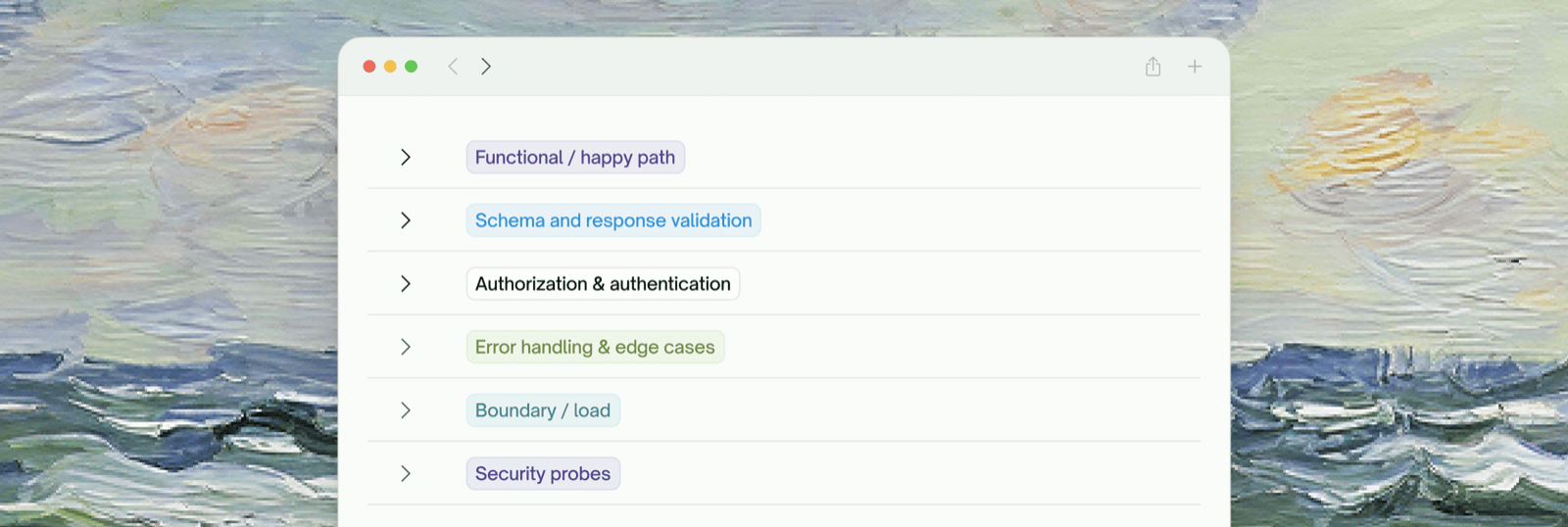
- Functional / happy path: valid inputs, expected response shape, basic error paths (404, 400 on bad input)
- Authorization & authentication: unauthenticated → 401, wrong-user → 403, ownership checks, token handling, signature tampering
- Error handling & edge cases: missing required fields, malformed input, type coercion traps, unicode / null / encoding edges
- Boundary & load: oversized payloads, max array lengths, rate-limit edges, concurrent-write contention
- Security probes: privilege escalation, common attack patterns relevant to the endpoint
Reviewing the Plan
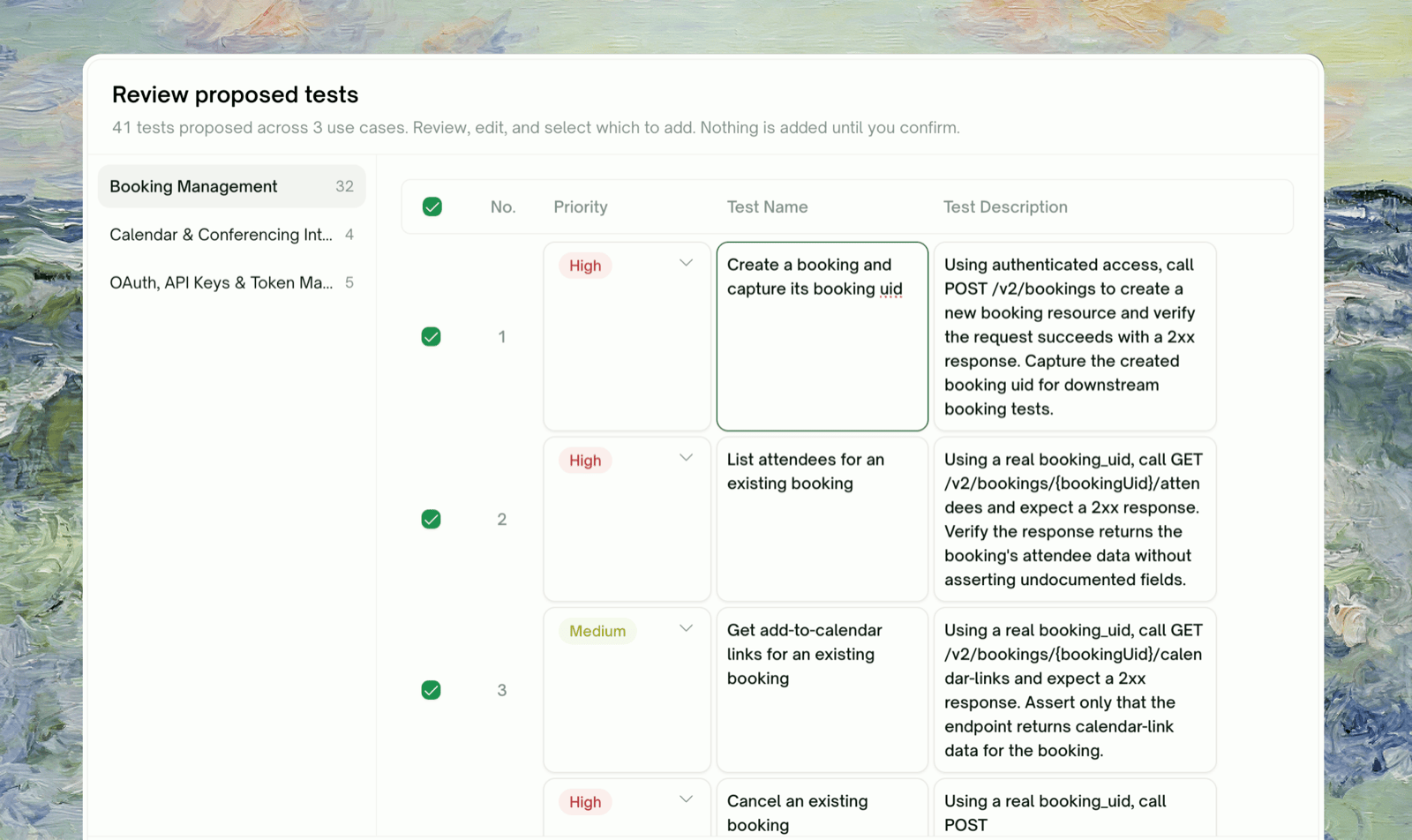
Click Plan Tests on Test Coverage and TestSprite’s testing agent plans the tests. They open in Review proposed tests, grouped by use case; pick a use case on the left to see its tests.1
Pick a use case to see the tests in it
Each row shows the test title and a short description. Click the row body to expand it.
2
Untick anything you don't want
The checkbox on each row controls whether the test is generated. A use case’s Select All checkbox toggles all of its tests.
3
Edit titles and descriptions in place
Click the title to rename it, or the description to edit it. Your edits shape the generated test.
4
Reorder by priority if you want
Each test has a priority, and higher-priority tests run first. Reorder if there’s a flow you want verified before everything else.
Adding Tests in Natural Language
Click + More Test Case for <use case> below the list to add a blank row, then write its name and description in natural language. TestSprite generates the test from what you write. Added rows work like the others: you can edit, prune, or reorder them.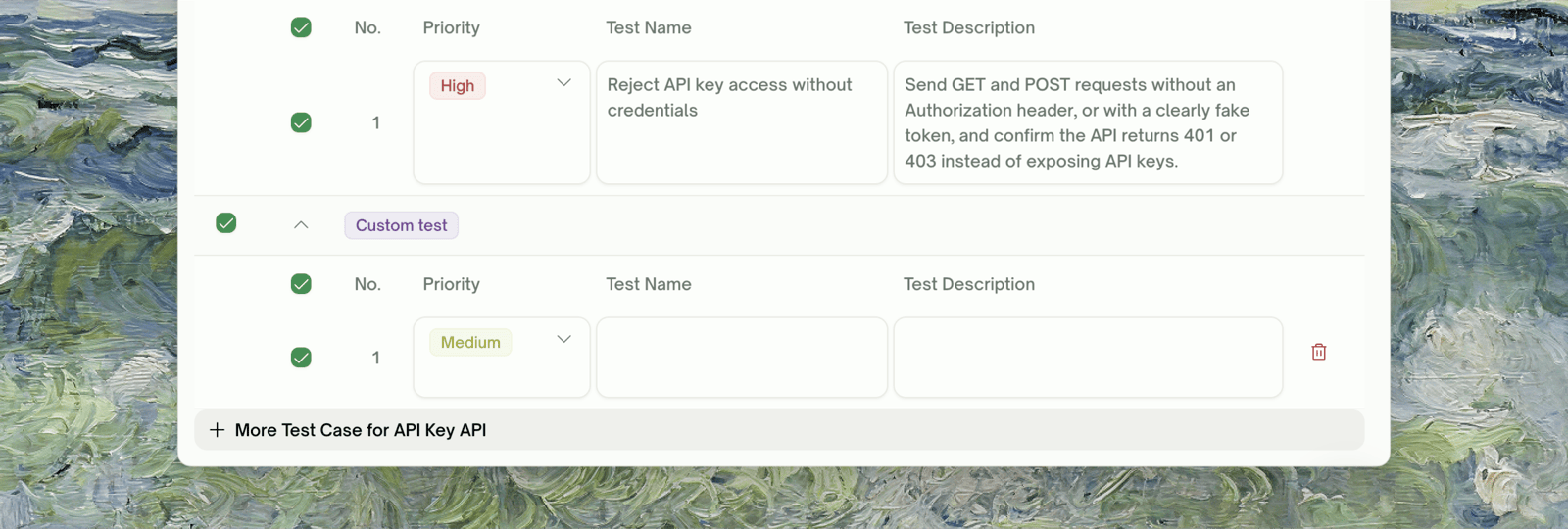
What “Run all” Actually Triggers
Clicking Run all (or Run N tests) adds the selected tests and starts generating and running them. The plan is locked in at that point; later edits require regenerating. Next: Endpoint Tests.When Plan Generation Looks Wrong
A test asserts on a field that doesn't exist
A test asserts on a field that doesn't exist
Discovery didn’t fully observe this endpoint’s response, so the shape was inferred from your docs. Correct the test description to match the real shape, and generation will follow your edit.
An obvious test wasn't generated
An obvious test wasn't generated
Either the endpoint wasn’t in the discovered set (revisit Discovery), or the test was judged redundant or out of scope. Add it yourself with + More Test Case.
Tests are too generic — they don't reflect our domain
Tests are too generic — they don't reflect our domain
Give more domain context in Extra Instructions (in Project Settings → General) or a richer PRD, e.g. “orders have a status enum: pending, confirmed, shipped, delivered, cancelled”.
The Security category is overkill for an internal-only API
The Security category is overkill for an internal-only API
Untick the security tests in the review. The default sizing assumes external exposure; for internal services 1–2 auth checks are usually enough.
Plan generation returned 0 tests for an endpoint
Plan generation returned 0 tests for an endpoint
The endpoint was discovered but judged unsafe to test (missing auth pattern, unclear response shape). Add the test yourself with + More Test Case.
Where to Go Next
Endpoint Tests
The next phase: turn the plan into runnable tests
Integration Tests Generation
Auto-assembled multi-step chains
Managing Test Cases
Natural-language refinement after tests are generated