Documentation Index

Fetch the complete documentation index at: https://docs.testsprite.com/llms.txt

Use this file to discover all available pages before exploring further.

API testing overview
API Testing in TestSprite is a journey from “here’s my API” to “here’s a regression suite I trust”. Each phase has its own dedicated docs page; this page is the map.

Key Features

FeatureDescription
Fast SetupGet started with minimal documentation — no extensive prompts or full codebases needed
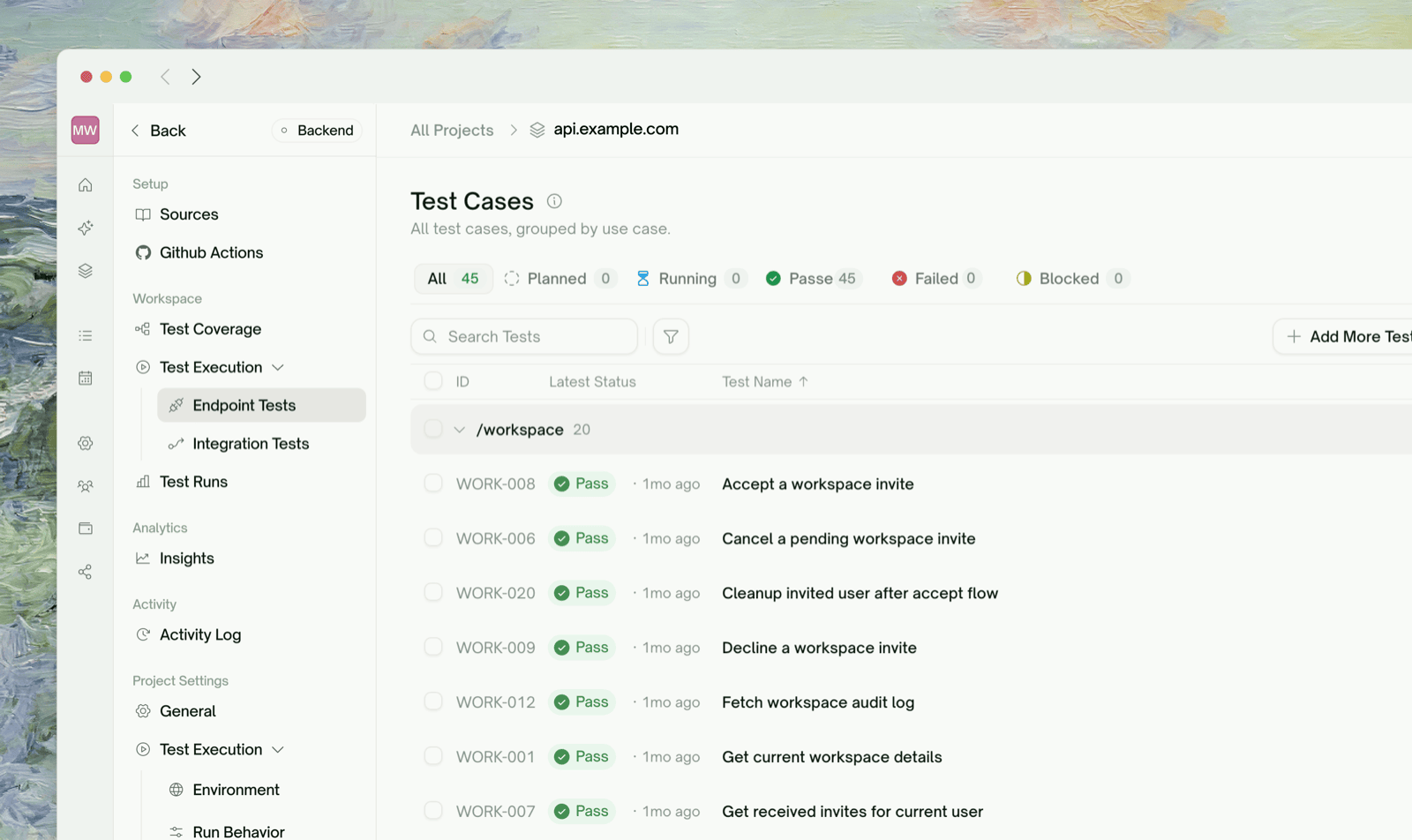
Endpoint + Integration TestsPer-endpoint coverage and multi-step chains where one test’s response feeds the next
Dynamic VariablesCapture values from one response, inject into the next request — TestSprite wires the dependencies for you
Auto CleanupAfter every run, TestSprite deletes the records your tests created so your test workspace stays clean
Data Flow VisualizationA grouped, navigable view of every HTTP call TestSprite made — request, response, timing, dependencies
Auto-Auth (Pro)Configure your login flow once; we fetch a fresh token before every run
Smart ReportsDetailed outputs with error types, root causes, and recommended fixes
Natural Language RefinementAdjust any test in natural language — no code required

The API Testing Journey

Each step gets its own page. Click through in order if you’re new — or skip ahead to the area that’s currently giving you trouble.

API Discovery

How TestSprite finds your endpoints from PRD, code, and live probes

Plan Generation & Editing

Review the plan, edit cases, add scenarios in natural language

Endpoint Tests

Per-endpoint test generation with verification before tests land in your suite

Integration Tests

Multi-step chains where one step’s output feeds the next

What Lives Where

The Web Portal sidebar for an API project organizes pages by what you’re trying to do, not by chronology. Once a project is set up, you’ll mostly bounce between these:
Sidebar locationWhat you seeDetail page
Overview → Use Case FlowA diagram of your features and the endpoints touched by each(covered as a section in API Discovery)
Overview → Data FlowEvery HTTP call from the most recent run, grouped by endpoint, with producer/consumer wiringData Flow
Overview → Endpoint TestsThe flat list of per-endpoint tests, status chips, last-run resultsEndpoint Tests
Workflows → Integration TestsThe list of multi-step chains that exercise sequences of endpointsIntegration Tests
Workflows → CleanupAuto-generated DELETE chains that wipe records the tests createdAuto Cleanup
Data → Dynamic VariablesThe producer-consumer graph — what each test produces and what depends on itDynamic Variables
Data → AuthenticationAuto-Auth config + Static Credentials per API familyAuto-Auth (Pro)
Results → individual test detail pagesPer-test request/response, error trace, refine + rerun controlsTest Detail
The sidebar’s order is the recommended order for first-time setup. Walk top-to-bottom on a new project: see the use-case overview, look at the endpoint tests TestSprite generated, peek at the integration chains it identified, check what values flow between tests under Dynamic Variables, configure auth, then run.

Quick Start

Quickstart

Walk through your first API project end-to-end — from project creation to a passing HTTP suite — in about 10 minutes.

What a Plan Covers

Generated plans group test cases by category — TestSprite picks categories that make sense for your API based on what was discovered. Common ones you’ll see:
  • Functional / happy path — does each endpoint behave correctly with valid inputs?
  • Schema and response validation — does the response shape match what’s expected?
  • Authorization & authentication — are protected routes actually protected? token handling correct?
  • Error handling & edge cases — malformed inputs, missing fields, boundary values, type mismatches
  • Boundary / load — what happens at high request rates or with oversized payloads
  • Security probes — privilege escalation, signature tampering, common API attack patterns
Not every category applies to every API. Categories shown on your plan reflect what TestSprite considered relevant given your endpoints, docs, and PRD.
Best practice on first run: keep all categories selected. Once you have a baseline, you can prune categories that don’t apply (e.g., drop security probes for a strictly-internal service).

Refining Tests in Natural Language

Every test row has a chat affordance. You can say things like:
API testing overview
Test POST /orders with invalid parameters and expect a 400 error code.
TestSprite interprets the request, regenerates the affected test code, and re-runs. See Refining Tests for what the chat can and can’t do, and the alternatives when chat isn’t the right tool.

Frontend’s Sibling Page

If you’re testing a website (UI / browser flows) rather than an HTTP API, the frontend equivalent of this page is UI Testing — Overview. Most of the wizard, refinement, and rerun concepts are mirrored — what changes is the underlying execution model (HTTP calls vs. browser actions).

Where to Go Next

API Discovery

Walk through the wizard’s first phase — endpoint extraction

Auto-Auth (Pro)

Stop pasting expiring tokens before every run

Data Flow

Visualize every HTTP call from the most recent run

Subscription Plans

Free includes API testing — paid unlocks Auto-Auth and more