

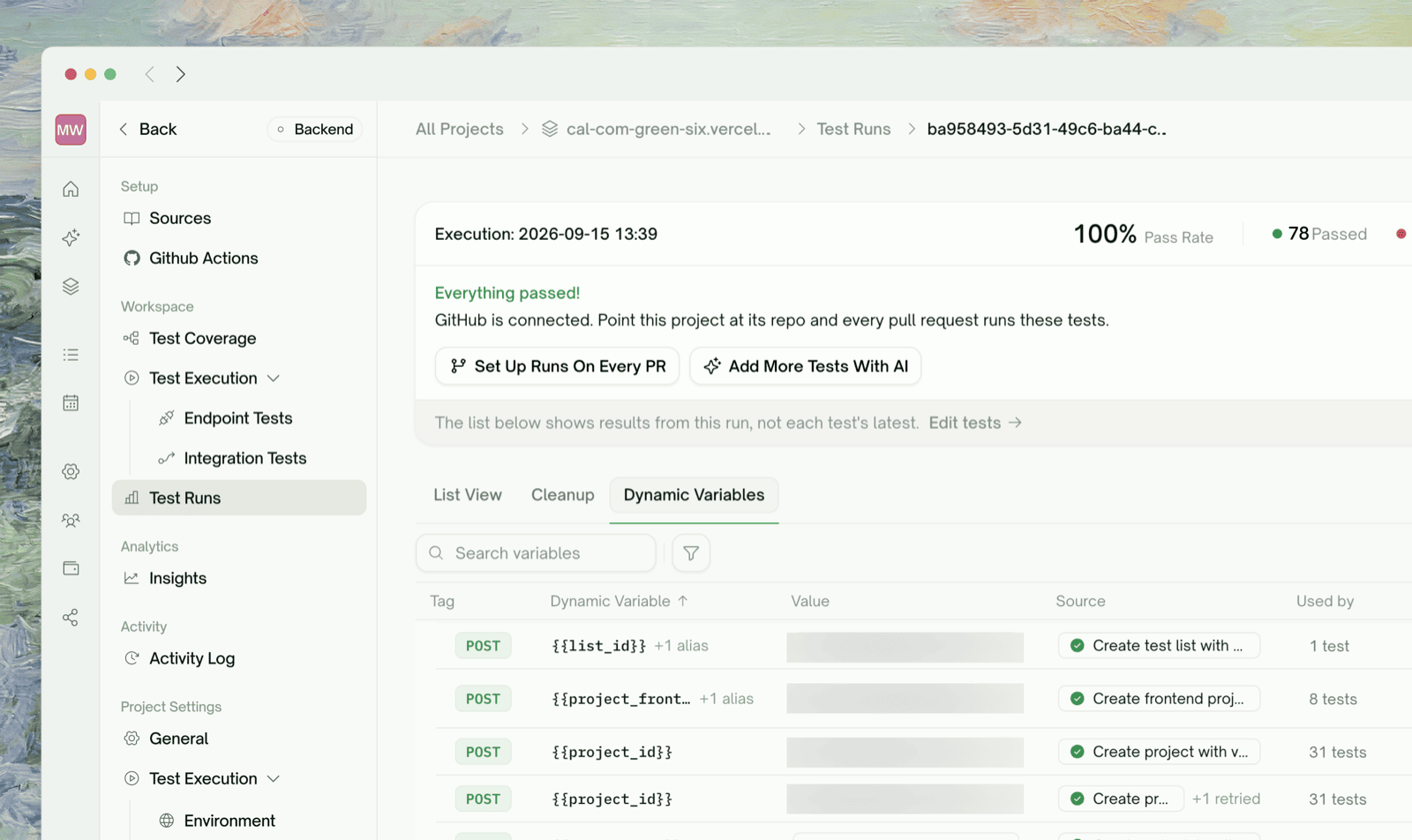
What Dynamic Variables Are
A dynamic variable is a value one test produces and another test uses:user_id isn’t known until POST /users runs, so it’s resolved at runtime and carried into the next call. Integration Tests, Auto Cleanup, and each test’s Data Flow section are all built on these values.
Producers and Consumers
A test can produce, consume, both, or neither. A GET usually only consumes (the
id to look up); a POST that creates a record usually produces the new record’s ID.
The Dynamic Variables Tab
Open Test Runs → a run → Dynamic Variables to see what values flowed through that run.
You can search by variable name, filter by Cleanup (
Has cleanup or Orphaned) and Consumer (Used downstream or Unused), and sort by Name (default), Consumers, or Sources.
The Data Flow Section on a Test
Each endpoint test also shows its own slice of this wiring, in the collapsible Data Flow section of its detail page:
The same section appears on each API test’s result inside a run.
What Counts as “Cleanup-Relevant”
Some variables are handles to records that still exist after the run: IDs from POST/PUT calls that have a matching DELETE endpoint. TestSprite flags these, gives them a Deleted by entry (filter: Cleanup →Has cleanup), and feeds them into Auto Cleanup. Plain values used only for assertions, like a total_amount, aren’t cleaned up; an order_id is.
Refining Producer/Consumer Wiring
If a chain is wrong (missing producer, mismatched name, or a path that doesn’t resolve in the response), edit the test’s description on its detail page to say what should change, then click Regenerate.When a Value Isn’t Available
If a test needs a value nobody produced, TestSprite marks it Blocked and names the missing variable in the error trace. Common causes:The producer test failed (or didn't run yet)
The producer test failed (or didn't run yet)
The downstream test stays blocked until the producer runs cleanly. Fix the producer, then rerun the consumer or the chain.
The producer didn't return the expected field
The producer didn't return the expected field
The producer passed, but the field lives somewhere else in the response (e.g.,
data.id instead of id). Refine in chat: “Capture user_id from data.id in the response”.Name mismatch: producer says userId, consumer says user_id
Name mismatch: producer says userId, consumer says user_id
Names must match exactly (case-sensitive). This is the usual reason a variable shows in the Dynamic Variables tab while its consumer is still Blocked. Refine one side to match.
Producer was unticked at plan-review
Producer was unticked at plan-review
A test depended on a producer you removed from the plan. Re-add the producer, or refine the downstream test so it doesn’t need that variable.
Reusing the Same Variable Across Chains
A variable is available to every later test in the run, not just its own chain:Edge Cases & Troubleshooting
The value I need is in a list, not a single field
The value I need is in a list, not a single field
Refine in chat to point at the right item: “Capture the first item’s id from the items array”.
The response is a JSON array at the root
The response is a JSON array at the root
Refine in chat: “Capture id from the first array element of the response”.
The endpoint returns the ID in a header (Location)
The endpoint returns the ID in a header (Location)
Refine the test in chat to read it from the header.
Two tests produce the same variable name from different responses
Two tests produce the same variable name from different responses
TestSprite tries to avoid this; if it happens, one producer “wins” consistently. Give them unique names (
order_id_a, order_id_b) if you need both.Where to Go Next
Integration Tests
Multi-step chains that pass values from one step to the next
Dependency Chains
How run order is determined
Auto Cleanup
What happens to cleanup-flagged variables after the run