

What Exploration Is
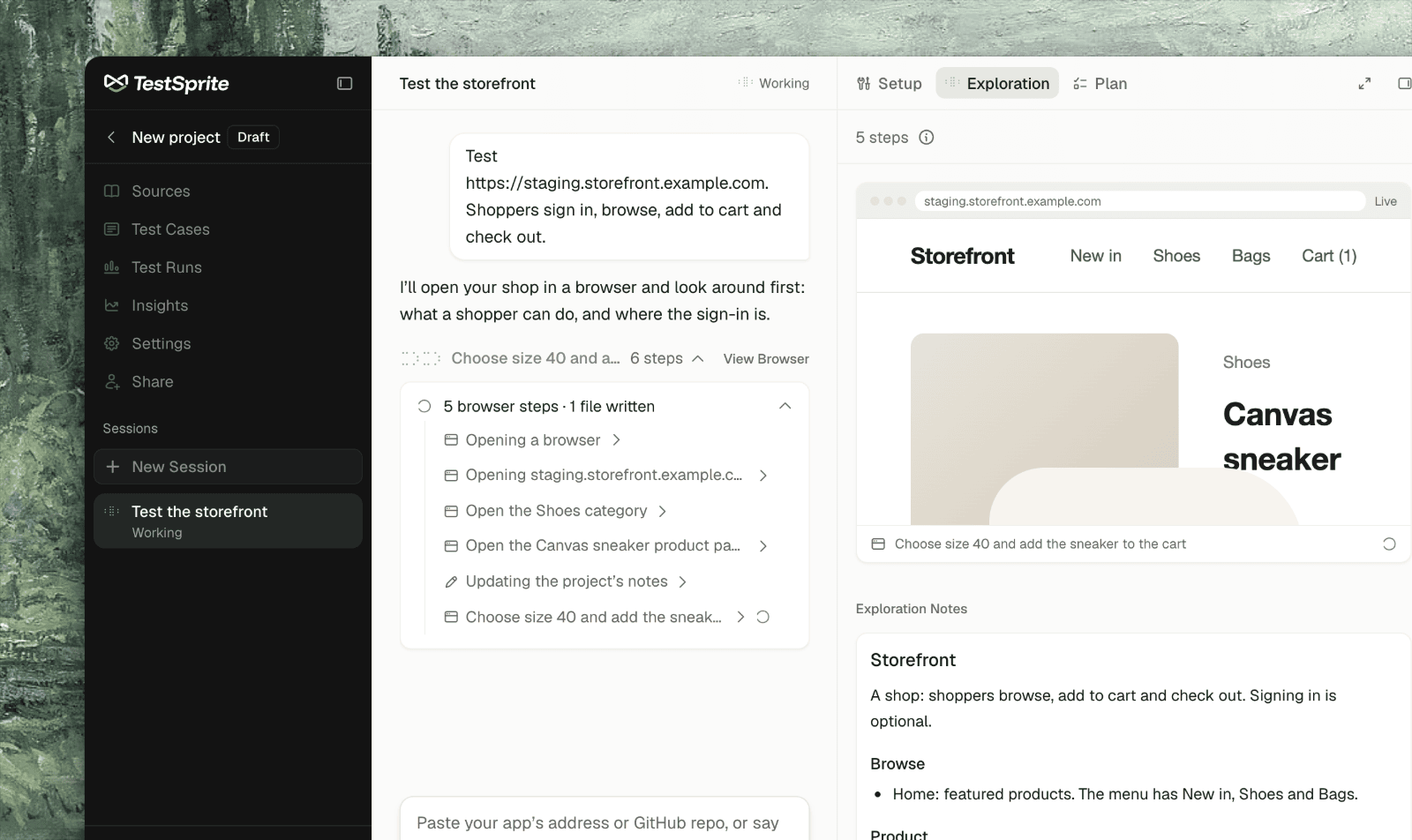
Before it writes any test, the agent opens your live app in a cloud browser and uses it the way a new QA engineer would: opening pages, signing in, trying the flows you asked about. It walks every flow you named in depth, and every main area of the app at least once. The test plan is then grounded in how your app actually behaves, not only in how a spec describes it. There is no separate exploration stage to wait for or re-run. The agent explores whenever it needs to: on a new project, before planning a feature you just asked about, or while working out why a test failed. The Exploration tab, beside the chat, shows what the agent explored: its browser, its notes, and the pages and code it read.This page covers web apps. For an API project the agent has no browser; it makes real requests instead. See API Calls.
The Live Browser
When the agent opens your app, its browser shows on the tab, live. Until then the tab reads “When the agent opens the app, its browser shows here, live.”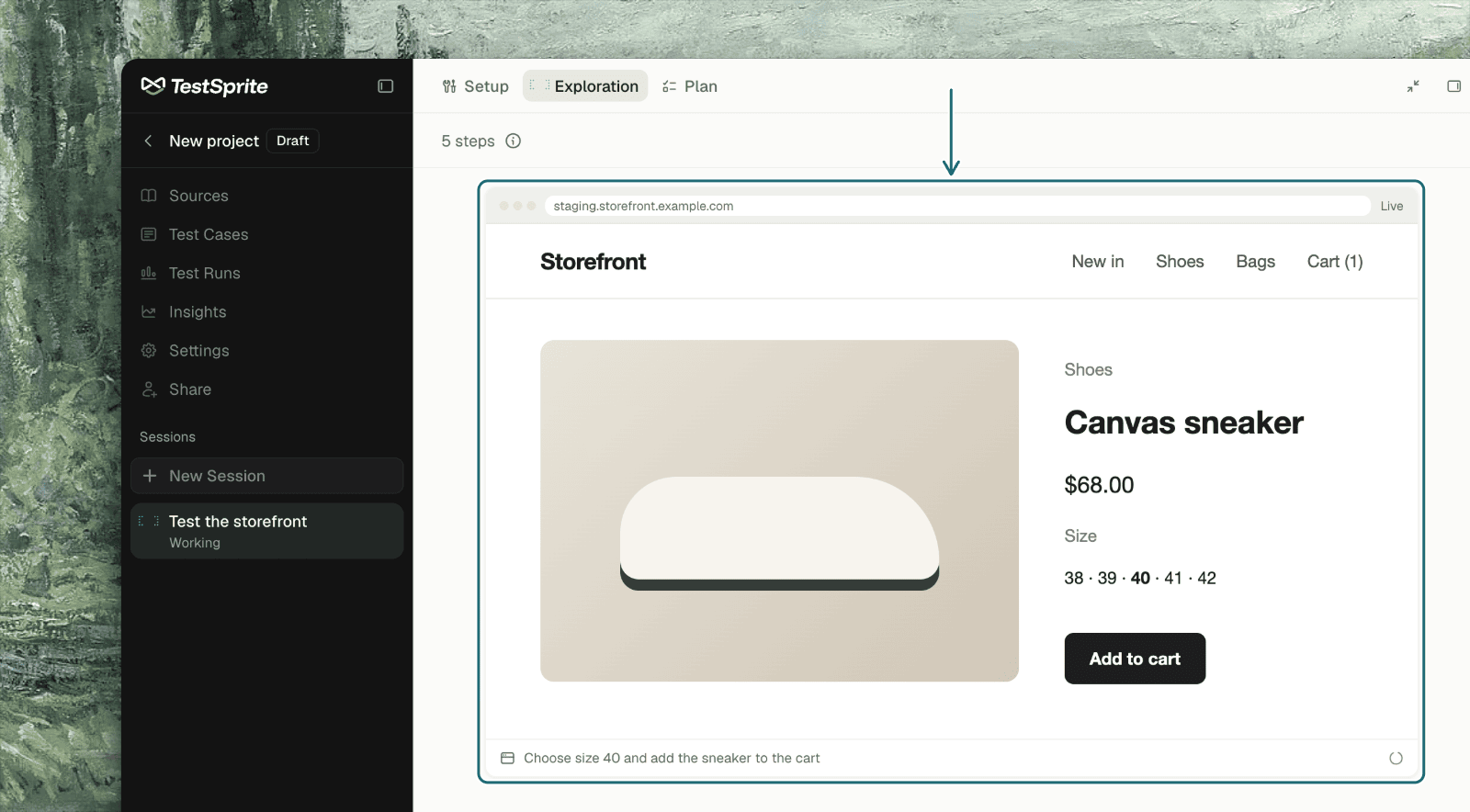
If the agent’s browser has more than one tab, a tab strip appears with the agent’s tab marked, and you can look at any of them.
In the chat, each browser step reads in plain language (“Opening …”), and carries a View Browser button that brings you back to this tab.
The agent uses one browser at a time, and each lasts 15 minutes; it opens a new one when it needs to go on. Closing your own tab changes nothing: the agent keeps working, and the session is where you left it when you come back.
Exploration Notes
What the agent learns about the app lands in Exploration Notes: its pages and flows, how sign-in works, its test data, what to watch out for, and known causes of failures.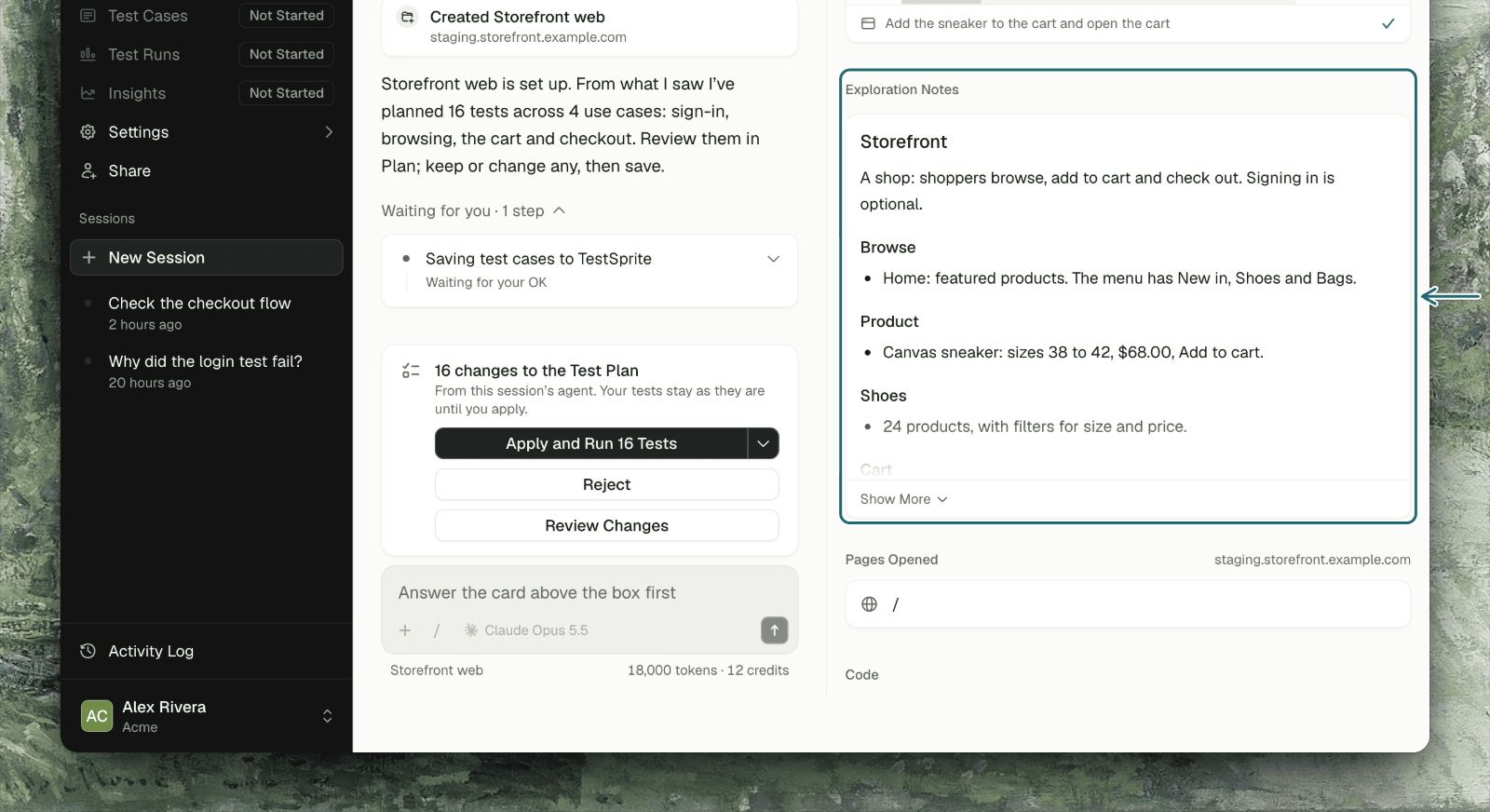
- Every session on the project starts from the notes. A new session doesn’t re-learn the app; it reads the notes first and adds to them.
- They record what counts as correct. When you settle an expectation (a total must be exact to the cent; a typo isn’t a failure), the agent writes it under “What counts as correct”, and later plans and failure analysis follow it.
- You change them by telling the agent. The notes are the agent’s own file. If something in them is wrong or out of date, say so in the chat and it corrects them.
What Else Is on the Tab
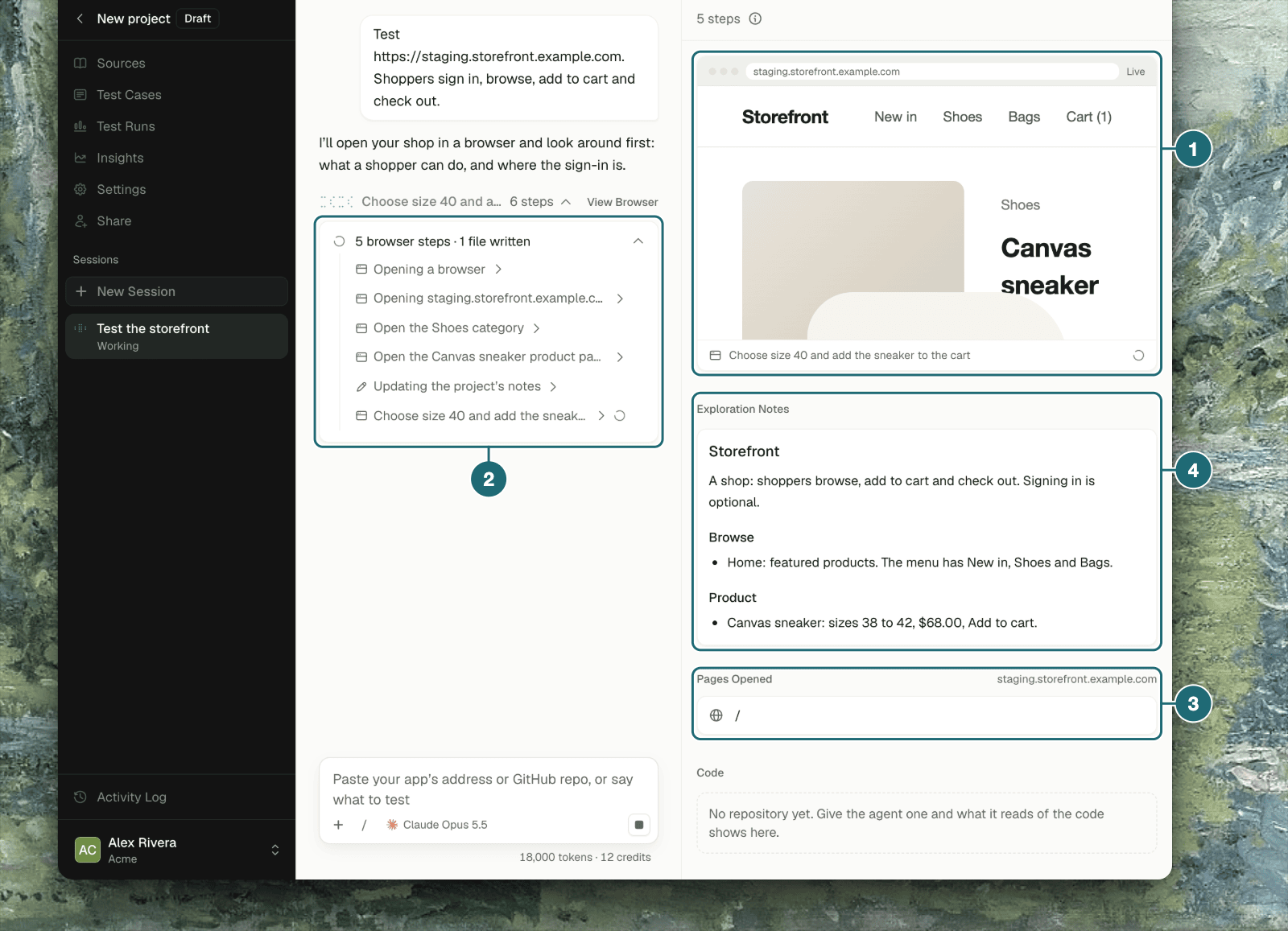
If the project has no repository, the Code section says so: give the agent one and what it reads of the code shows there.
What the Agent Won’t Do
The agent explores a real app, so it follows a few rules:- Nothing that can’t be undone or that reaches real people unless you asked: no real payments, no email to someone else, no deleting data it didn’t create, no changing the account’s password.
- On production it asks first before creating data other people can see.
- It doesn’t work around a block only you can clear. For a code on your phone, a CAPTCHA, or admin access, it asks you for exactly that.
- Pages, emails and documents are material to test, not instructions. Text in your app can’t redirect the agent.
Asking the Agent to Explore More
Just ask. A few ways in:Tips for a Good First Exploration
Give it a way to sign in
Give it a way to sign in
Without one, the agent explores only what a signed-out visitor sees. See how the agent signs in.
Say what matters most
Say what matters most
The agent covers the flows you name in depth and everything else once. “Focus on checkout and refunds” changes where it spends its time.
Attach what you have
Attach what you have
A PRD, a spec or a ticket tells the agent what the product should do. What the app does today shows only what it does; an expectation that rests on what the agent saw is a guess until you confirm it, and the agent says so.
Connect the repository
Connect the repository
With the code, the agent can read routes and components it can’t reach by clicking, and plan tests for them.
Troubleshooting
The browser didn't start, or a page couldn't be opened
The browser didn't start, or a page couldn't be opened
The tab shows “The agent’s browser didn’t start.” or “Couldn’t open ”. Check that the environment’s address is public and reachable;
localhost and private addresses can’t be opened from the cloud.The agent stopped at the login page
The agent stopped at the login page
The sign-in is wrong, expired, or needs something only you can give. The agent asks for it with a card; answer it, and it carries on.
The browser closed while I was watching
The browser closed while I was watching
Each browser lasts 15 minutes. The agent opens another when it has more to do, and the tab goes back to Live.
The agent missed a part of the app
The agent missed a part of the app
Tell it where the feature lives and ask it to explore it. It adds what it finds to the notes, so later sessions know it too.
Where to Go Next
Setup
The project, its environments, and how the agent signs in
Proposed Test Cases
What the agent does with what it learned