

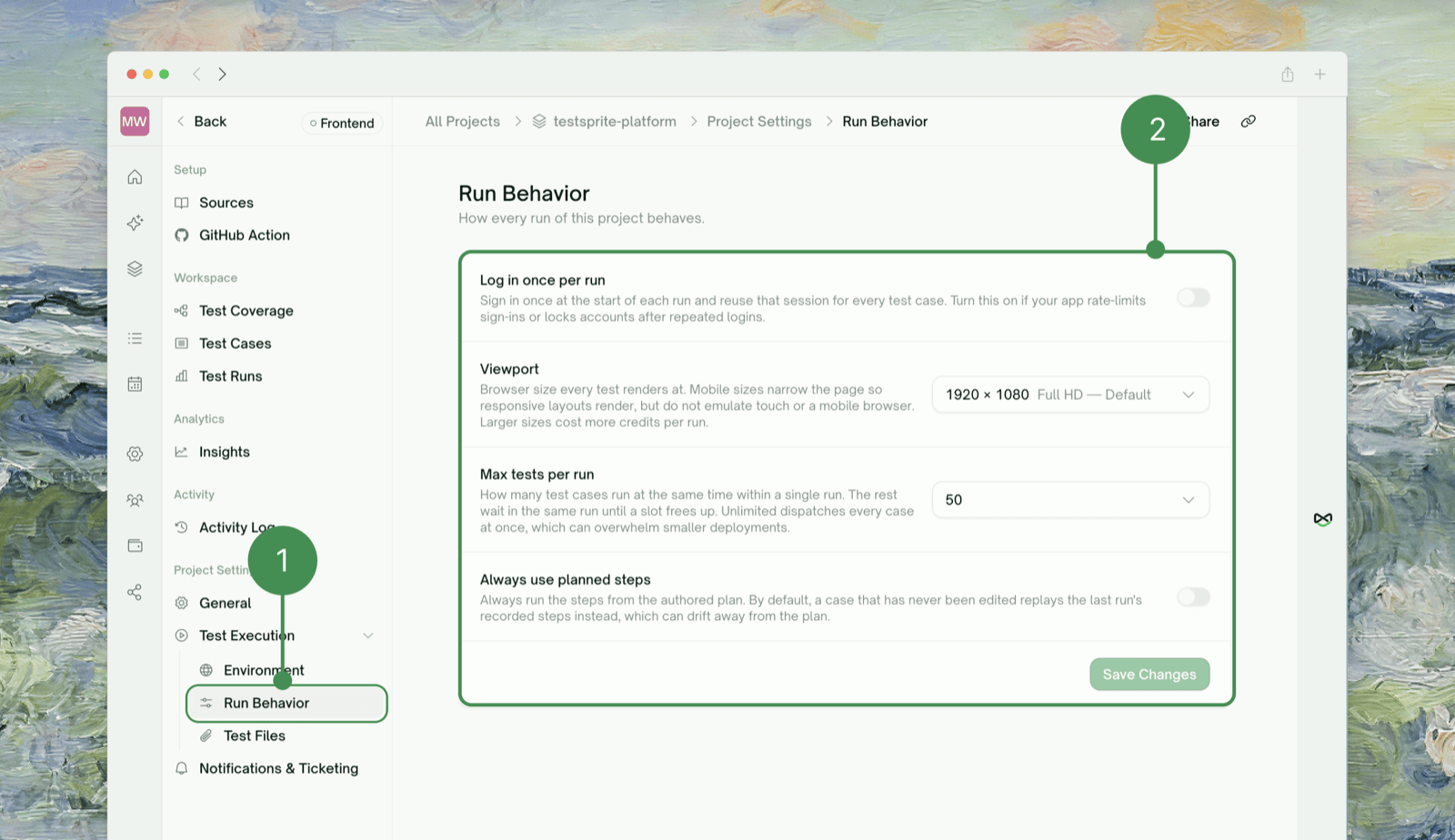
Viewport and Log in once per run are Frontend-only — a Backend project has no browser to apply them to.
Two quick presets — Daily regression: default viewport, planned steps on (stay aligned with the plan), max tests at default or lower for a shared target. Mobile-focused: just switch Viewport to a mobile preset; the other three settings aren’t specific to mobile, so pick them the same way you would for any other run.
Where to Go Next
GitHub Integration
Run tests automatically with these same settings, on PRs and pushes
Edit & Rerun
Trigger a fresh run after changing a setting
Test Detail
Where a run’s results land once it’s finished
How It Works
Haven’t created a project yet? Start here