

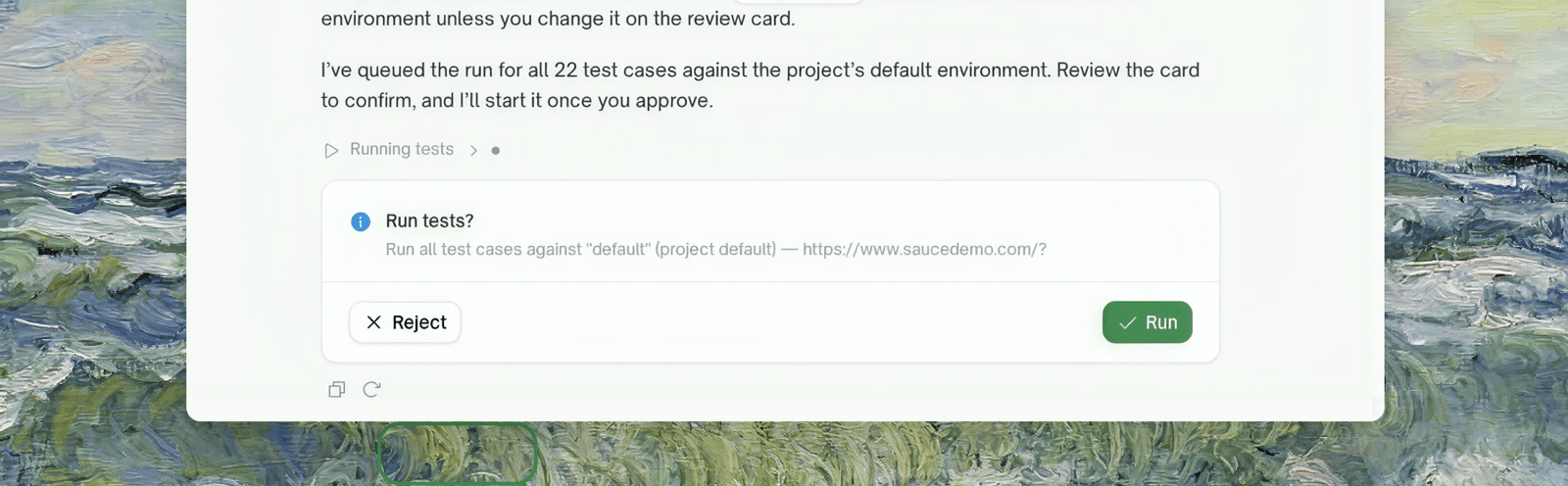
What a card shows
- The action and its full payload — the exact values that will be used, not a summary. A run card names the environment it will hit; a delete card spells out what is destroyed (“project X, its 43 test cases, and their run history”).
- Pre-filled fields you can correct before approving, where the action supports it.
Three ways to resolve a card
One typed sentence can settle several open things at once — you’re never forced through cards one field at a time.
Question cards
When the chat needs information it can’t infer — a URL, a choice between options, a credential — it asks with a question card: single/multi select, free text, or password. Multiple questions render as a stepper (“1 of 3”), and selects include an “Other” option where a custom answer makes sense.Secrets are always collected through password fields — masked, never echoed back into the conversation, and never readable back out of a saved configuration (you’ll see
password set instead of the value). Leading/trailing spaces are kept, since they can be part of a secret.Where to Go Next
AI Chat Overview
What the chat can do and how project focus works